31
GB
Getting Started
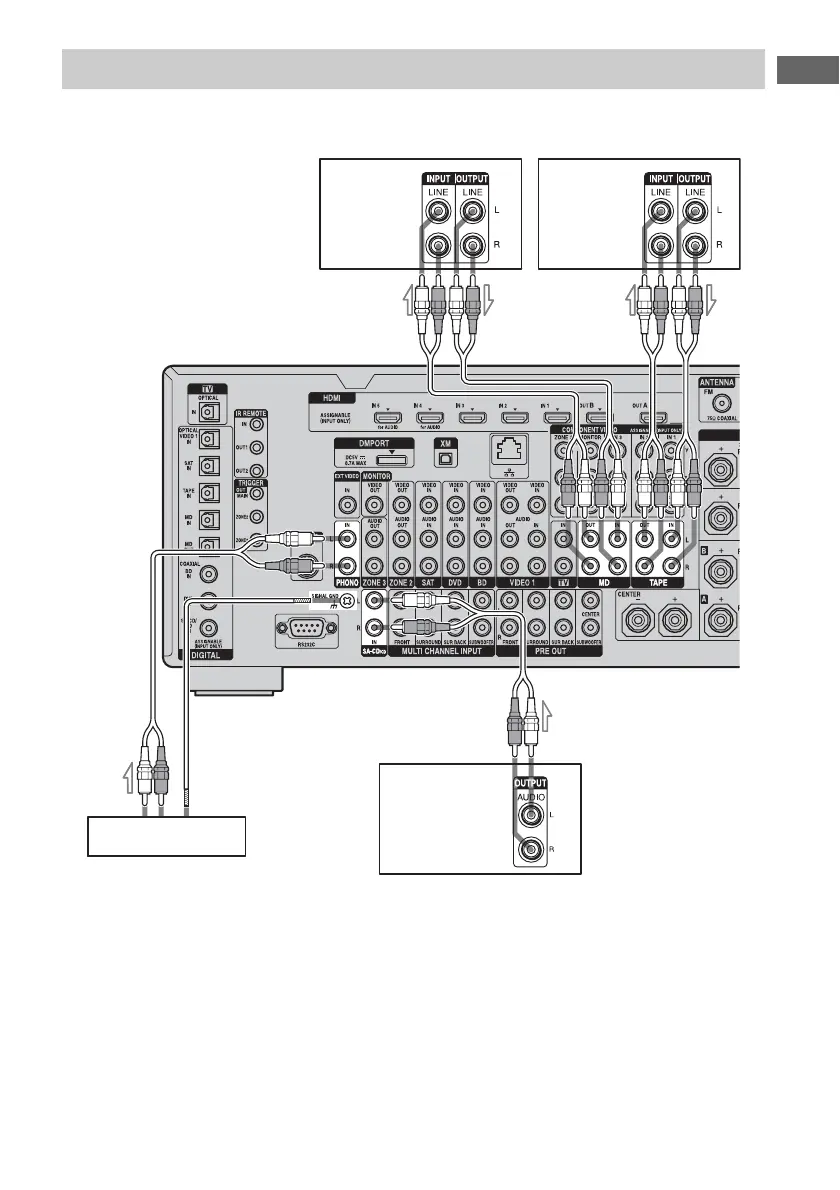
The following illustration shows how to connect a component with analog jacks, such as Super
Audio CD, CD player, MD deck, tape deck and turntable, etc.
Notes
• If your turntable has a ground (earth) wire, connect
it to the (U) SIGNAL GND terminal.
• Before connecting cords, make sure to disconnect
the AC power cord (mains lead).
Connecting components with analog audio jacks
Super Audio CD
player, CD player
Tur n ta bl e
A
Tape deck
A Audio cord (not supplied)
A
A
MD deck
A















 To Next Page