165
GB
Operating Each Component Using the On-screen Remote (Quick Click)
Performing several
commands in sequence
automatically with Quick
Click (Macro Play)
You can use the macro function easily with
Quick Click.
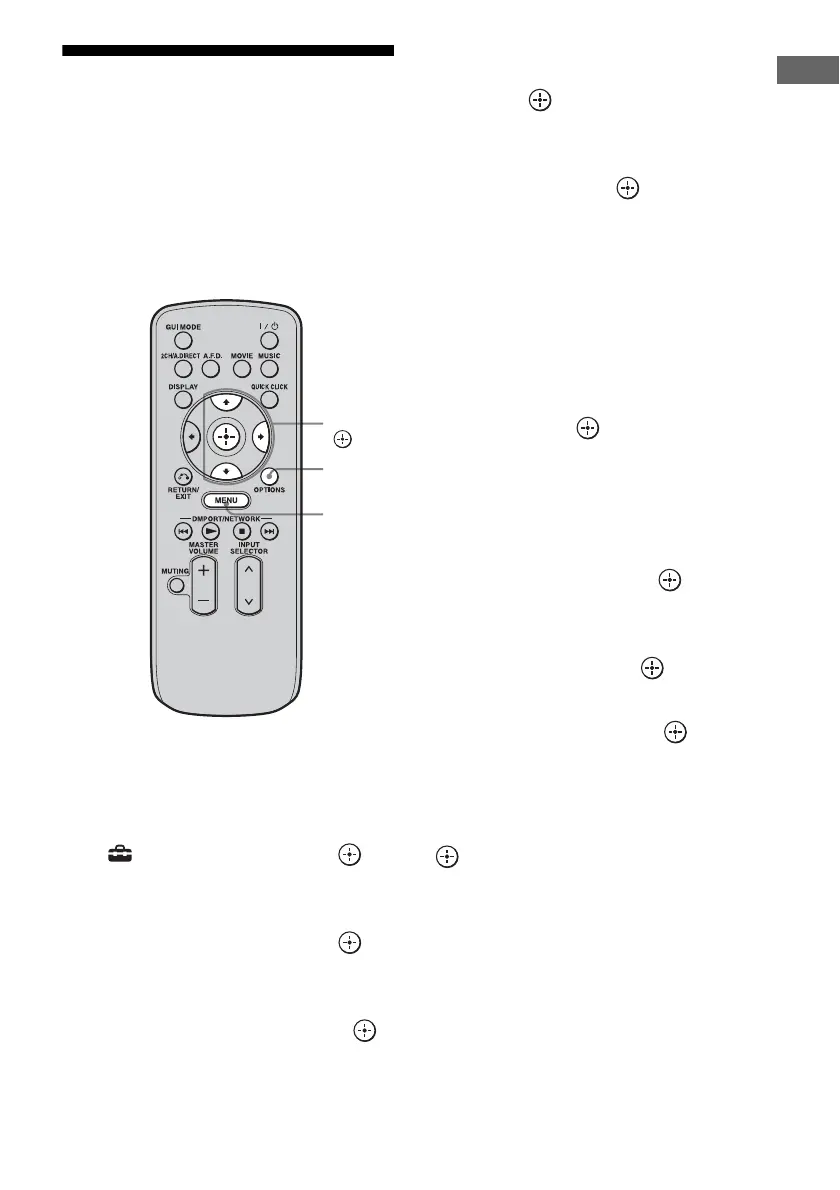
1 Press MENU.
The menu is displayed on the TV screen.
2 Press V/v repeatedly to select
“ Settings,” then press or
b.
3 Press V/v repeatedly to select
“Quick Click,” then press or
b.
4 Press V/v repeatedly to select
“Macro Setup,” then press .
5 Press V/v repeatedly to select
the macro number for which
you want to program the
sequence of operation(s), then
press .
6 Press V/v repeatedly to select
the step number you want to
set, then press .
7 Press V/v repeatedly to select
the component you want, then
press b.
8 Press V/v repeatedly to select
the key, then press b.
9 Press V/v repeatedly to select
the duration of time you want,
then press .
10Repeat steps 6 to 9 when you
want to program operations for
other components.
11Press V/v/b to select Step
Interval, then press .
12Press V/v repeatedly to select
the step interval time you want
to set, then press .
13Press V/v/b repeatedly to select
“Finish,” then press .
The settings process is complete.
To cancel programming
Press V/v/B/b to select “Cancel,” then press
.
V/v/b,
MENU
OPTIONS















 To Next Page