75
GB
Tuning
5 Check the XM Radio ID or Sirius
ID on the TV screen and write it
in the space provided here.
XM Radio ID:_____________________
Sirius ID:_________________________
You can also check the XM Radio ID and
Sirius ID using the display on the
receiver.
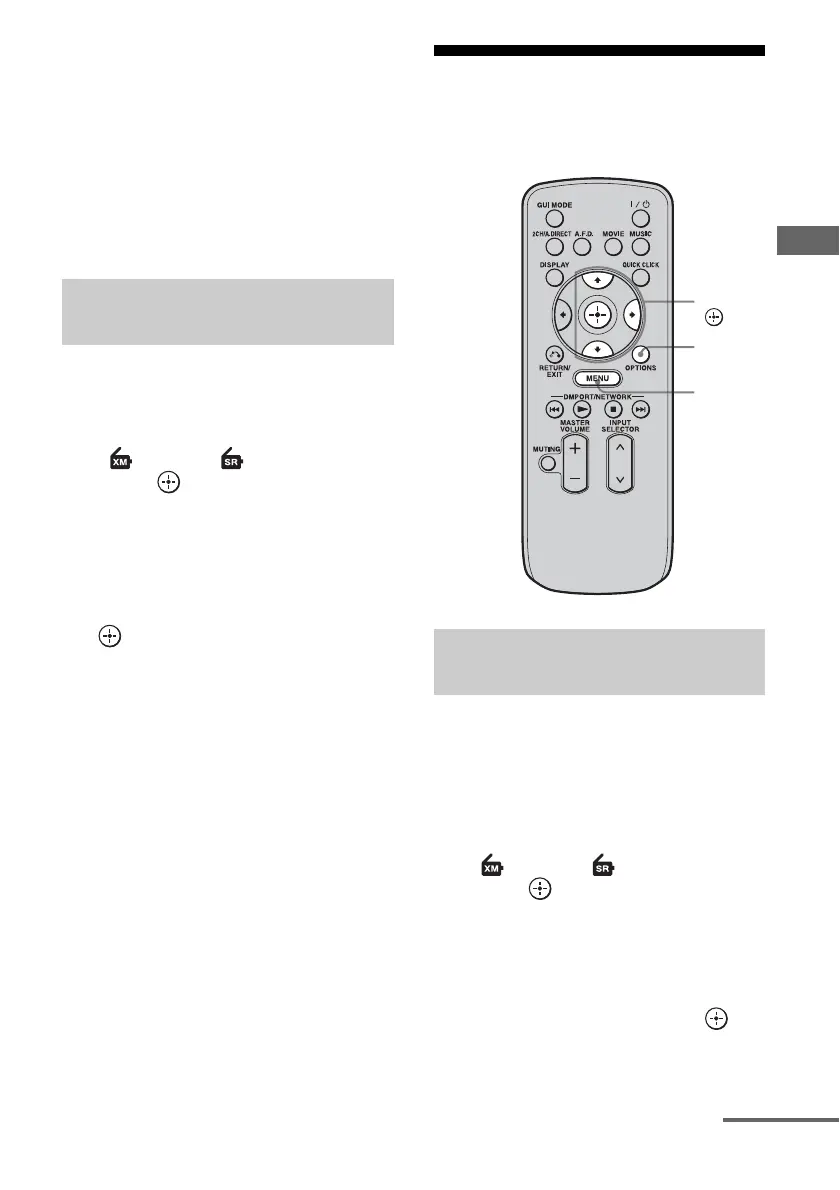
1 Press MENU.
The menu is displayed on the TV screen.
2 Press V/v repeatedly to select
“XM” or “SIRIUS,” then
press or b.
3 Press OPTIONS.
The option menu appears.
4 Press V/v repeatedly to select
“Antenna Aiming,” then press
.
The Antenna Aiming screen appears.
5 While checking the quality of
the reception, adjust the
direction of the antenna to
obtain the best reception.
To exit the menu
Press MENU.
Selecting a channel of the
satellite radio
You can select a channel from one category or
all the categories.
1 Press MENU.
The menu is displayed on the TV screen.
2 Press V/v repeatedly to select
“ XM” or “ SIRIUS,” then
press or b.
3 Press OPTIONS.
The option menu appears.
4 Press V/v repeatedly to select
the category, then press .
• ALL: You can select a channel from all
the categories.
Checking receiving conditions
(Antenna Aiming)
Selecting a channel by category
(Category Mode)
V/v/b,
MENU
OPTIONS
continued















 To Next Page