42
GB
3c: Connecting the IR Blaster
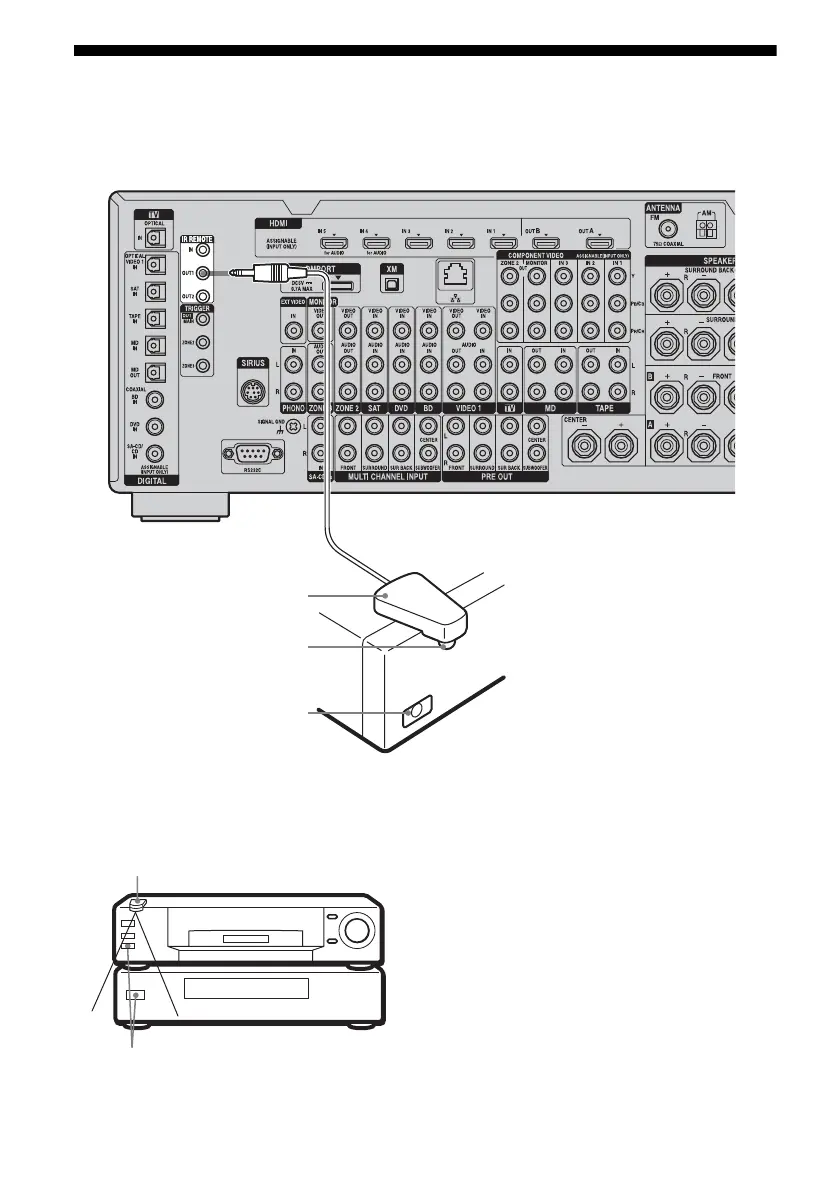
Attach the supplied IR Blaster to components connected to the receiver. You can control
components connected to the receiver via the IR Blaster using the on-screen remote control.
Place the components and the IR Blaster as
follows when you want to operate two
components with the IR Blaster.
If the infrared receivers on the two
components do not line up as shown in the
illustration on the left, you must purchase an
optional IR Blaster (VM-50, not supplied) and
install it.
Note
For details on how to set up a component, refer to the
operating instructions of the component.
Tip
If the IR Blaster cable is too short, use a 3.5 mm jack
extension cable (not supplied).
IR Blaster
(supplied)
Infrared transmitter
Remote sensor
IR Blaster
Remote sensors















 To Next Page