EasyManua.ls Logo

Sony STR-DA5500ES - Component Video Input

Sony STR-DA5500ES
198 pages
Print Icon
To Next Page IconTo Next Page
To Previous Page IconTo Previous Page
Loading...
16
GB
* You can watch the selected input image when you
connect the HDMI OUT or MONITOR OUT jacks
to a TV (page 25).
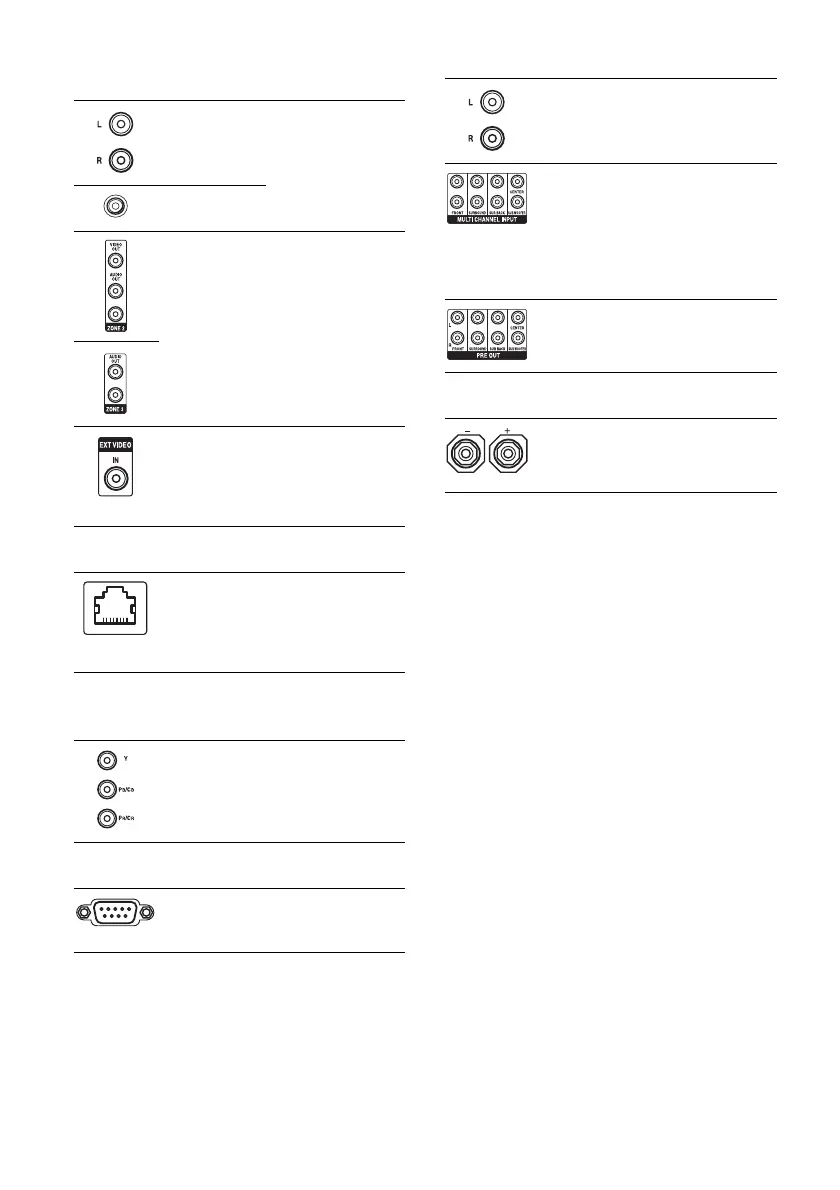
E VIDEO/AUDIO INPUT/OUTPUT
section
AUDIO IN/
OUT jacks
Connect to a VCR or
a DVD player etc.
(page 25, 37, 38, 39).
VIDEO IN/
OUT* jacks
AUDIO OUT
jacks
VIDEO OUT
jack
Connect to the
component in zone 2
or zone 3 (page 105).
EXT VIDEO IN
jack
Connects to the
component when
you want to watch in
PIP (Picture in
Picture) window.
F LAN port
Connects to the
router when you
want to connect the
receiver to your
network.
G COMPONENT VIDEO INPUT/
OUTPUT section
Y, P
B
/C
B
, P
R
/
C
R
IN/OUT*
jacks
Connect to a DVD
player, TV, or a
satellite tuner (page
25, 37, 38).
H RS232C port
Used for
maintenance and
service.
I AUDIO INPUT/OUTPUT section
AUDIO IN/
OUT jacks
Connect to a tape
deck or MD deck, etc
(page 31).
MULTI
CHANNEL
INPUT jacks
Connect to a Super
Audio CD player or
DVD player with an
analog audio jack for
7.1 channel or 5.1
channel sound
(page 30).
PRE OUT jacks Connect to an
external power
amplifier.
J SPEAKERS section
Connects to speakers
(page 23).

Table of Contents

Other manuals for Sony STR-DA5500ES

Related product manuals