118
GB
• When either the HDMI input, DIGITAL MEDIA
PORT adapter, Server, Rhapsody, SHOUTcast,
XM, or SIRIUS is selected, “------” appears on the
display, and you cannot select other modes. Select
an input other than the HDMI input, DIGITAL
MEDIA PORT adapter, Server, Rhapsody,
SHOUTcast, XM, or SIRIUS then set the audio
input mode.
• When “2ch Analog Direct” is being used, or the
multi-channel input is selected, audio input is set to
“Analog.” You cannot select other modes.
Enjoying the sound/
images from other inputs
(Input Assign)
You can reassign video and/or audio signals to
another input.
Example) Connect the OPTICAL OUT jack of
the DVD player to the OPTICAL VIDEO 1 IN
jack of this receiver when you want to input
the only digital optical audio signals from the
DVD player.
Connect the component video jack of the DVD
player to the COMPONENT VIDEO IN 1/
COMPONENT VIDEO IN 2, or
COMPONENT VIDEO IN 3 jack of this
receiver when you want to input the video
signals from the DVD player. Assign video
and/or audio signals to the DVD input jack
using “Input Assign” in the Input menu.
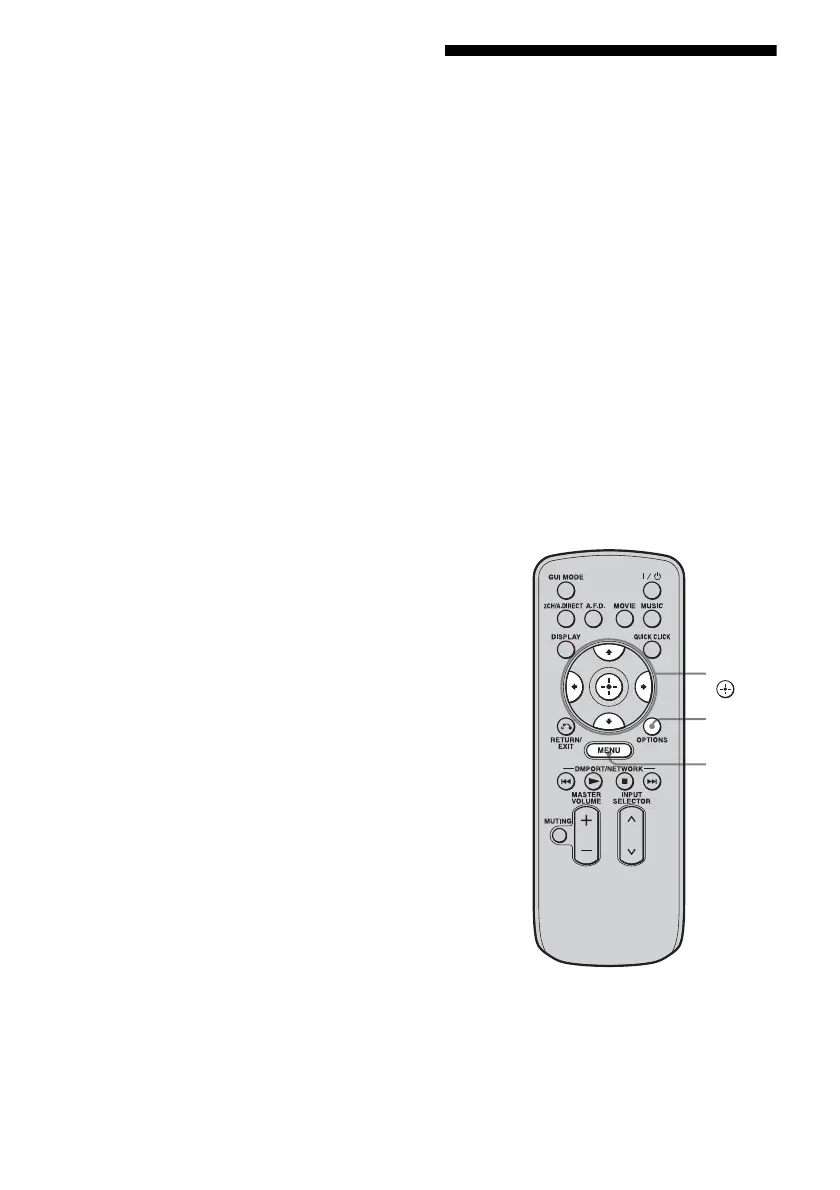
1 Press MENU.
The menu is displayed on the TV screen.
V/v/B/b,
MENU
OPTIONS















 To Next Page