127
GB
Adjusting Settings
1
Using the setting menu
You can adjust the various settings for
speakers, surround effects, multi zone, etc.
using the setting menu.
To display the menu of the receiver on the TV
screen, make sure that the receiver is in “GUI
MODE” by following the step in “To turn
“GUI MODE” on and off” (page 60).
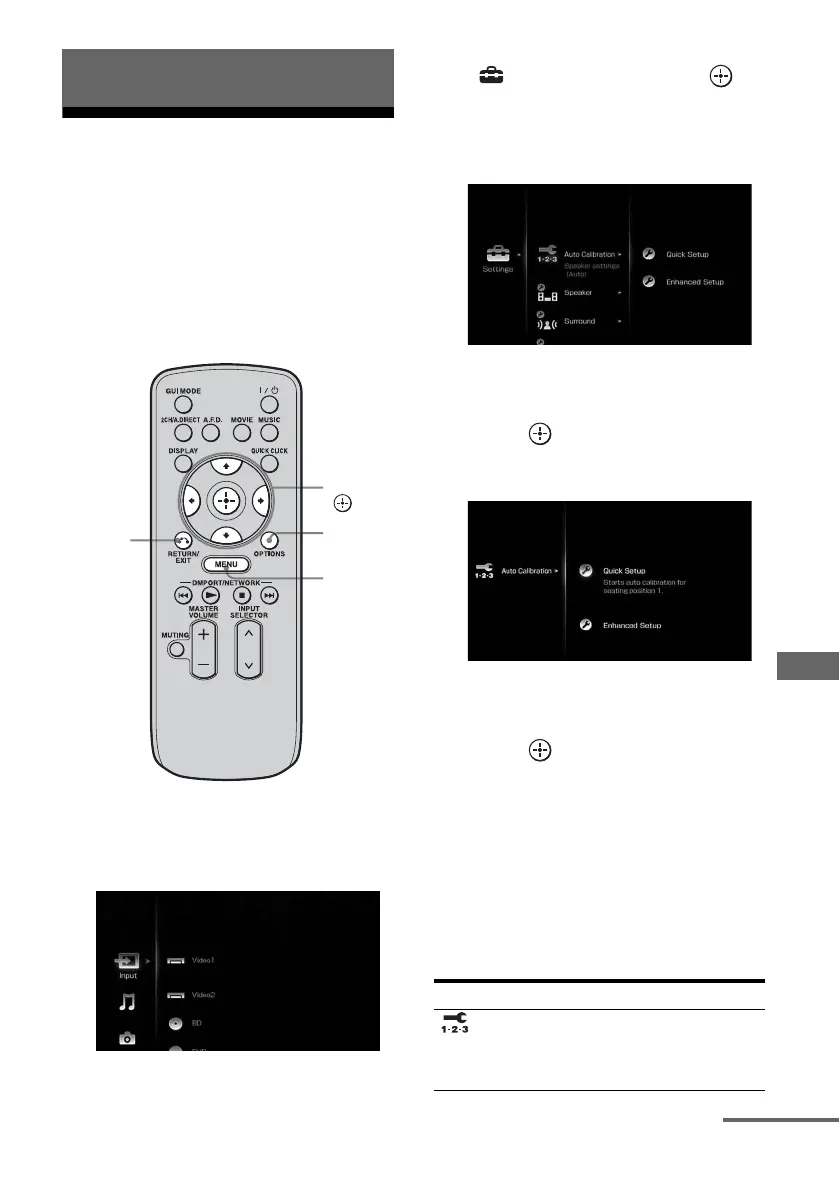
1 Press MENU.
The menu is displayed on the TV screen.
2 Press V/v repeatedly to select
“ Settings,” then press or
b to enter the menu mode.
The setting menu list appears on the TV
screen.
3 Press V/v repeatedly to select
the menu item you want, then
press to enter.
Example: When you select “Auto Calibration”
4 Press V/v repeatedly to select
the parameter you want, then
press to enter.
To return to the previous screen
Press RETURN/EXIT O.
To exit the menu
Press MENU.
Setting menu list
Adjusting Settings
V/v/B/b,
MENU
RETURN/
EXIT O
OPTIONS
Menu icon Description
Auto
Calibration
Sets the speaker level or
distance and makes the
measurement automatically
(page 128).
continued















 To Next Page