52
GB
c) • Signals with a sampling frequency of 88.2 kHz
and higher are always played back at either
44.1 kHz or 48 kHz.
• The measurement result is not utilized when
Dolby TrueHD signals with a sampling
frequency of 176.4 kHz and higher are being
received.
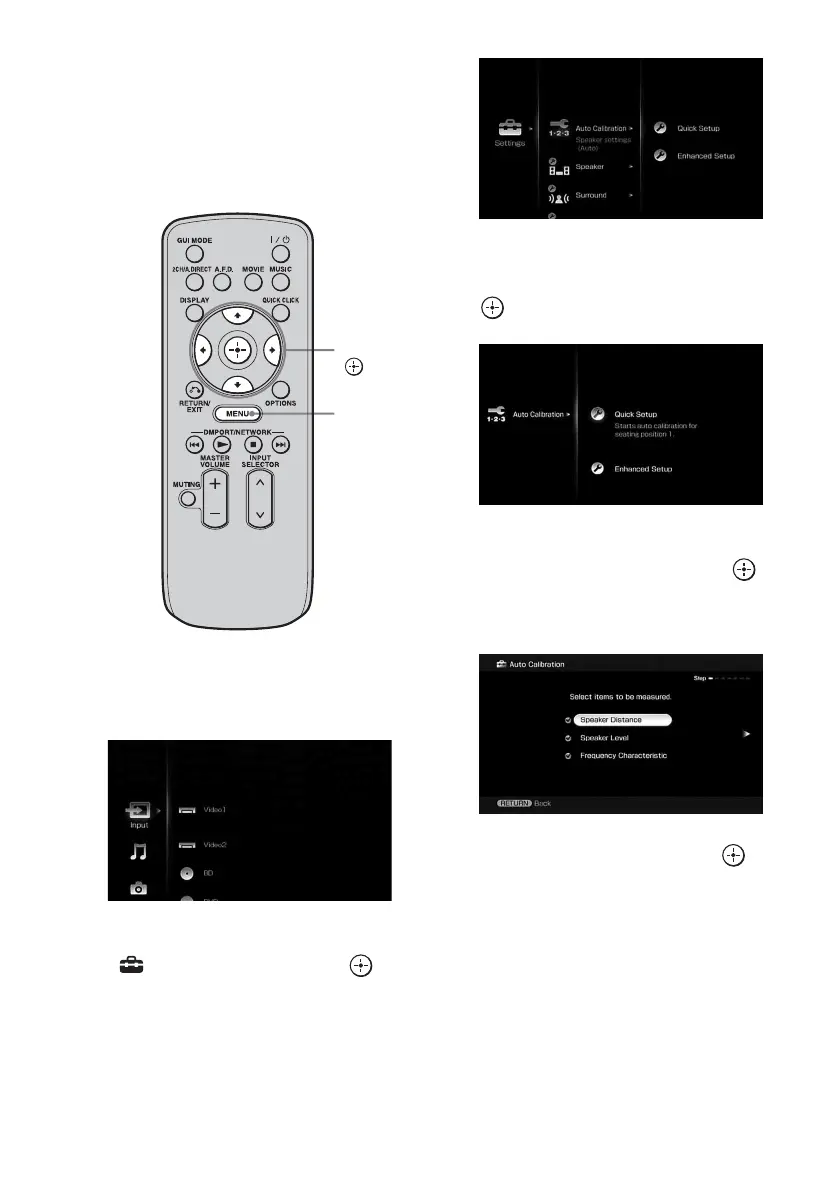
1 Press MENU.
The menu is displayed on the TV screen.
2 Press V/v repeatedly to select
“ Settings,” then press or
b.
The Settings menu list appears on the TV
screen.
3 Press V/v repeatedly to select
“Auto Calibration,” then press
or b.
4 Press V/v repeatedly to select
“Quick Setup,” then press .
The screen on which you can select the
item to be measured appears.
5 Press V/v repeatedly and to
un-check the items you do not
want to measure, then press b.
The confirmation screen, asking whether
you are ready to start measurement,
appears.
V/v/B/b,
MENU















 To Next Page