. .,
* For STR-DE985, you can disnlav the SUKR, LEVEL, EQ SET UP and CUSTOMIZE parameters and selected
sound field by pressing ON SCREEN.
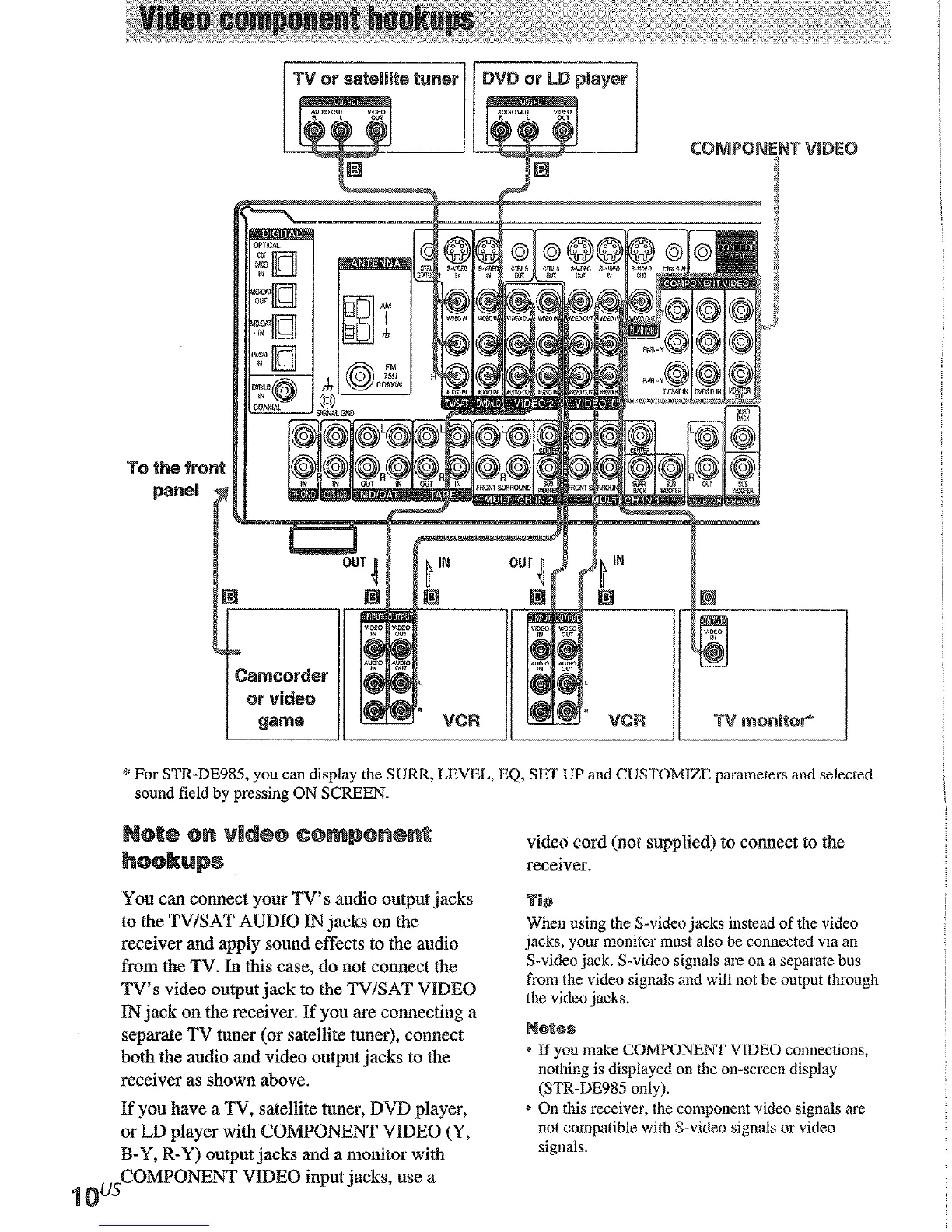
You can connect your TV’s audio output jacks
to the TV/SAT AUDIO IN jacks on the
receiver and apply sound effects to the audio
from the TV. In this case, do not connect the
TV’s video output jack to the TV/SAT VIDBO
IN jack on the receiver. If you are connecting a
separate TV tuner (or satellite tuner), connect
both the audio and video output jacks to the
receiver as shown above.
If you have a TV, satellite tuner, DVD player,
or LD player with COMPONENT VIDEO (Y>
B-Y, R-Y) output jacks and a monitor with
~~CO~~O~NT VIDEO input jacks, use a
video cord (not supplied) to connect to the
receiver.
When using the S-video jacks instead of the video
jacks, your monitor must also be connected via an
S-video jack. S-video signals are on a separate bus
from the video signals and will not be output through
the video jacks.
* If you make COMPONENT VIDEO connections,
nothing is displayed on the on-screen display
(STR-DE985 only).
* On this receiver, the component video signals are
not compatible with S-video signals or video
signals.
Connect the digital output jacks of your DVD pl:
input jacks to bring the multi channel surround
center speaker) and a sub woofer are required. Fc
smround back speaker (STR-DE9gS) or refer pal
player with au R.F
OUT
jack via au RF detnoduk
You cannot connect an LD player’s DOLBY DIGITAL
You must first convert the RF signal to either an optics
“Tronhleshooting” on page 58.











 To Next Page