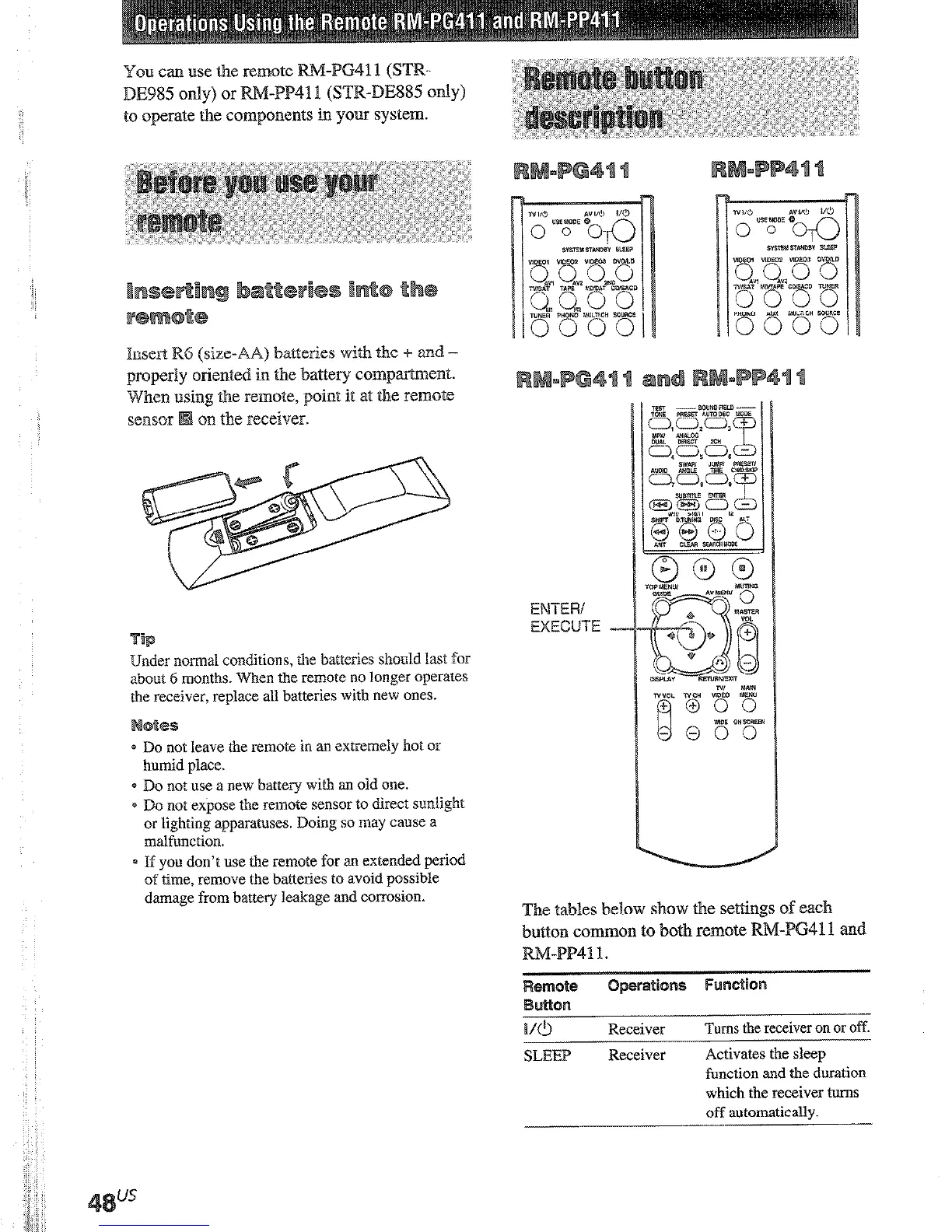
You can use the
to operate the components in your system.
VIDEO 1
Receiver To watt
(VTR n
VIDEO 2 Receiver To watt
(VTR n
VIDEO 3
Receiver To w&c
(YTR n
-.-
DVDiLD
Receiver
To watt
disc.
TV/SAT Receiver
CDISACD Receiver
TUNER
Receiver
-....... --.
PHONO Receiver
MULTI CH Receiver
To
or sate1
To liste
To liste
prograr
To liste
Seiects
source.
1mee-F R6 (size-AA) batteries wilh the f and -
properly oriented in Fhe batFery compa.rFmenF.
When
‘ng Fhe remote, point it at the remote
on the receiver.
SOURCE Receiver Selects
TEST
TONE
Receiver
Press tc
PRESET
Receiver
AUTO DEC Receiver
ANALOG Receiver
DBECT
2CH Receiver
MODE +/- Receiver
sm Receiver
D.TUNIWG Receiver
Selects
(e.g. Ci
EX A,
Selects
DECO1
Seiect I
Bilingu
Digital
Selects
DIREC
Selects
Selects
Press n
a
presett
or tunic
station:
Tuner :
in-mod
EM-iERi
EXECUTE I_
er normal conditions, the batteries shou?d last for
about 6 months. When the remote no longer operates
the receiver, replace all batteries with new ones.
e Do not leave the remote in an extremely hot or
humid place.
* Do not use a new battery with an old one.
* Do not expose the remote sensor to direct sunlight
or lighting apparatuses. Doing so may cause a
malfunction.
s If you don’t use the remote for an extended period
of time, remove the batteries to avoid possible
damage from battery leakage and corrosion.
The tables below show the settings of each
button cmmon to both remote I&M-P641 1 and
RM-PP41 t .
.-
MUTING Receiver
Mutes
receive
* For STR-DE985, press repeated]:
CHIN
101~2.
I/O
Receiver
Turns the receiver on or off.
-
SLEEP Receiver
Activates the sleep
function and the duration
which the receiver turns
off automatically.
-.











 To Next Page