Before receiving broadcasts, make sure
YOU
have connected FM and Al@ antennas to the
receiver (page 7).
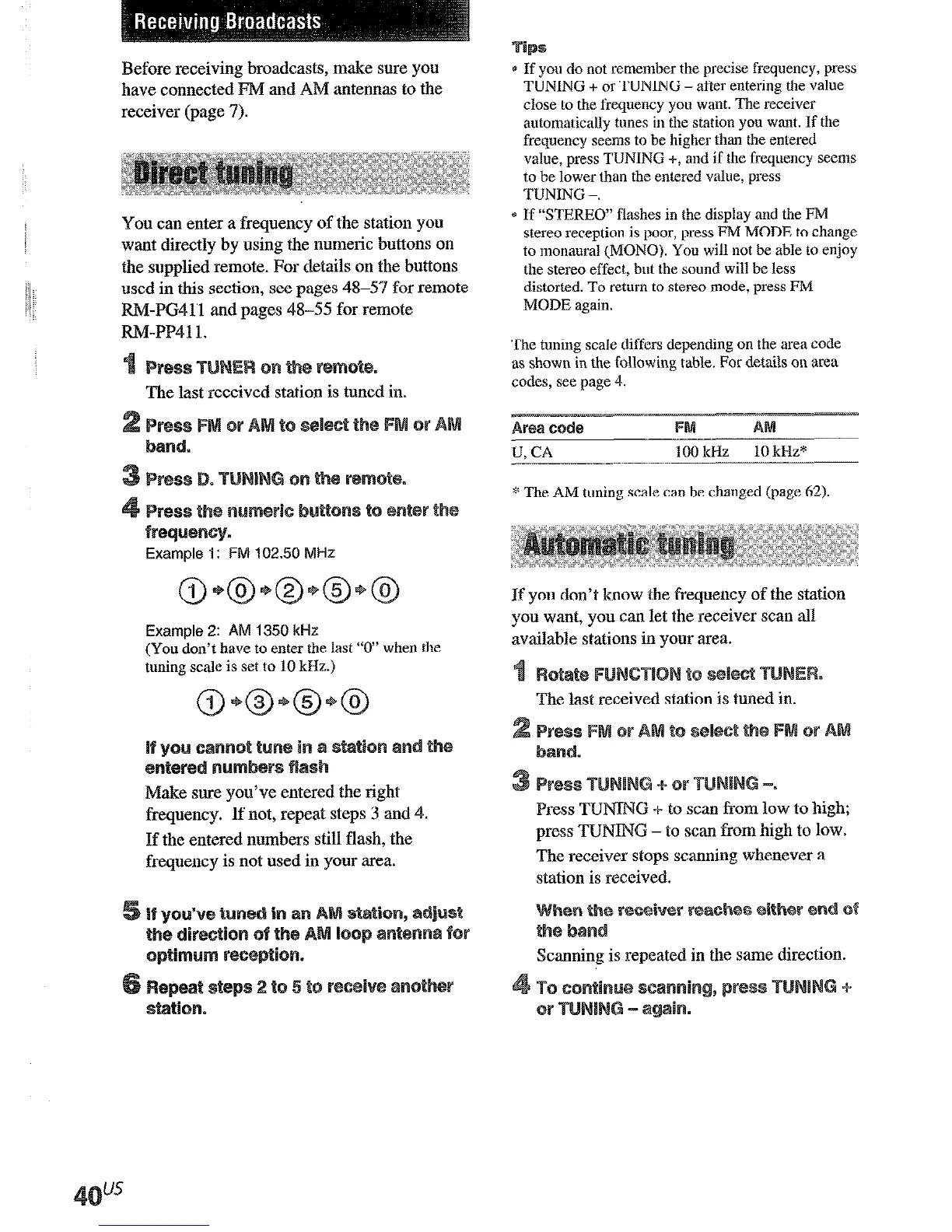
You can enter a frequency of the station you
want directly by using the numeric buttons on
the supplied remote. For details on the buttons
used in this section, see pages 48-57 for remote
F&%-PC41 1 and pages 48-55 for remote
FM-PP411.
The last received station is tuned in.
~re~we~~y.
Example 1: FM 102.50 MHz
Example 2: AM 1350 kHz
(YOU don’t have to enter the last “0” when the
tuning scale is set to 10 kHz.)
Make sure you’ve entered the right
frequency. If not, repeat steps 3 and 4.
If the entered numbers still flash, the
frequency is not used in your area.
:
* If you do not remember the precise frequency, press
TUNING + or TUNING - after entering the value
close to the frequency you want. The
receiver
automatically tttnes in the station you want. If the
frequency seems to be higher than the entered
value, press TUNING +, and if the frequency seems
to be lower than the entered value, press
TUNING -.
e If “STEREO” flashes in the display and the FM
stereo reception is poor, press FM MODE to ch;ltige
to
monaural (MONO). You
will not be able to enjoy
the
stereo effect, but the sound will bc less
distorted. To return to stereo mode, press FM
MODE again.
The tuning scale diffcrs depending on the area code
as shown in the
following
table. For details on area
codes, see page 4.
Afwl code
FM
A
U, CA
100 kHz
10 kHz*
*
The AM
tuning scale can be changed (page 62).
If you don’t know the frequency of the station
you want, you can let the receiver scan all
available stations in your area.
Press TUlWJG + to scan fkom low to high;
press TUNING - to scan from high to low.
The receiver stops scanning whenever a
station is received.
Scanning is repeated in the same direction.
+
or
After you have tuned in stations using Direct
Tuning or Automatic Tuning, you can preset
them to the receiver. Then you can tune in any
of the stations directly by entering its
&character preset code using the supplied
remote. Up to 30 Pi%2 or AWI stations can be
preset. The receiver will also scan all the
stations that you have preset.
Before tuning to preset stations, be sure to
preset them by performing steps on “Presetting
radio stations”.
The last received station is tuned in.
appears in the display for a
few seconds.
Do steps 4 to 6 before “MEMORY goes
Each time you press SHIFT, the letter “A”,
e preset number, start again from step 3.
If “DEFORM’ goes out before you can
store the station, start again from step 3.











 To Next Page