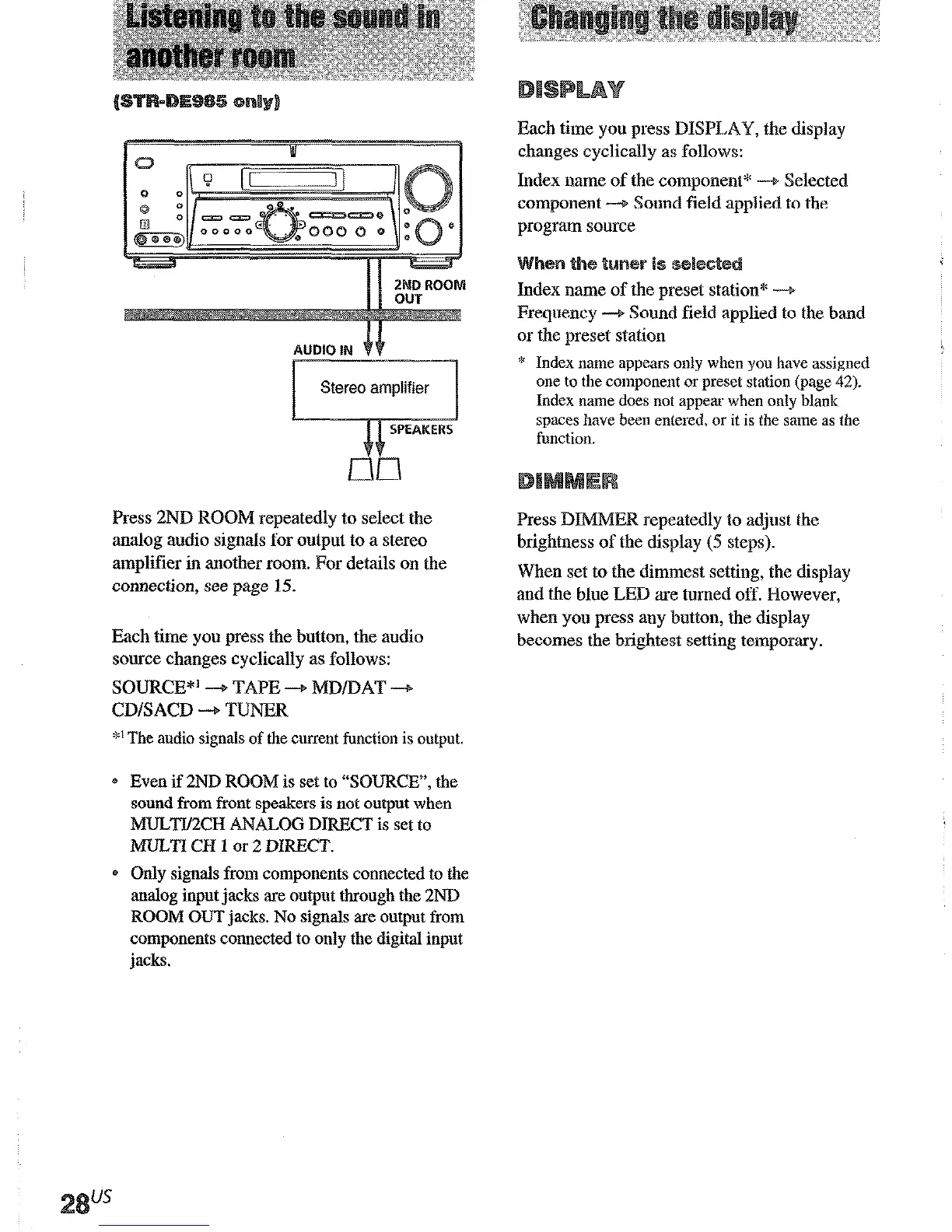
Press 2ND ROOM repeatedly to select the
analog audio signals for output to a stereo
amplifier in another room. For det~ails on the
connection, see page 15.
Each time you press the button, the audio
source changes cyclically as follows:
SOURCE*’ -+ TAPE -+ MDlDAT -+
CD/SACD -+ TUNER
*’ The audio signals of the current function is output.
Even if 2ND ROOM is set to “SOURCE?‘, the
sound from front speakers is not output when
MULTl/2CH ANALOG DIRECT is set to
MULTI CH 1 or 2 DIRECT.
Only signals from components connected to the
analog input jacks are output through the 2ND
ROOM OUT jacks. No signals are output from
components connected to only the digital input
jacks.
Each time you press DISPLAY, the display
changes cyclically as follows:
Index name of the component* -+ Selected
component -+ Sound field applied to the
program source
Index name of the preset station* --+
Frequency -+ Sound field applied to the band
or the preset station
B Index name appears only when you have assigned
one to the component or preset station (page 42).
Index name does not appe~ when only blank
spaces have been entered, or it is the same as the
function.
Press DEMUR repeatedly to adjust the
brightness of the display (5 steps).
When set to the dimmest setting, the display
and the blue LED are turned off. However,
when you press any button, the display
becomes the brightest setting temporary.
You can take advantage of surround sound
simply by selecting one of the receiver’s pre-
programmed sound fields. They bring the
exciting and powerful sound of movie theaters
and concert halls into your home. You can also
customize the sound fields to obtain the sound
you want by changing the various surround
parameters.
To fully enjoy surround sound, you must
register the number and location of you
speakers. See “Multi charnel surround setup”
starting from page 19 to set the speaker
parameters before enjoying surround sound.
“AIJTO DECODING” appears in the display.
This mode automatically detects the type of
audio signal being input (Dolby Digital, DTS,
or standard 2 chalmel stereo) and performs the
proper decoding if necessary. This mode
presents the sound as it was recorded/encoded,
without adding any effects (e.g. reverberation)
However, if there are no low frequency signals
(Dolby Digital LEE, etc.) it will generate a lot?
frequency signal for output to the sub woofer.
You can enjoy surround sound simply by
selecting one of the pre-programmed sound
fields according to the program you want
to
listen to.











 To Next Page