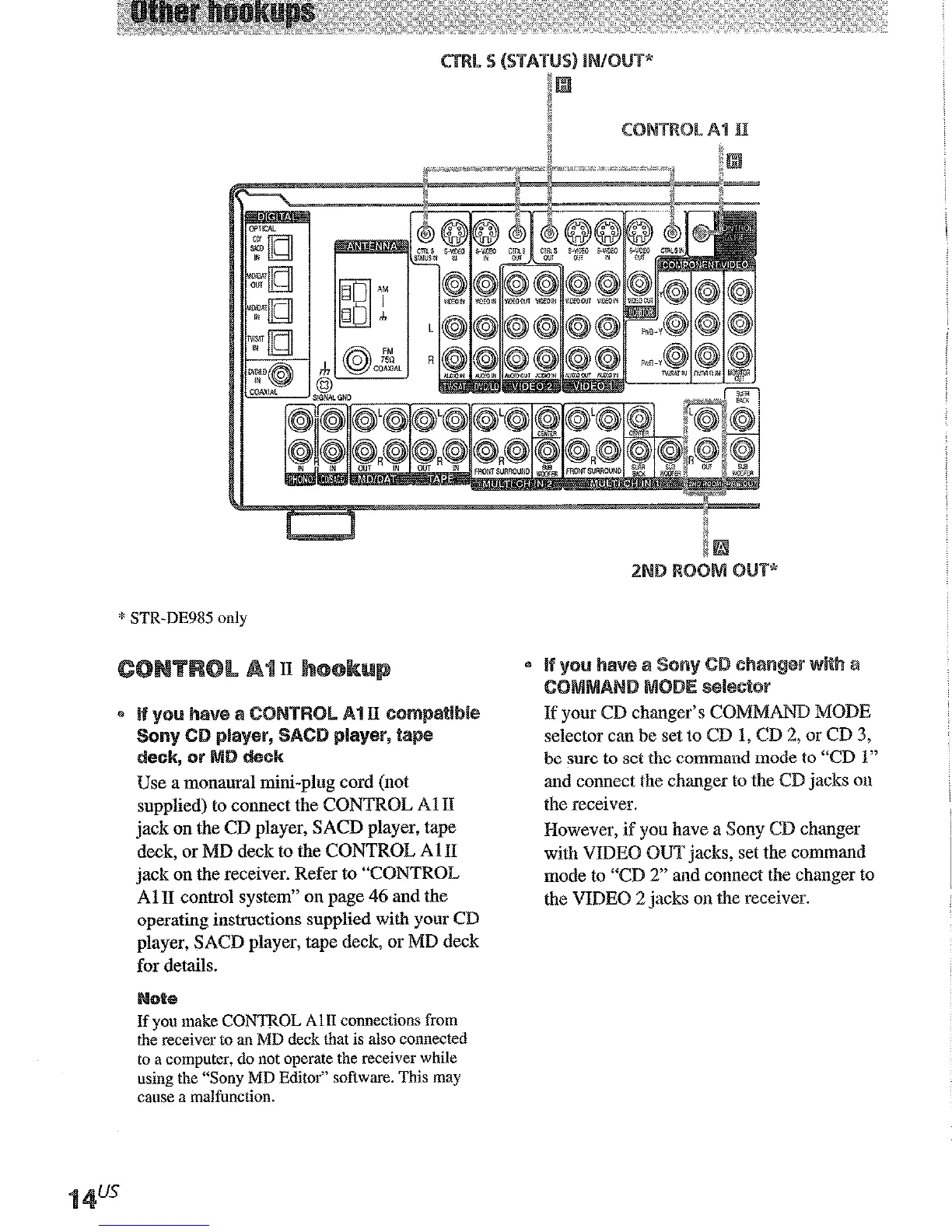
* STR-DE985 only
supplied) to comrect the CONTROL Al II
jack on the CD player, SACD player, tape
deck, or MD deck to the CONTROL A 1 II
jack on the receiver. Refer to “CONTROL
Al II control system” on page 46 and the
operating instructions supplied with your CD
player, SACD player, tape deck, or MD deck
for details.
If you make CONTROL Al11 connections from
the receiver to an MD deck that is also connected
to a computer, do not operate the receiver while
using the “Sony MD Editor” software. This may
came a malfunction.
If your CD changer’s ~~M~~ MODE
selector can be set to CD 1, CD 2: or CD 3,
be sure to
set
the command mode to “CD 1”
and connect the changer to the CD jacks on
the receiver.
However, if you have a Sony CD changer
with VIDEO OUT jacks, set the command
mode to “CD 2” and connect the changer to
the VIDEO 2 jacks on the receiver.
If you have a
S-LINK ~~N~O~ S-,
compatible Sony TV, satellite tuner, monitor,
DVD player OS VCR, use an audio/video/
control S connecting cord (supplied) or a
monamal mini-plug cord (supplied) to connect
the CTRL S (STATUS) IN (for TV, satellite
tuner, or monitor) or OUT (for VCR, etc.) jack
on the receiver to the appropriate S-LINK jack
on the respective component. Refer to the
operating instructions supplied with your TV,
satellite tuner, monitor, VCR, etc., for details.
The following illustration is an example of
S-LXWK CONTROL S hookups between the
receiver, a TV, a VCR, and a DVD player.
When your TV is connected to the receiver as
shown below, the TV input mode will change
to video input whenever you turn on the
receiver. When you connect the receiver as
shown
below,
input mode of the receiver
changes to VIDEO 1 or DVD/LD whenever
you play your VCR or DVD.
The following cotmections will also change the
input mode of the receiver to TV whenever you
opesate your TV.











 To Next Page