Lets you adjust the center speaker bass
crossover
frequency when the center speaker is
set to “SMALL”.
Lets you adjust the snrround speaker bass
crossover freqnency when the surronnd
speakers are set to “SMALL”.
crossover frequency when the surronnd back
speaker is set to
“SMALL”.
You can set the FRONT. CENTER, SURROUND
aud SURR BACK parameters when the speaker size
is set to “SMALL”.
ct the cut off frequency of the
LFE channel high cut filter. Normally, select
“STD”. When using a passive snb woofer
powered by a separate power amplifier, it may
be better to change the cut off frequency.
Set the sub woofer phase polarity. There is
usually no problem when the sub woofer phase
polarity is set to “NORMAL”. However,
depending on the type of front speakers, the
position of the sub woofer, and the cut-off
frequency of the sub woofer, setting the phase
polarity to “REVERSE” may produce better
bass. Besides bass reproduction, the richness
and tightness of the overall sound may also be
affected. While listening from the main
listening position, select the setting that best
suits
yonr environment.
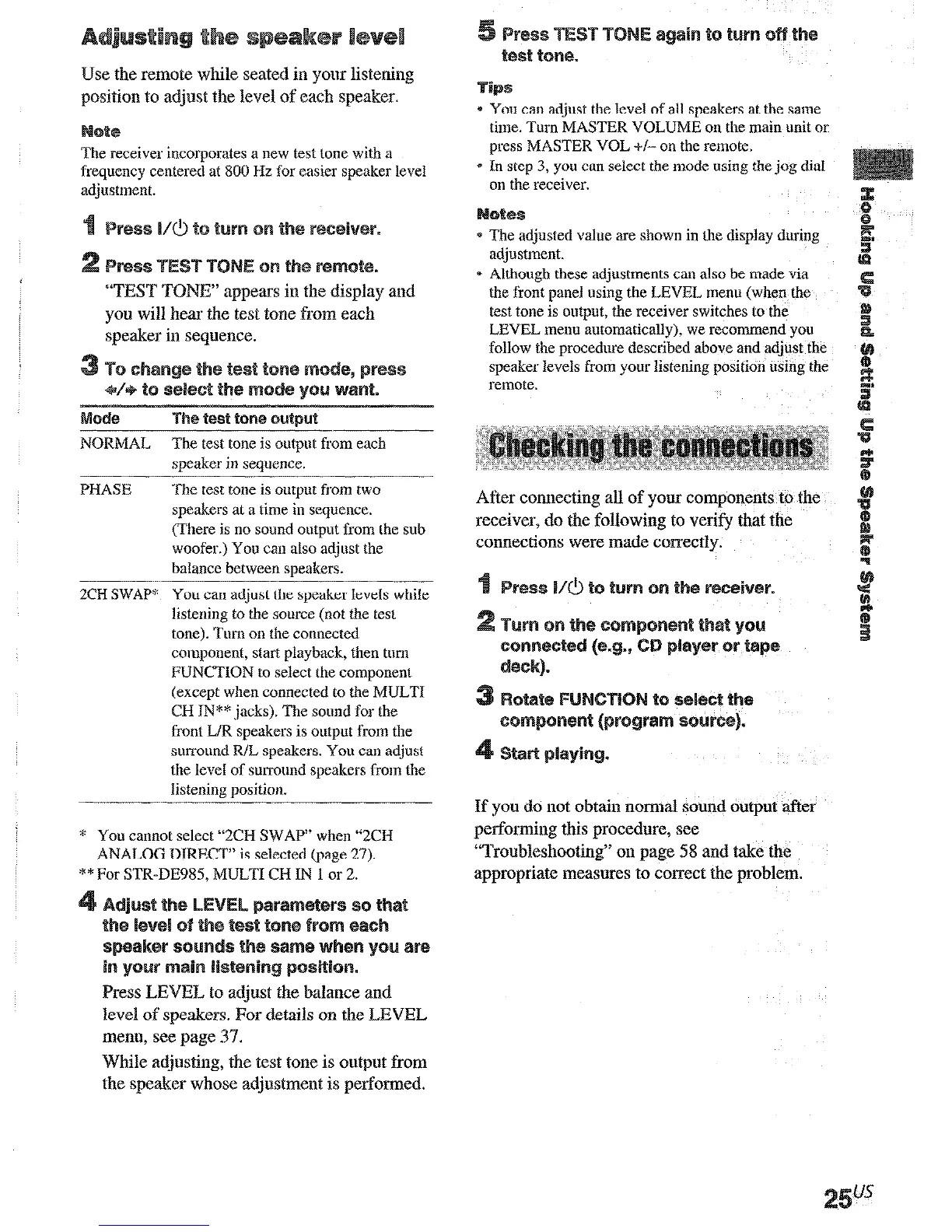
Use
the
remote while seated in your listening
position to adjust the level of each speaker.
te
The receiver incorporates a new test tone with a
frequency ceatered at 800 Hz for easier speaker level
“‘TEST TOI%” appears in the display and
you will hear the test tone from each
speaker in sequence.
bode
The test tone ~UtpMt
NORMAL
The test tone is oulput from each
speaker in sequence.
PHASE
The test tone is output from two
speakers at a time in sequence.
(There is no sound output from the sub
woofer.) You can also acIjust the
balance between speakers.
2CH SwAP*
You can adjust the speaker levels while
listening to the source (not the test
toae). Turn ou the conuected
component, start playbxk, then tom
FUNCTION to select the compouent
(except when connected to the MULTI
CH IN** jacks). The sound for the
front L/R speakers is output from the
surround R/L speakers. You cau adjust
the level of surround speakers from the
listening position.
You cannot select “2CH SWAP” wheu “ZCH
ANALOG DIRECT” is selected (page 27).
d* For STR-DE985, MULTI CH IN 1 or 2.
Press LEVI% to adjust the balance and
level of speakers. For details on the LEVEL
menu, see page 37.
While adjnsting, the test tone is ootput from
the
speaker whose adjustment is performed.
* You caa adjust the level of all speakers at the same
time. Turn MASTER VOLUME ou the main unit or
press MASTER VOL +/- on the remole.
* In step 3, you can select the mode usiug the jog dial
on the receiver.
* The adjusted value are shown in the display during
adjustment.
* Although these adjustments cau also be made via
the front paael using the LEVEL menu (when the
test toue is output, the receiver switches to the
LEVEL menu automatically), we recommend you
follow the procedure described above and adjust the
speaker levels from your listening position using the
remote.
After connecting all of your components to the
receiver, do the following to verify that the
connections were made correctly.
If you do not obtain normal sound output after
performing this procedure, see
“Troubleshooting” on page 58 and take the
appropriate measures to correct the problem.











 To Next Page