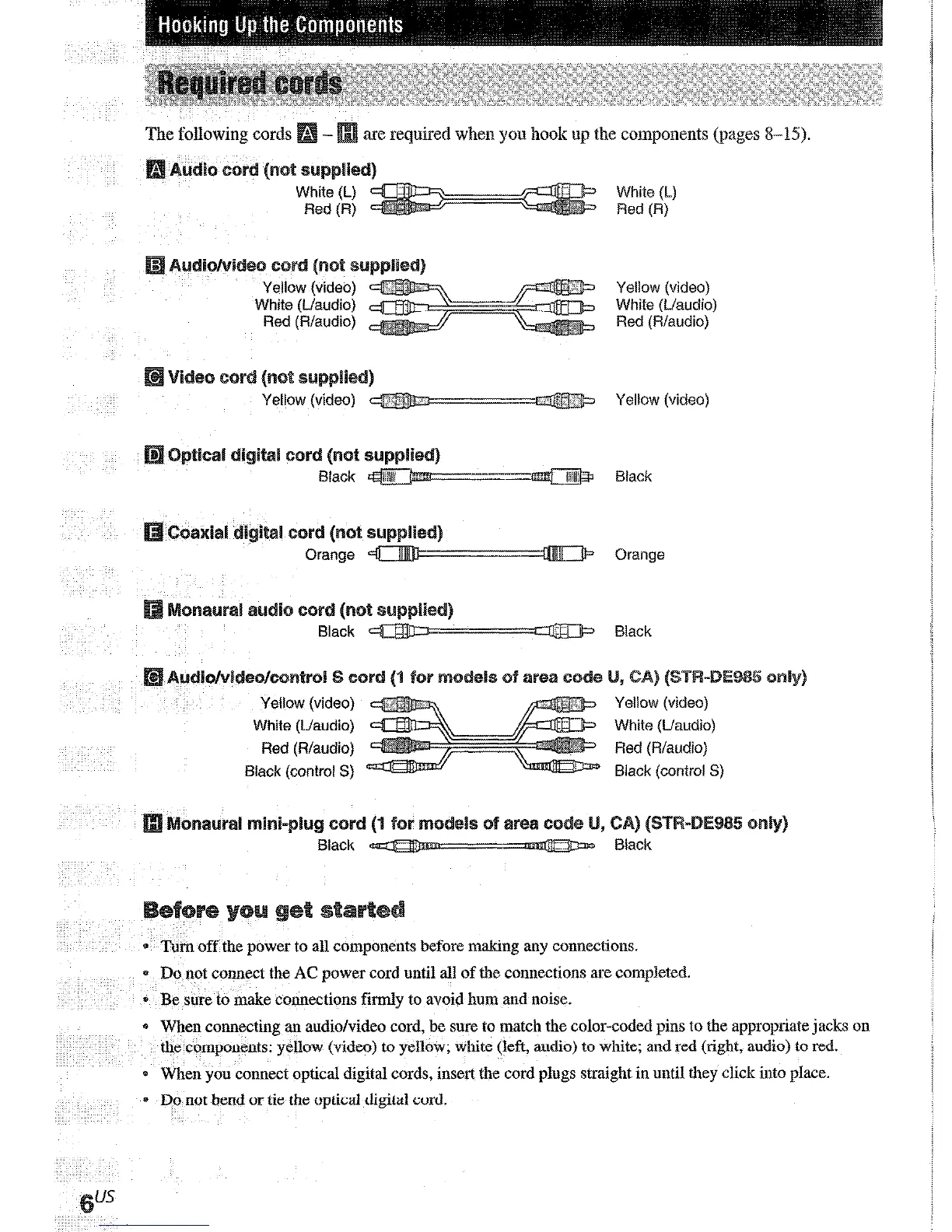
The following cords
are required when you hook up the components (pages X-15).
Yellow (video)
White (!-/audio)
Red (R/audio)
1
Yellow (video) -J>,
.\, : #j
m Yellow (video)
Black (control S)
Black (control S)
car
lack
* Turn off the power to all components before making any connections.
* Do not connect the AC power cord until all of the connections are completed.
* Be sure to make connections firmly to avoid hum and noise.
0 When connecting an audio/video cord, be sure to match the color-coded pins to the appropriate jacks on
the components: yellow (video) to yellow; white (left, audio) to white; and red (right, audio) to red.
0 When you connect optical digital cords, insert the cord plugs straight in until they click into place.
* Do not bend or tie the optical digital cord.
/
q: The shape of the connector varies depending on the a
0 To prevent noise pickup, keep the AM loop
a&ema
away from the receiver and other
components.
* Be sure (0 fully extend the FM wire antenna.
0 After connecting
the
FM wire antenna, keep it
as horizontal as possible.
* Do not use the & SIGNAL GND temtinal for
grounding the receiver.











 To Next Page