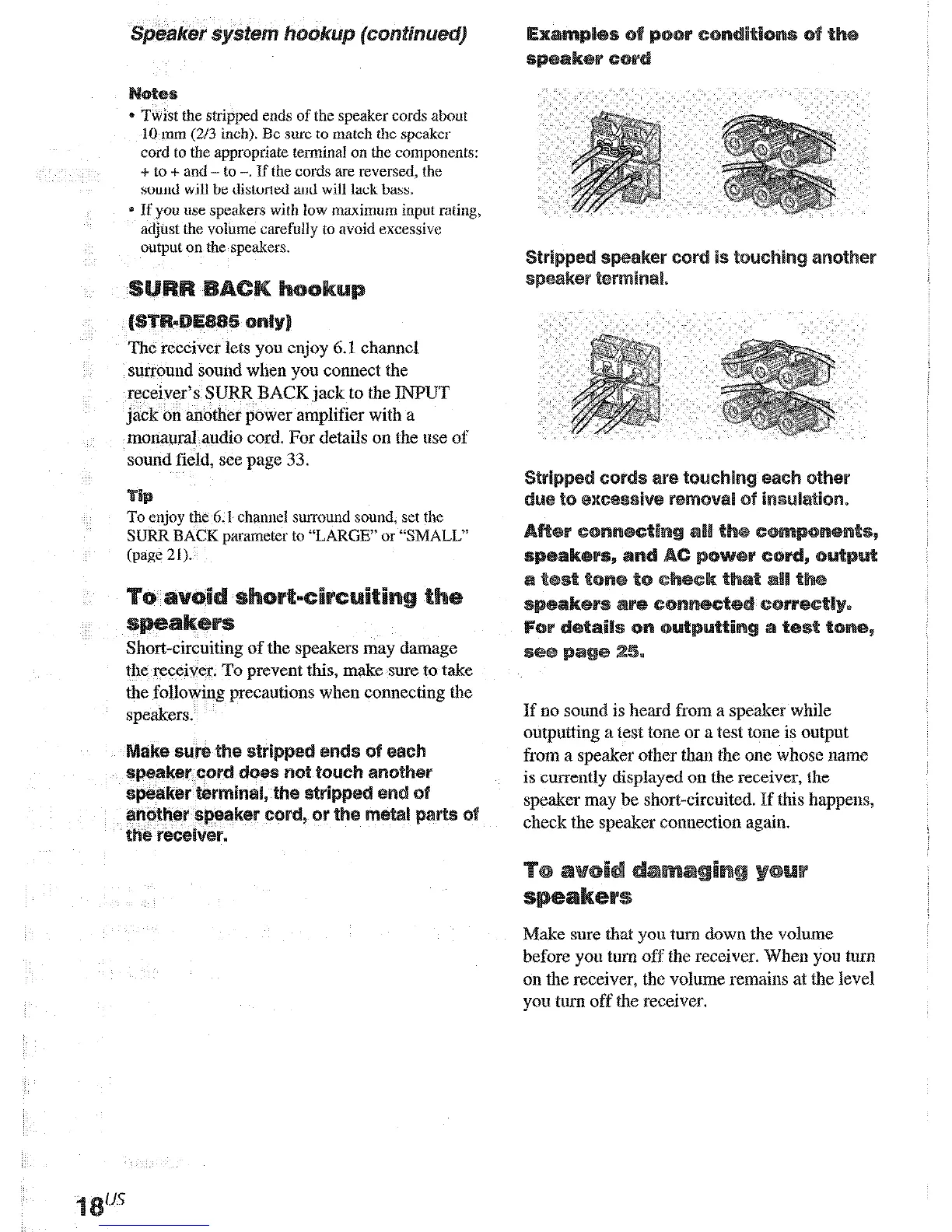
Twist the stripped ends of lhe speaker cords about
10 mm (20
inch). Be sure to match the speaka
cord to the appropriate terminal on the components:
+ to + and - to -. If the cords are reversed, the
sound will be distorted and will lack bass.
* If you use speakers with low maximum input raring,
adjust the volume carefully to avoid excessive
output on the speakers.
The receiver lets you enjoy 6.1 channel
surround sound when you connect the
receiver’s SURR BACK jack to the INPUT
jack on another power amplifier with a
monaural audio cord. For details on the use of
sound field, see page 33.
To enjoy the 6.1 charmel surround sound. set the
SURR BACK parameter to “LARGE” or “SMALL’
(page
21).
Short-circuiting of the speakers may damage
the receiver. To prevent this, make sure to take
the following precautions when connecting the
speakers.
If no sound is heard from a speaker while
outputting a test tone or a test tone is output
from a speaker other than the one whose name
is currently displayed on the receiver, the
speaker may be short-circuited. If this happens,
check the speaker connection again.
Make sure that
you turn
dawn the volume
before
yoo tom
off the receiver. When you turn
on the receiver, the volume remains at the level
you turn off the receiver.
Once you have hooked up the speakers and
turned on the power, clear the receiver’s
memory. Then specify the speaker parameters
(size, position, etc.) and perform any other
initial setup operations necessary for your
system.
To check tbc audio output during setlings (to set trp
while outputting the sound), check the connection
(page 2.5).
Before using your receiver for the first time, or
when you want to clear the receiver’s memory,
do the following.
‘~~E~O~~ CLEARING”, then
“~E~O~~ CLEARED” appears in the
display and all of the following items are
reset or cleared:
a All preset stations are reset or cleared.
* All somid field parameters are reset to
their factory settings.
* All index names (of preset stations and
program
sources)
are cleared.
* All SET IJP and ~U~TO~I~~
pammeters are reset to their factory
settings.
0) The sound field memorized for each
program source and preset stations are
cleared.
* The master volume is set to VQL~E
MIN.











 To Next Page