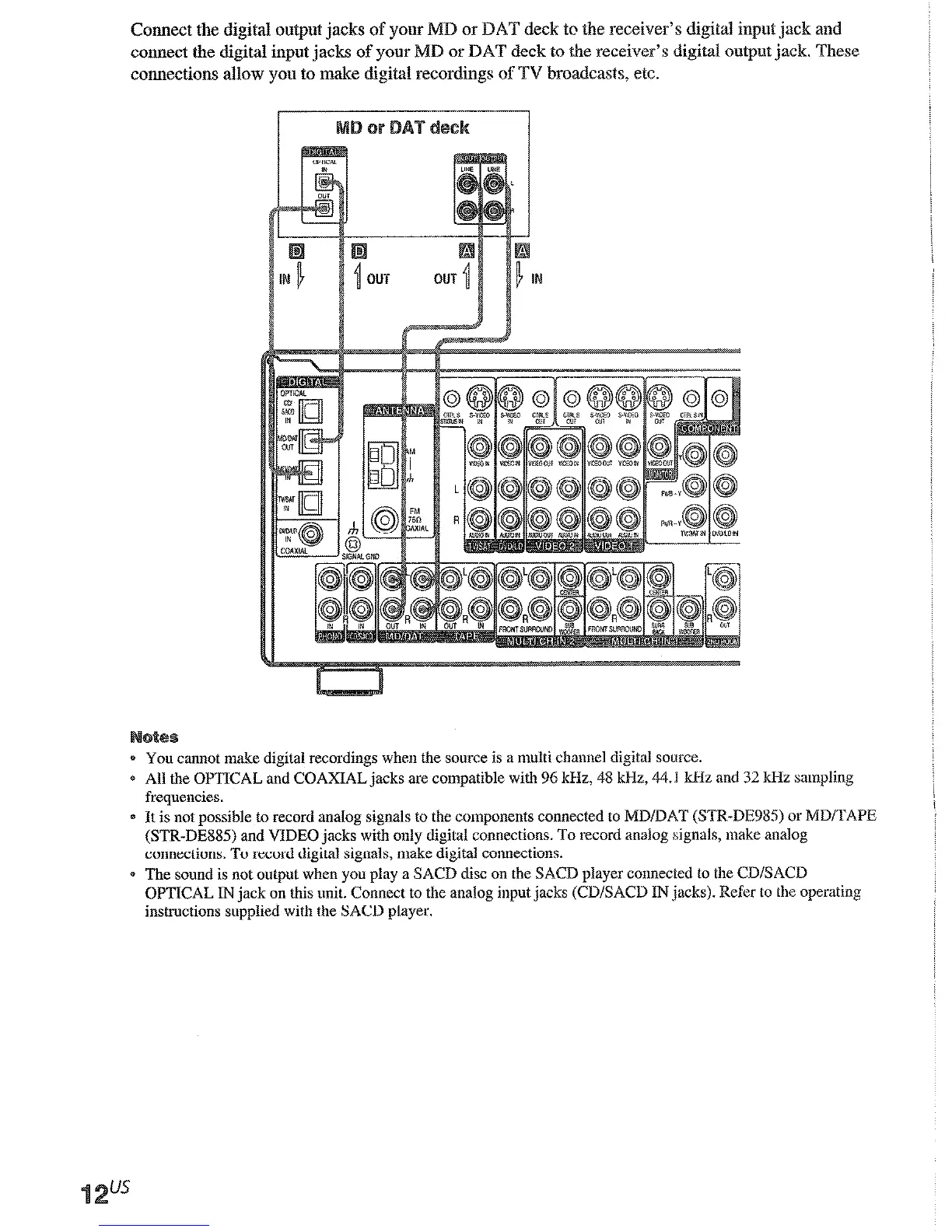
Connect the digital outlxt jacks
or DAT deck to the receiver’s digital input jack and
connect the digital input jacks 0
r DAT deck to the receiver’s digital outpot jack. These
connections allow you to make digital recordings of TV broadcasts, etc.
0 You cannot make digital recordings
when the source is a multi chamxl digital source.
e All the OPTICAL and COAXIAL jacks are compatible with 96 kHz, 48 kHz, 44.1 kHz
and 32 kHz saqling
frequencies.
0 It is not possible to record analog signals to the components connected to MD/DAT (STR-DE983 or MD/TAPE
(STR-DE8S.S) and VIDEO jacks with only digital connections. To record analog signals, make analog
connections. To record digital signals, make digital conuections.
0 The sound is not output when you play a SACD disc on the SACD player connected to the CWSACD
OPTICAL IN jack on this unit. Connect to the analog input jacks (CD/SAW INjacks). Refer to the operating
instructions supplied with the SACD
player.
Although this receiver incorporates a m&i char
input jacks. These connections allow you to eajl
than Dolby Digital and DTS. If your DVD playt
can connect them directly to the receiver to enjc
decoder. Alternatively, the multi channel input j
decoder.
To fully enjoy multi channel surround sound, fi
speakers, and a center speaker) and a sub woofe
will also need a surround back speaker (SIR-D:
operating instructions supplied with your DVD
multi channel hookups.
Q When using the connections described below,











 To Next Page