Live View Introduction
DVR User Manual
26
5.3.5 Image Adjustment
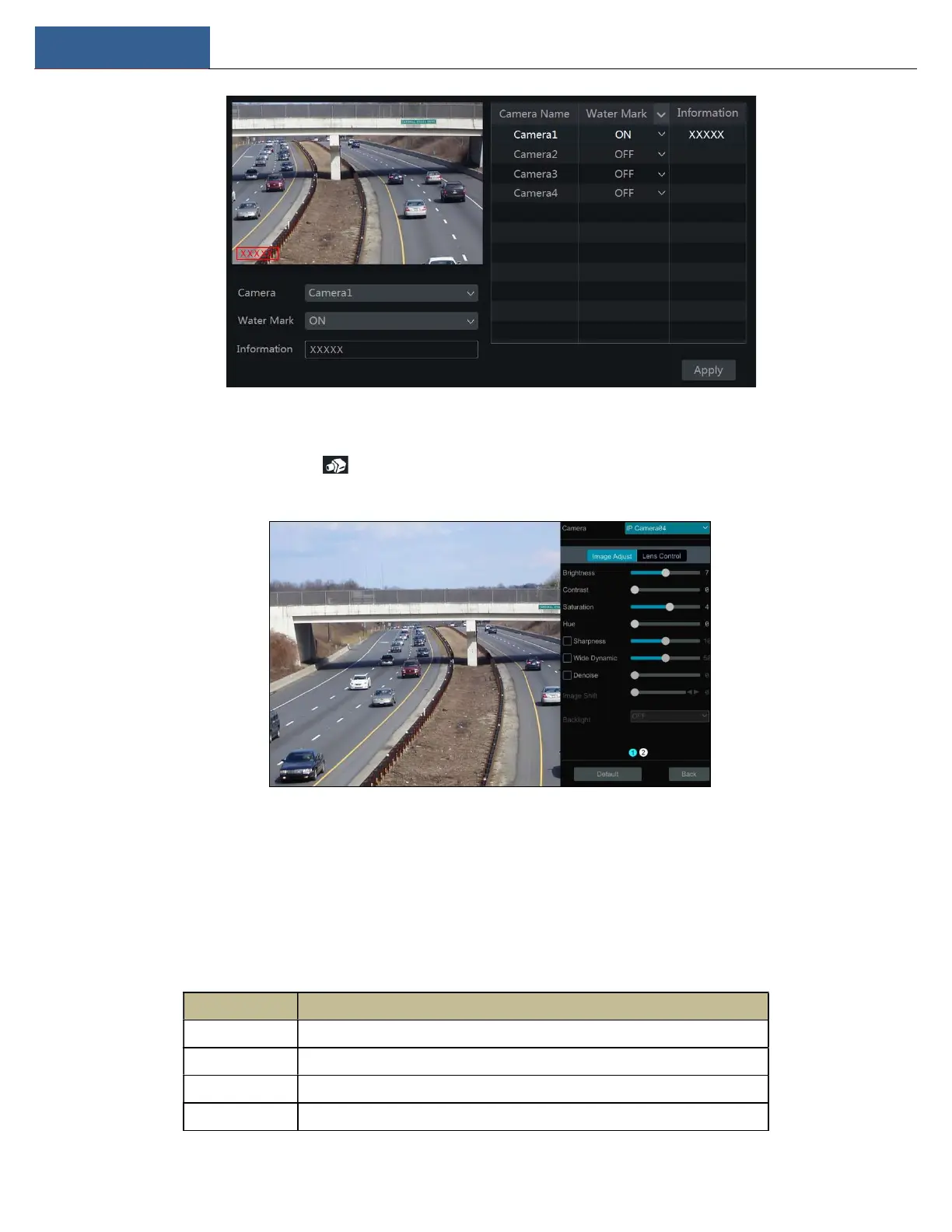
Go to the live view interface and then click button on the tool bar under the camera window to go to the image adjustment interface.
Image Adjustment
Select the camera and then click “Image Adjustment” to go to image adjustment tab. Refer to the above picture. Drag the slider to set the camera’s
brightness, contrast, saturation and hue value. Check sharpen, wide dynamic and denoise and then drag the slider to set the value. Click “Default”
button to set these parameters to default values.
The introductions of these parameters are as follows:
Parameter Meaning
Brightness Brightness level of the camera’s image.
Contrast Color difference between the brightest and darkest parts.
Saturation Degree of color purity. The color is purer, the image is brighter.
Hue Relates to the total color degree of the image.



 To Next Page