Account & Permission Management
DVR User Manual
66
10 Account & Permission Management
10.1 Account Management
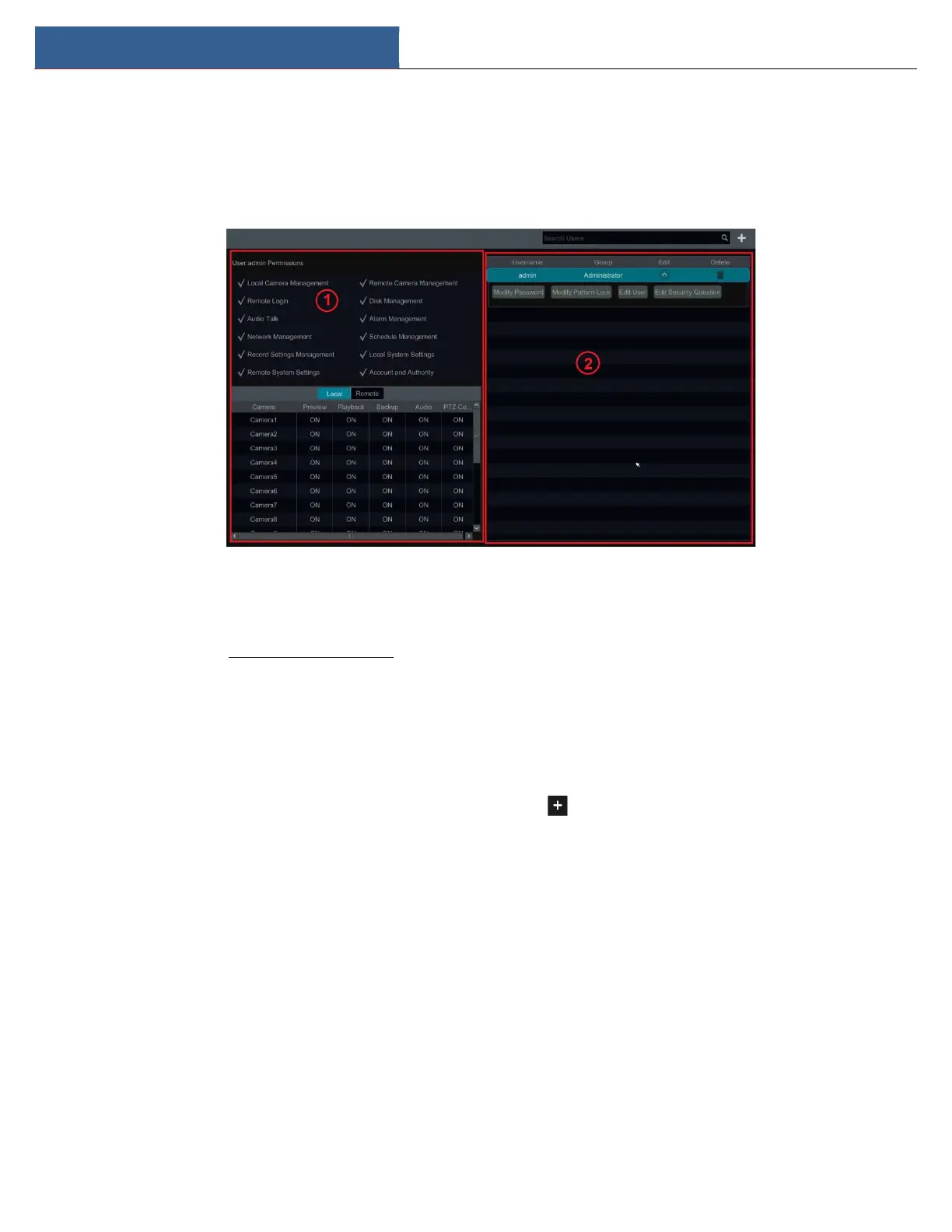
Click StartSettingsAccount and AuthorityAccountEdit User to go to the interface as shown below.
Area ① displays the user permissions. Area ② displays the user list. Click the user in the list to display its user permissions in area ①.
There are three default permission groups (“Administrator”, “Advanced” and “Common”) available when adding accounts. You can manually add
new permission group (see 10.3.1 Add Permission Group for details).
Only admin and the users that have the “Account and Authority” permission can manage the system’s accounts. Group “Administrator” owns all
the permissions displayed in area ① except “Account and Authority” and its permissions cannot be changed while the permissions of “Advanced”
and “Common” can be changed.
10.1.1 Add User
① Click StartSettingsAccount and AuthorityAccountAdd User or click beside the search box to pop up the window as shown
below.



 To Next Page