Alarm Management
DVR User Manual
53
⑤ Click in the list to play back the recording in the popup window. Click to back up one recordings data or check multiple recordings
data in the list and then click “Backup” button for recording batch backup.
⑥ Select one recordings data in the list and then click “Playback” button to play the recording in the playback interface.
8.4.5 Bookmark Search
You can only play recordings by “Tag Search” if you have added tags. Click StartPlayback to go to the playback interface and then click on
the bottom of the camera window to add bookmarks when you want to mark the playback time point of the selected camera.
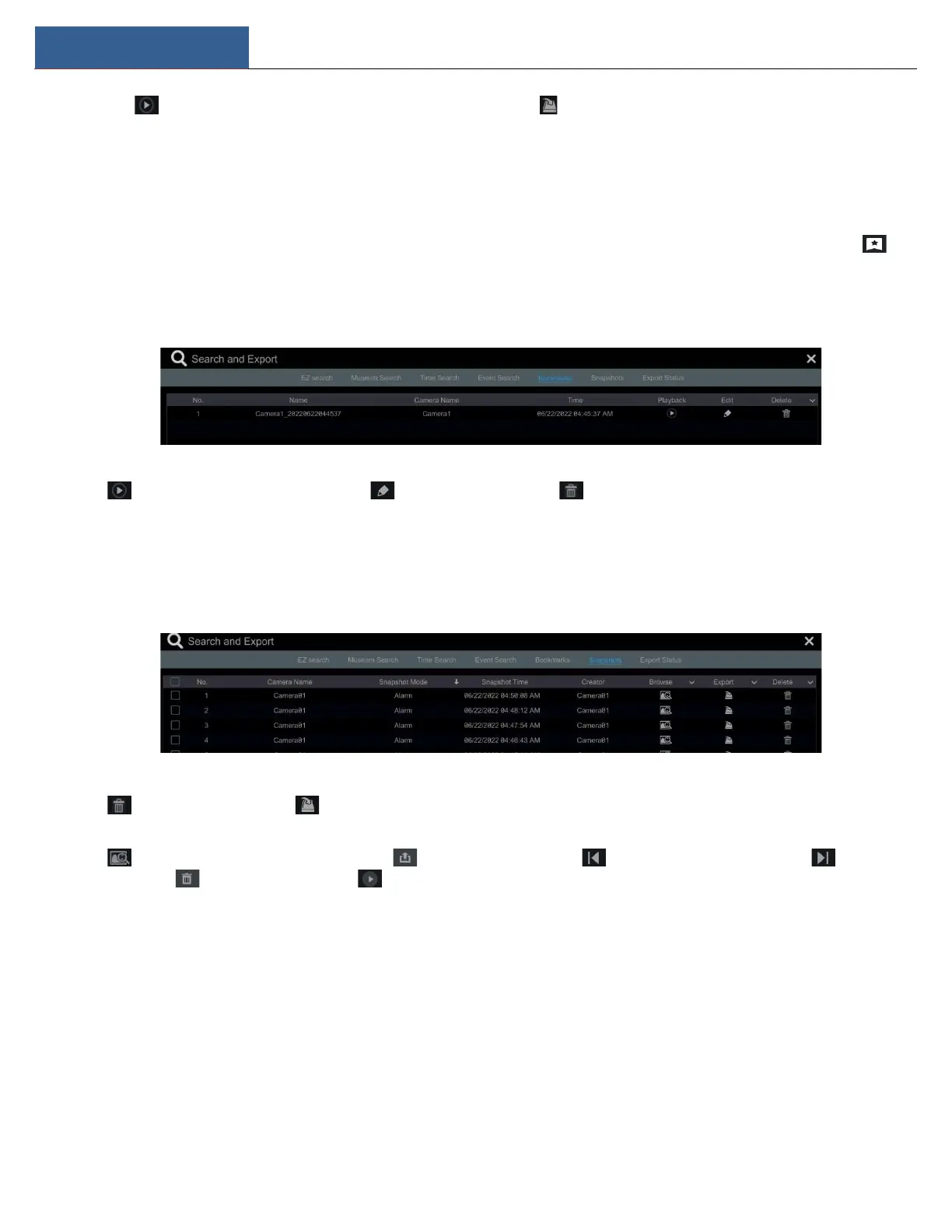
Click StartSearch and ExportBookmarks to go to “Bookmarks” tab.
Click in the interface to play the record. Click to edit the tag name. Click to delete the tag.
8.4.6 Snapshots
Click StartSearch and ExportSnapshots to go to “Snapshots” tab. The system will display all the captured images automatically in the list.
Click to delete the image. Click to pop up the “Export” window. Select the device name and save path in the window and then click
“Save” button.
Click to pop up the “View Image” window. Click to export the image. Click to view the previous image; click to view the
next image; click to delete the image; click to play all the images.



 To Next Page