Account & Permission Management
DVR User Manual
70
10.4 Block and Allow List
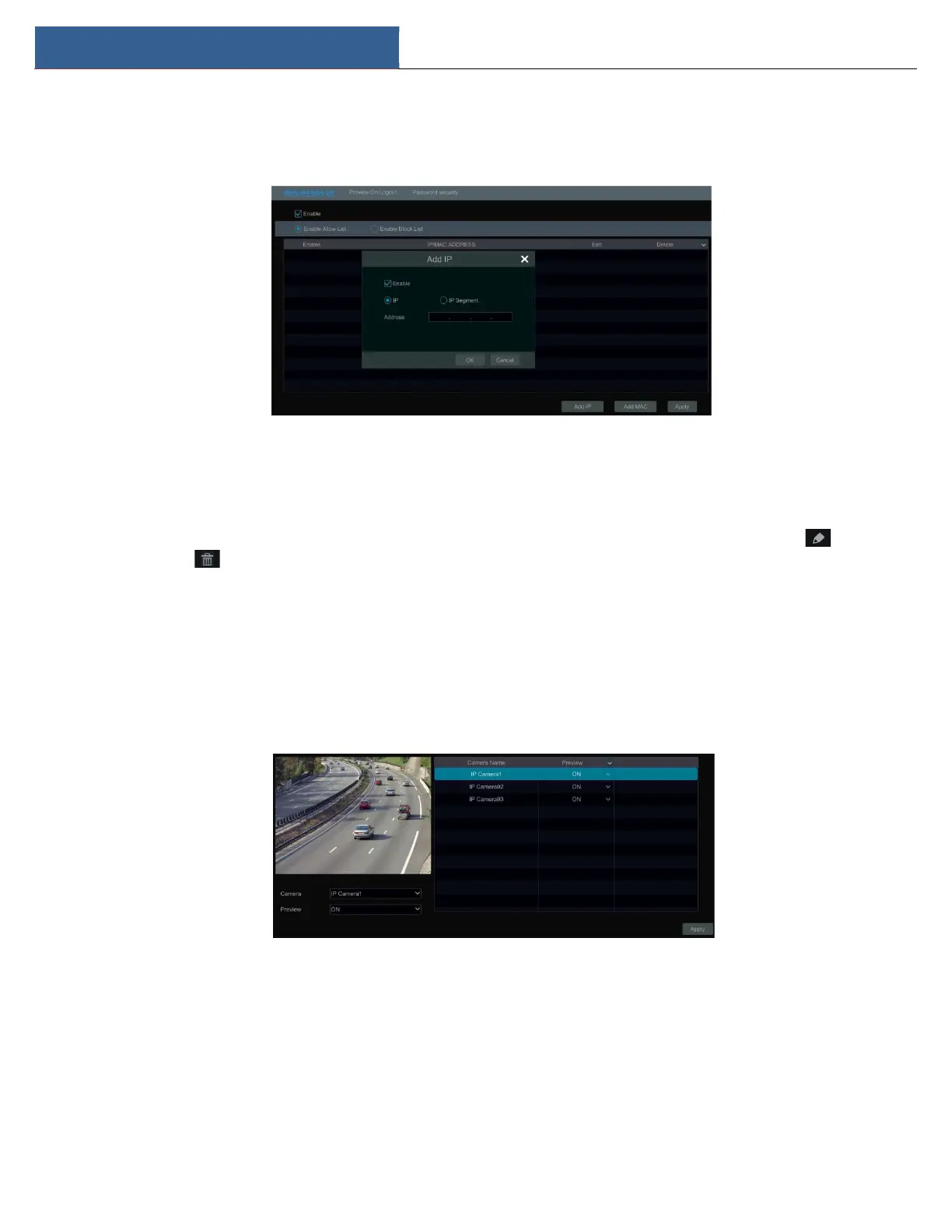
① Click StartSettingsAccount and AuthoritySecurity to go to the following interface.
② Check “Enable” and then choose “Enable Allow List” or “Enable Block List” (the PC client of which the IP address is in the allow list can access
DVR remotely while the PC client in the block list cannot).
③ Add IP/IP segment/MAC. Click “Add IP” or “Add MAC” button and then check “Enable” in the popup window (only if you check it can the IP/IP
segment/MAC you add be effective). Enter the IP/IP segment/MAC and then click “OK” button. In the above interface, click to edit IP/IP
segment/MAC, click to delete it. Click “Apply” to save the settings.
10.5 Preview On Logout
Click StartSettingsAccount and AuthoritySecurityPreview on Logout to go to the following interface.
Set a camera and then enable or disable the preview permission on logout as required. If a camera’s preview permission on logout is “ON”, you can
view the live image of the camera when the system is logged out, or the live image of the camera cannot be seen when logged out.
10.6 Password Security
Click StartSettingsAccount and AuthoritySecurityPassword Security to go to the following interface.



 To Next Page