Account & Permission Management
DVR User Manual
69
10.3 Permission Management
10.3.1 Add Permission Group
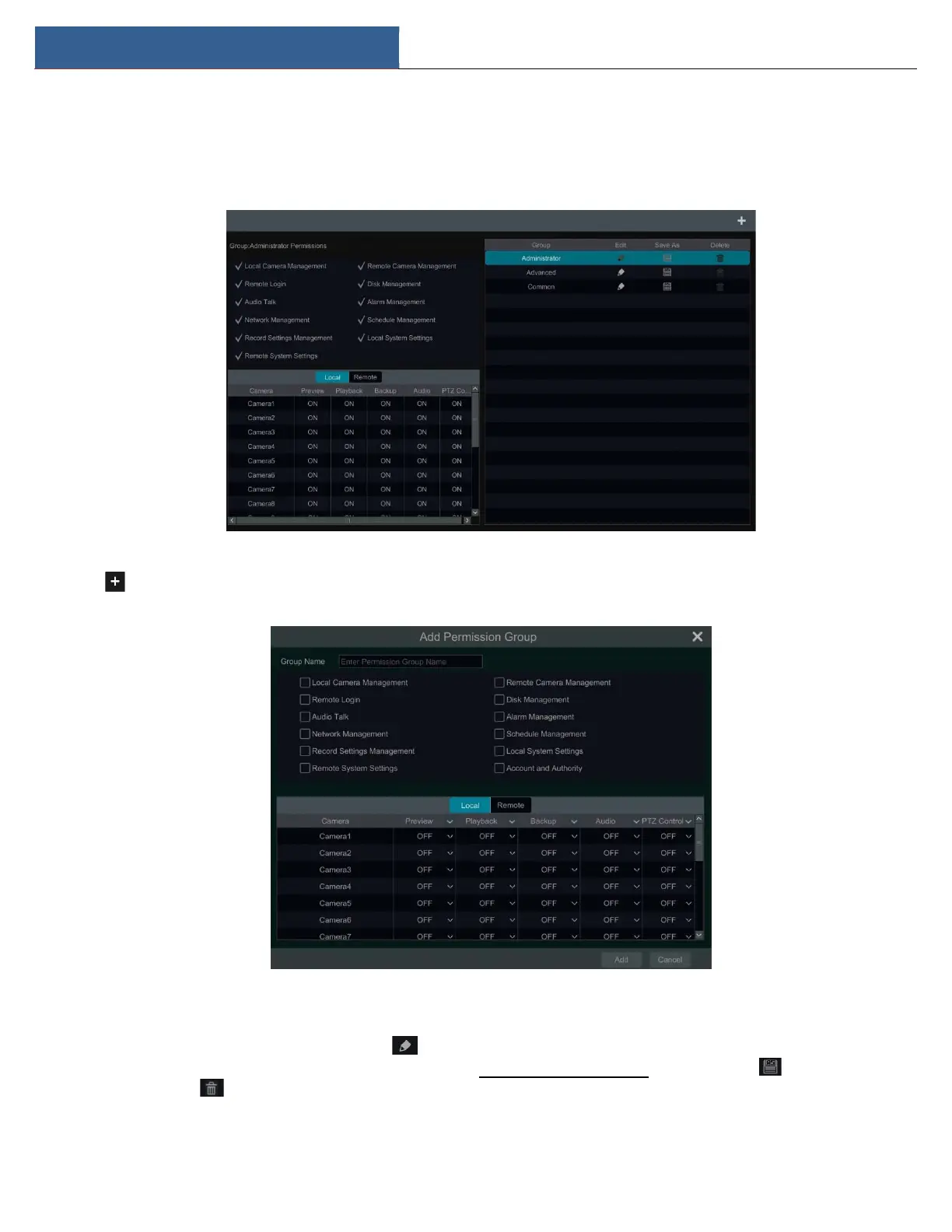
Click StartSettingsAccount and AuthorityAccountEdit Permission Group to go to the interface as shown below.
Click to add permission group. Set the group name, check the permissions as needed and then set the “Local” and “Remote” permissions.
Click “Add” to save the settings.
10.3.2 Edit Permission Group
Go to “Edit Permission Group” interface and then click in the group list to edit the permission group (the operations of the “Edit Permission
Group” are similar to that of the “Add Permission Group”, please see 10.3.1 Add Permission Group for details). Click to save the group as
another group. Click to delete the permission group. The three default permission groups (“Administrator”, “Advanced” and “Common”)
cannot be deleted.



 To Next Page