Remote Surveillance
DVR User Manual
84
follows:
admin: the current login username.
Logout: click to logout and return to the login interface.
Modify Password: click to change the password of the current login user. Enter the current password and then set a new password in the popup
window. Click “OK” button to save the new password.
Local Settings: click to change the local settings. Set the snapshot number and click “Browse” to set the snapshot path and record path as shown
below. Click “Apply” button to save the settings.
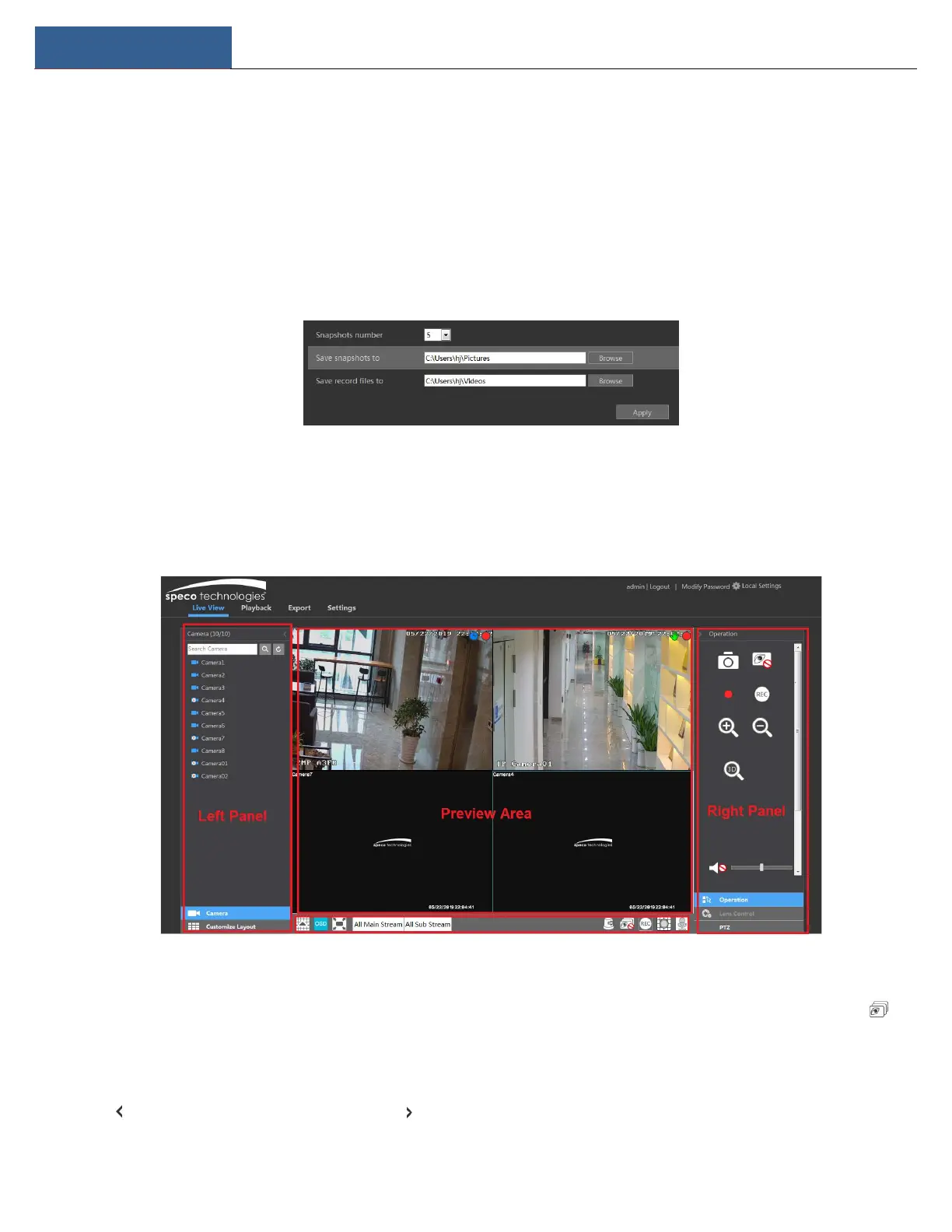
12.4.1 Remote Preview
Click “Live View” in the remote interface to go to the live view interface. The live view interface consists of the four areas marked in the following
picture.
Start Preview
Select a window in the preview area and then click one online camera on the left panel to preview the camera in the window. You can click in
the tool bar to view all the cameras.
Left Panel Introduction
Click on the left panel to hide the panel and click to show the panel. You can view all the added cameras and groups on the left panel.



 To Next Page