60
Sale And Tip (Inserting A Chip Card) (Cont.)
Page 60.
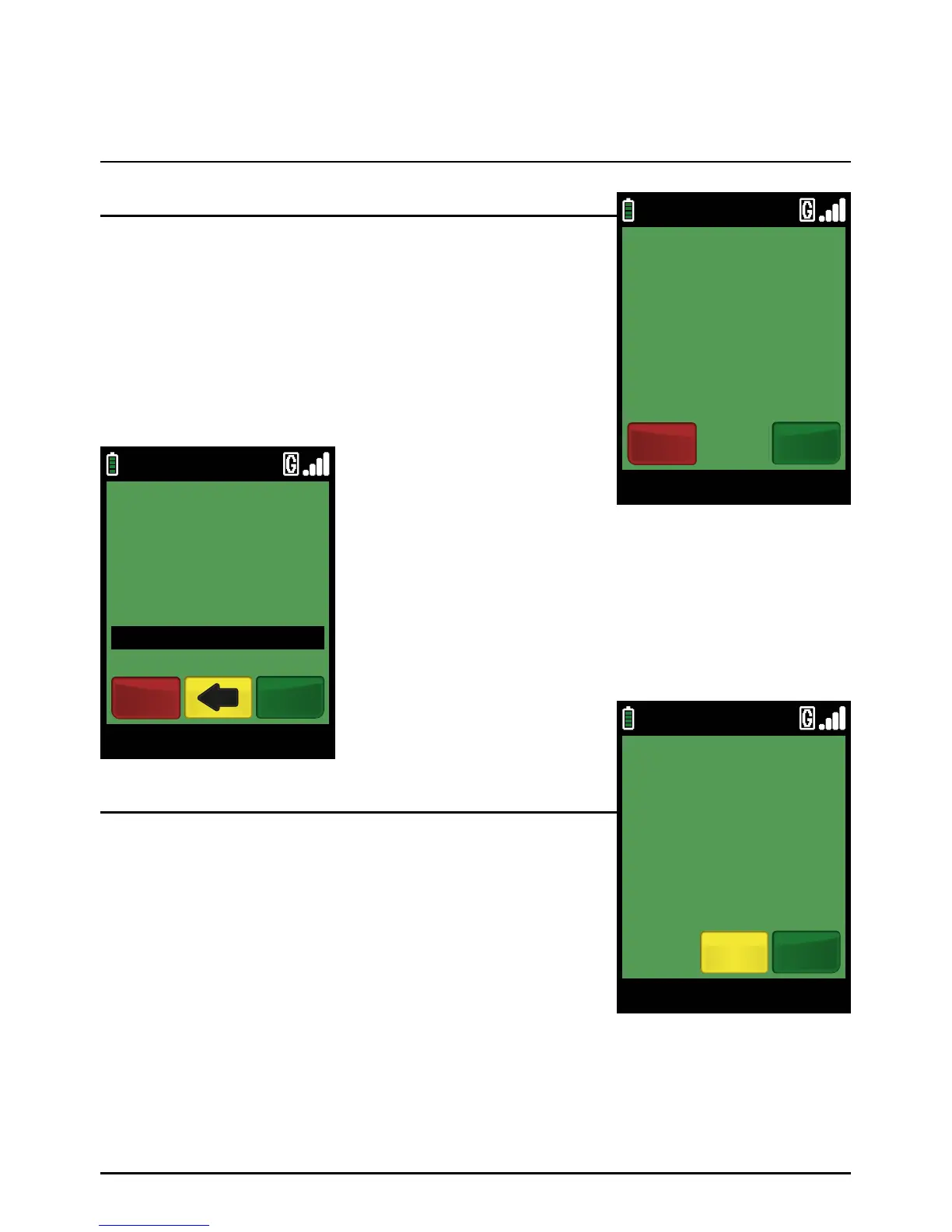
Ask the cardholder if they wish to enter a tip. If the answer is
yes, select ‘YES’ by pressing the green ‘ENTER’ key. If the answer
is no, select ‘NO’ by pressing the red ‘CANCEL’ key.
If the cardholder chooses ‘YES’ by pressing the green ‘ENTER’
key. Type in the base amount in pence (or cents for ROI) and press
the green ‘ENTER’ ke y.
The cardholder is requested to confirm the tip amount.
Example:
Typing in 1000 would equate to a value of £10.00 (€10.00 in ROI).
PLEASE NOTE:
If a mistake is made entering data, the the last digit can be
deleted by pressing the yellow ‘CLEAR’ key.
Step 2
Step 3
09/11/13 12:00
SALE
BASE AMOUNT £100.00
DO YOU WISH TO
ENTER A TIP?
YesNo
09/11/13 12:00
BASE AMOUNT
£100.00
TIP AMOUNT
£10.00
SALE
EnterCancel
09/11/13 12:00
YesNo
VISA SALE
TIP AMOUNT £10.00
CORRECT?



 To Next Page