61
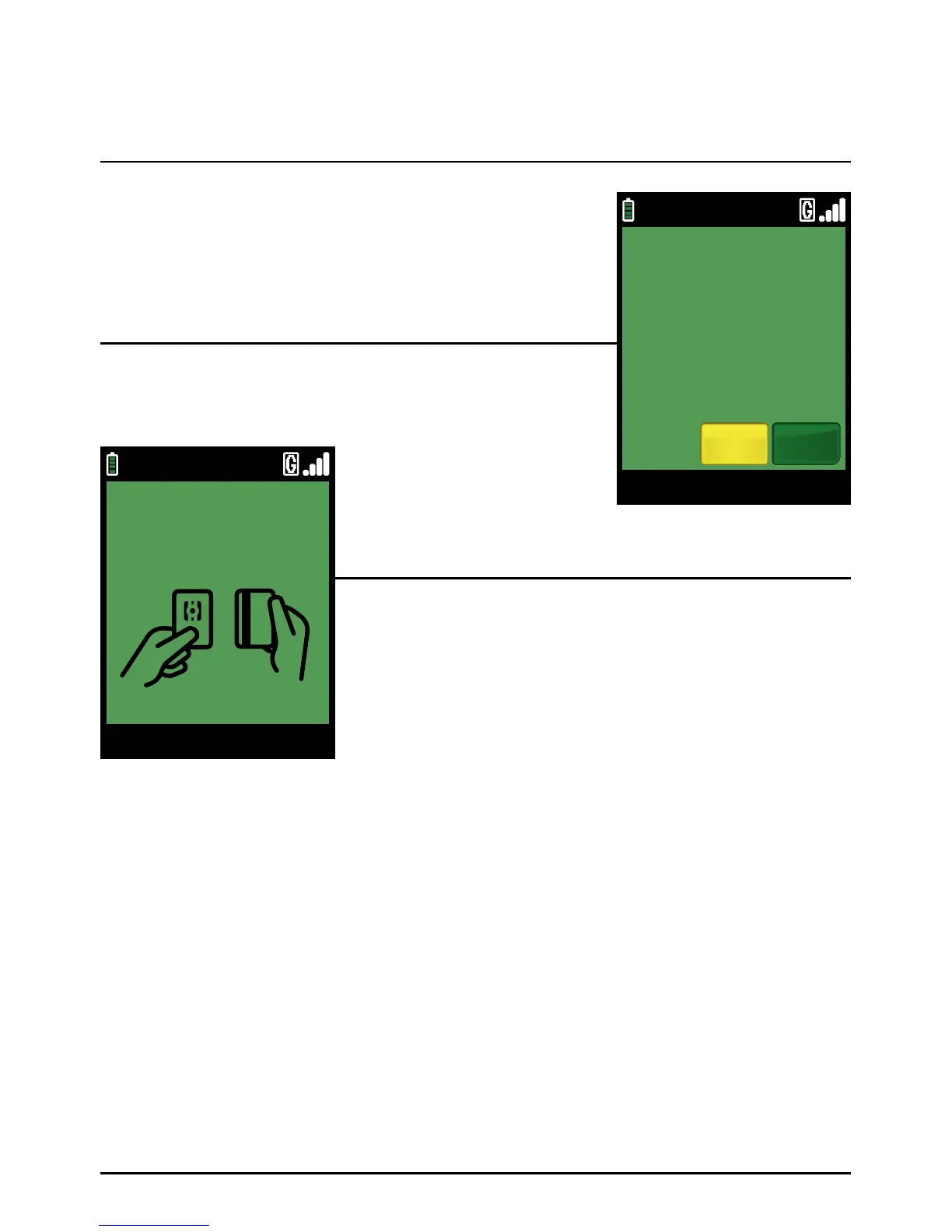
The cardholder should confirm the total value of the transaction,
by selecting ‘YES’ by pressing the green ‘ENTER’ k e y ’.
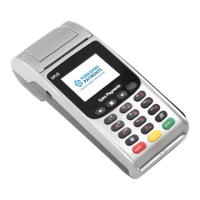
If the transaction was started by inserting or swiping the card
(Option 2), then go to Step 6. Otherwise you will be requested
to insert or swipe the card.
Insert the Chip Card into the terminal’s Chip Card reader or
PIN Pad (if fitted).
The cardholder will be prompted for his/her PIN on the terminal or the optional PIN Pad. After the
PIN has been entered, the cardholder should press the green ‘ENTER’ key. The terminal will now
attempt to connect to your acquirer and the rest of the transaction will continue in the same way
as for a normal Chip and PIN sale.
Step 4
Step 5
Step 6
Sale And Tip (Inserting A Chip Card) (Cont.)
Page 61.
09/11/13 12:00
SWIPE/INSERT CARD
SALE
09/11/13 12:00
YesNo
VISA SALE
TOTAL £110.00
CORRECT?


 To Next Page