QA BEAMCHECKER™ PLUS 32
10. Check the patient monitor to verify the energy was detected successfully. For
example, if 6 MV was administered, 06E will be displayed, and the measurement
will be saved. If the beam parameters fall below action level 1 (set at time of baseline), the unit
will reset in roughly ten seconds, re-arm, and display Rdy. If the unit beeps repeatedly and a
fault is displayed or the energy is not detected, see the following section of the manual: Wire-
Free Measurement Fault.
11. Repeat steps 9-10 for other energies if not switching between photons and electrons,
otherwise enter the vault, flip the unit to the correct side, and continue from step 6.
12. Once completed, the acquired measurements can be transferred to the PC for analysis. For
instructions, see the Data View and Downloading Measurements section of this manual.
Dynamic 5 Channel Room
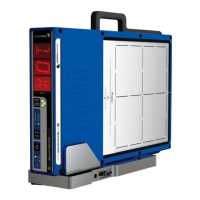
1. Place the QA BeamChecker Plus on the treatment couch ensuring it is flipped to the
Photon side as indicated by the large white field labels on both sides of the device.
2. Position the QA BeamChecker Plus at 100 cm SSD with a field size of 20 x 20 cm. Align the
unit to the center of the field using the QA BeamChecker Plus fiducials and the room
alignment lasers.
3. Turn the QA BeamChecker Plus on using the power button on the front of the unit.
4. If only 1 room is configured, skip to step 5. After displaying the firmware version,
the front panel will alternate between RM and SEL (Room Select). Press the RESET /
ROOM SELECT button to cycle through the available rooms (displayed as RM1, RM2,
etc). Once the desired room number is displayed, briefly wait and the selection will be set.
5. The QA BeamChecker Plus display will now alternate between PLN, SEL (Plan
Select). Press the MODE / PLAN button to cycle through the available plans
(displayed as D01, D02, etc). Once the desired plan number is displayed, briefly wait
and the selection will be set.
6. The front panel will now display Rdy (Ready).
7. Exit the vault and position the patient monitor to view the front panel of the QA
BeamChecker Plus so its display is readable.


 To Next Page