Setting the time
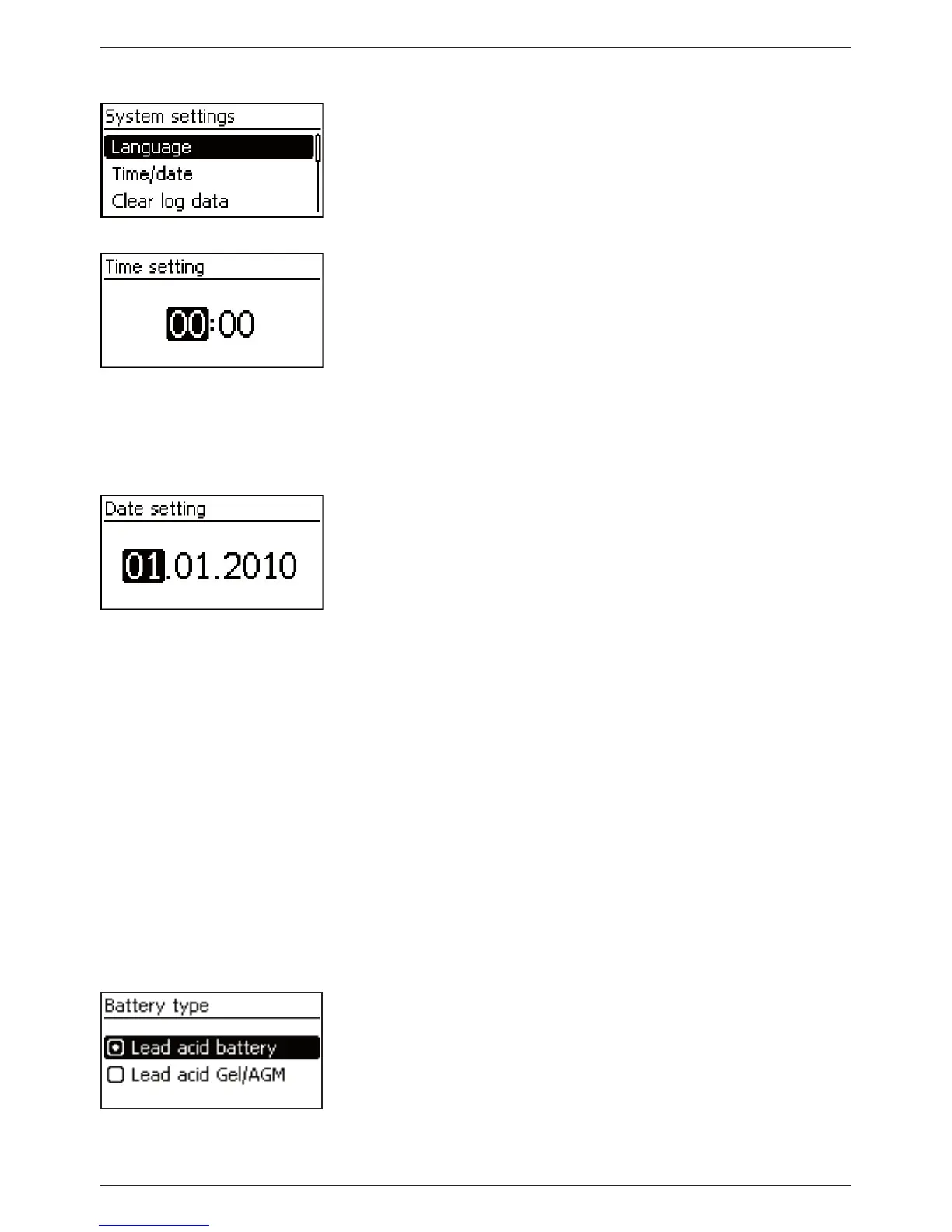
1. Press ‘ESC’. The ‘System settings’ menu appears (Fig. left).
2. Press
s to select ‘Time/date’.
3. Press ‘SET’. The ‘Time/date’ menu appears and ‘Time’ is se-
lected.
4. Press ‘SET’. The ‘Time setting’ dialog appears (Fig. left).
5. Press ‘SET’. The hour flashes.
6. Press
rs to change the hour.
7. Press ‘SET’. The hour stops flashing.
8. Press
s. The minutes are selected.
9. Repeat steps 5 to 7 for setting the minutes.
Setting the date
1. Press ‘ESC’. The ‘Time/date’ menu appears.
2. Press
s to select ‘Date’.
3. Press ‘SET’. The ‘Date setting’ dialog appears (Fig. left).
4. Press ‘SET’. The day flashes.
5. Press
sr to change the day.
6. Press ‘SET’ . The day stops flashing.
7. Press
s to select the month.
8. Repeat steps 4 to 6 for setting the month.
9. Press
s to select the year.
10. Repeat steps 4 to 6 for setting the year.
Setting the battery type
1. Press ‘ESC’ for 1 s. The basic setting display appears
2. Press ‘SET’. The main menu appears.
3. Press
s to select ‘Battery settings’.
4. Press ‘SET’. The ‘Battery settings’ menu appears.
5. Press
s to select ‘Battery type’.
6. Press ‘SET’ . The ‘Battery type’ dialog appears (Fig. left).
7. Press
sr to select a different battery type.
8. Press ‘SET’. The selected battery type is set.



 To Next Page