Setting the battery capacity
1. Press ‘ESC’. The ‘Battery settings’ menu appears.
2. Press
s to select ‘Battery capacity’.
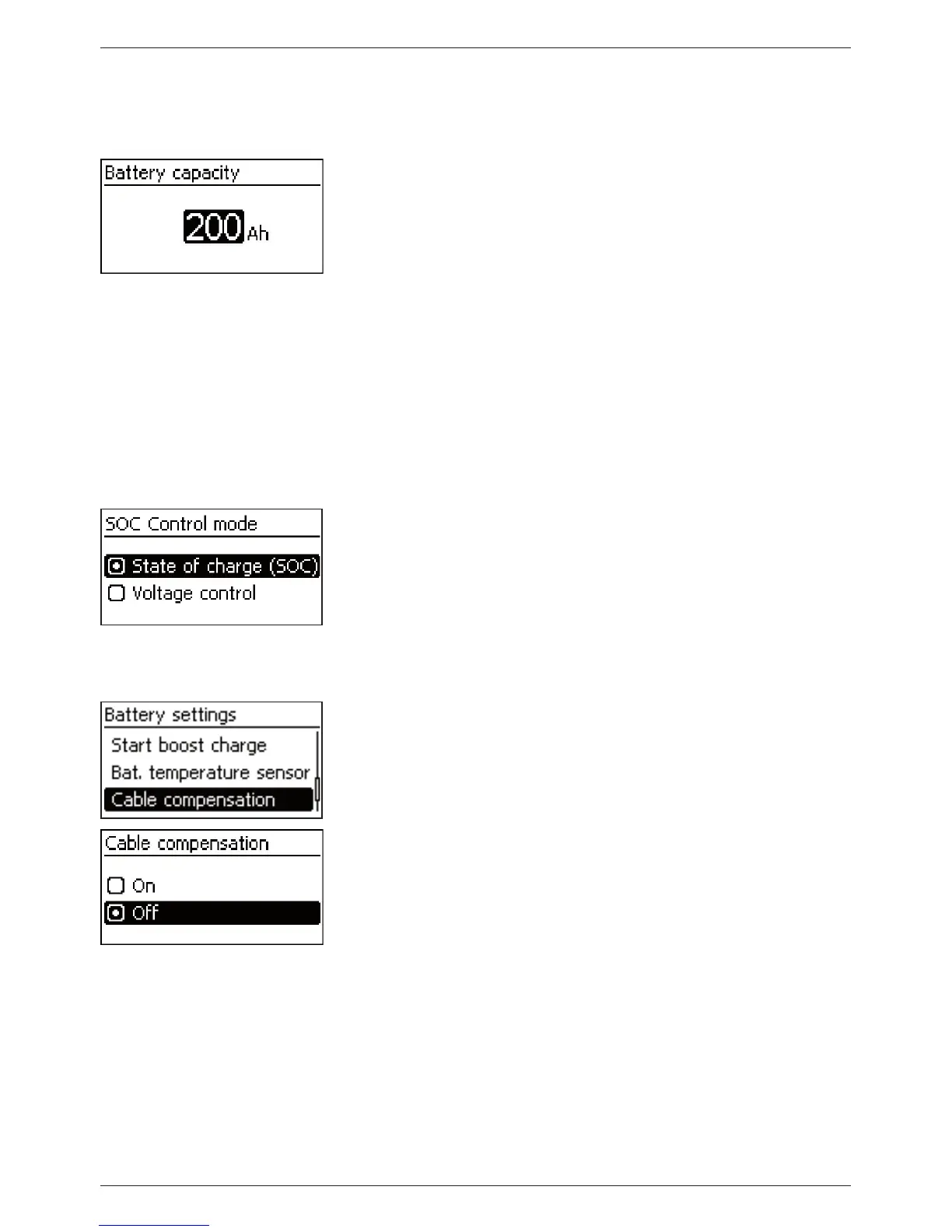
3. Press ‘SET’. The ‘Battery capacity’ dialog appears (Fig. left).
4. Press ‘SET’.
5. Press
sr to change the value.
6. Press ‘SET’. The value stops flashing.
Setting the control mode
Note
The control mode ‘State of charge (SOC)’ is preset at the factory
and only needs to be changed if required. More information on
this is provided in section 12.2.
1. Press ‘ESC’. The ‘Battery settings’ menu appears.
2. Press
s to select ‘Battery control mode‘.
3. Press ‘SET‘, the ‘SOC Control mode‘ dialogue appears.
4. Press
sr to select ‘Voltage control’.
5. Press ‘SET’. The voltage control is set.
Switching off cable compensation
Note
Cable compensation is switched on at the factory and only needs
to be switched off if required. More information on this is provided
in section 12.2.
1. Press ‘ESC’. The ‘Battery settings’ menu appears.
2. Press
sr to select ‘Cable compensation‘’
3. Press SET. The ‘Cable compensation’ dialog appears.
4. Press
sr to select ‘Off’.
5. Press ‘SET’. Cable compensation is switched off (Fig. left).
Finishing initial commissioning
Press ‘ESC’ for 1 s. The basic setting of the status display
appears and initial commissioning is finished.
Note
You can usually now use the controller without making any further
settings. For information on important additional functions see
section 14.



 To Next Page