4
Start POSITool
ID 442233.05
WE KEEP THINGS MOVING
Operation manual
12
4 Start POSITool
To make it easier for the user to open POSITool, the start will be explained first.
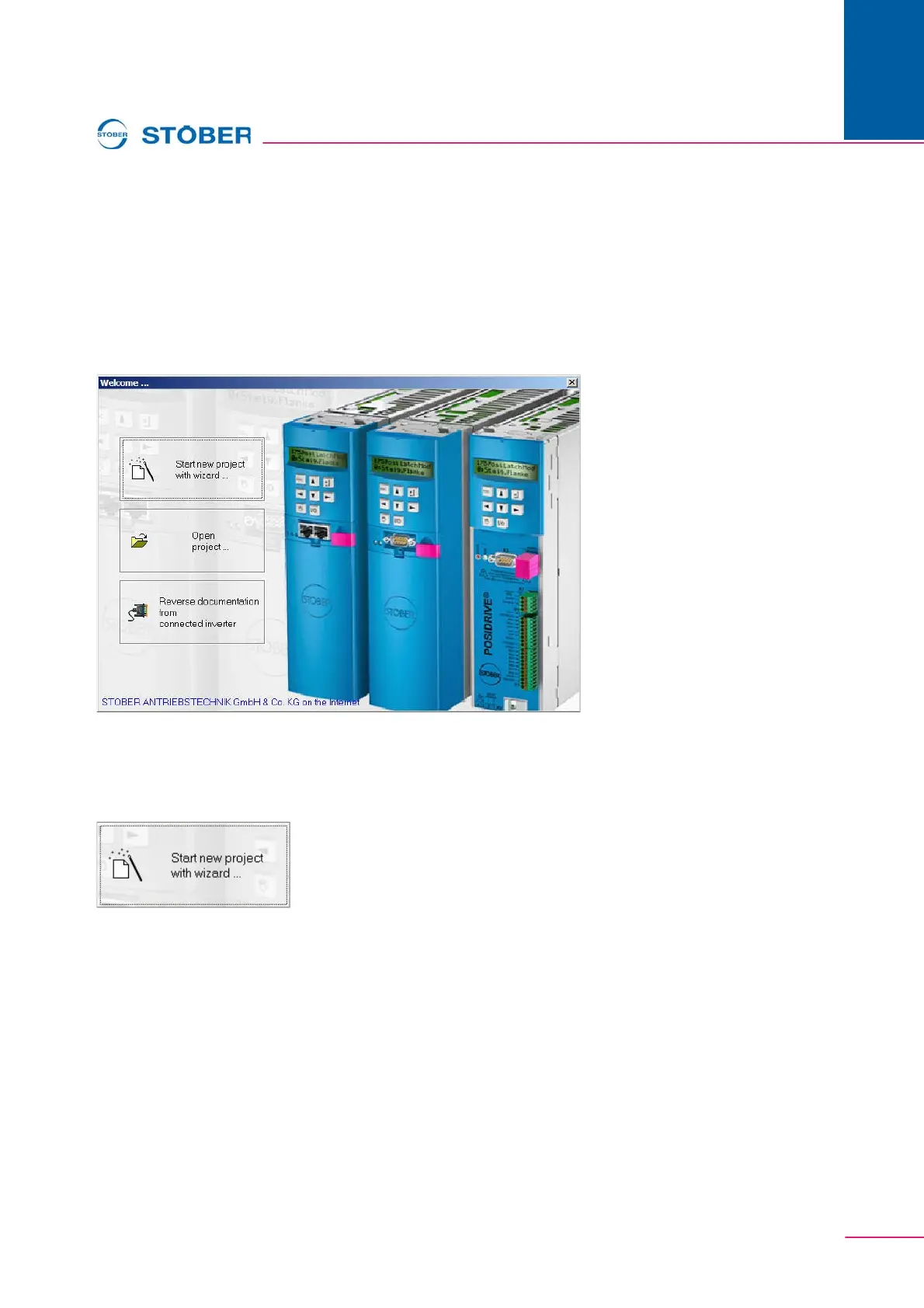
After the software is open, the start screen (shown below) appears. It offers the
user three possibilities (see Figure 4 1):
• Create a new project
• Open an existing project
• Read a project from a connected inverter.
Fig. 4-1 Welcome dialog
4.1 "Start new project with assistant"
To create a new project, open the configuration assistant.
In six steps it defines the primary components of an inverter configuration:
• Step 1: Resource names, designations and commentaries can be entered.
The resource names and the designation are used as the title for the inverter
entry (see chap. 5.3 Inverter view).
• Step 2: The number of axes to be operated sequentially is specified here.
• Step 3: The application is selected with this step. Please observe the
application descriptions in this case, see chapter 1.2 Other manuals.
• Step 4: Here it is decided how the inverter is to be controlled. The user can
choose between control via terminal strip of the inverter or a bus system
(PROFIBUS DP, CANopen, EtherCAT, PROFINET or USS).


 To Next Page