Diagnosis
Operation manual
ID 442233.05
WE KEEP THINGS MOVING
45
8
8.4.2 Channel selection
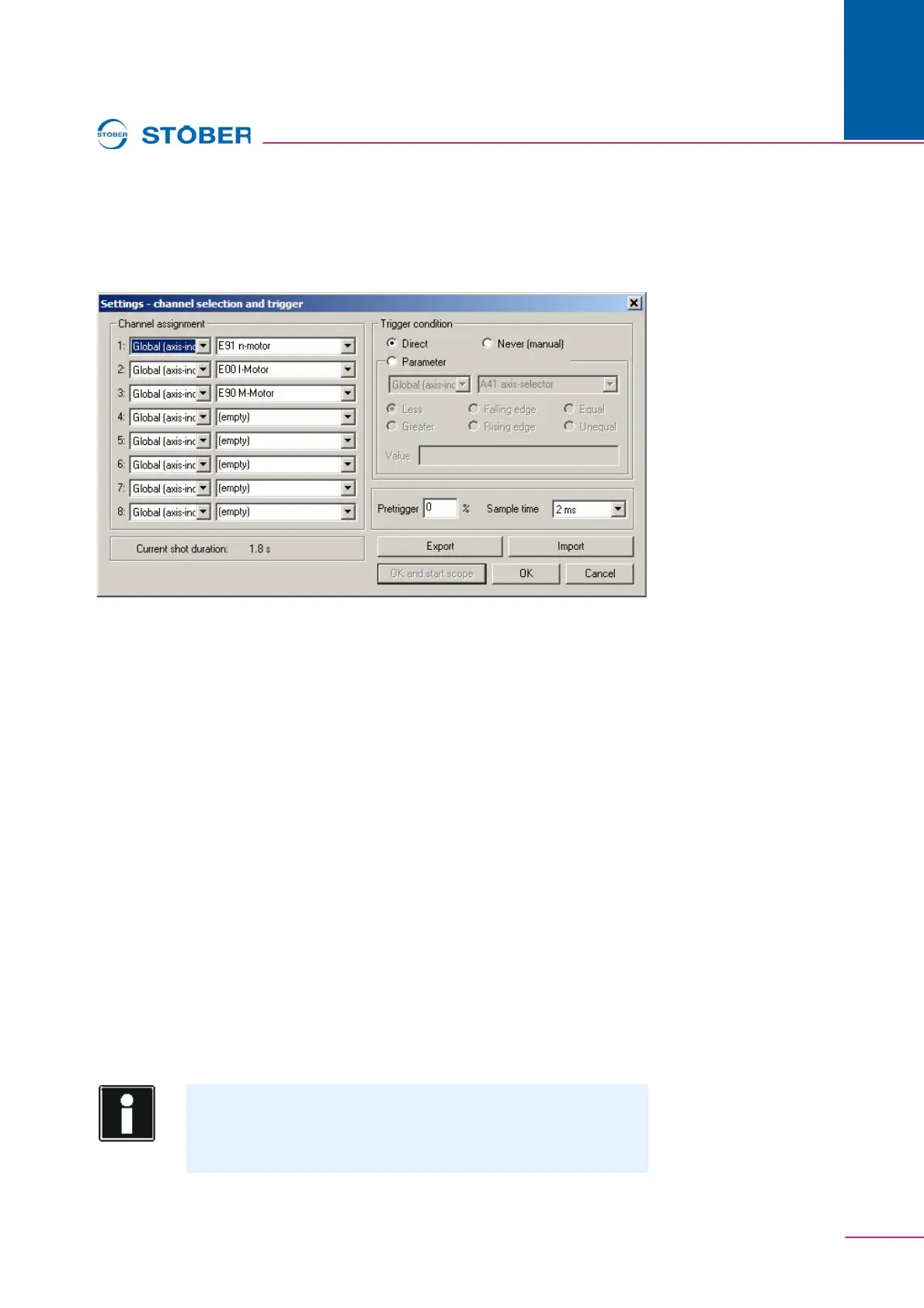
The dialog for selection of the parameters to be recorded is located under the
Channel selection + trigger button.
Fig. 8-5 Channel selection and trigger
It must first be specified in the dialog box whether a parameter from the global or
axis area is to be pictured. The parameter is then selected. If applications are
selected via the configuration assistants, some of the channels are preassigned.
8.4.3 Trigger
A trigger condition is then be specified. The trigger condition defines the picture
time together with the pre-trigger and the scanning time. The scanning time
determines the duration of picture. It is indicated at the bottom left. The trigger
condition is used to define an event to which the picture time frame refers. The
pre-trigger specifies which time period will be recorded before the event.
Example:
Total picture time: 5 seconds
Trigger: Axis parameter E15 n-motorencoder greater than 50 (Rpm).
Pretrigger: 40 %
Result:
Scope trips when a value greater than 50 Rpm is determined in parameterE15 n-
motorencoder. Recording is made two seconds before the event (40%) and three
seconds afterwards.
Information
When a large pretrigger value is entered for a long picture duration,
Scope can remain in the started state for some time after its start
until picture readiness is signaled by the state ready to trigger.



 To Next Page