7
Communication
ID 442233.05
WE KEEP THINGS MOVING
Operation manual
38
7.2.6 Establishing a direct connection
To establish a direct connection, proceed as follows:
Establish a direct connection
1. Click the button in the toolbar of POSITool.
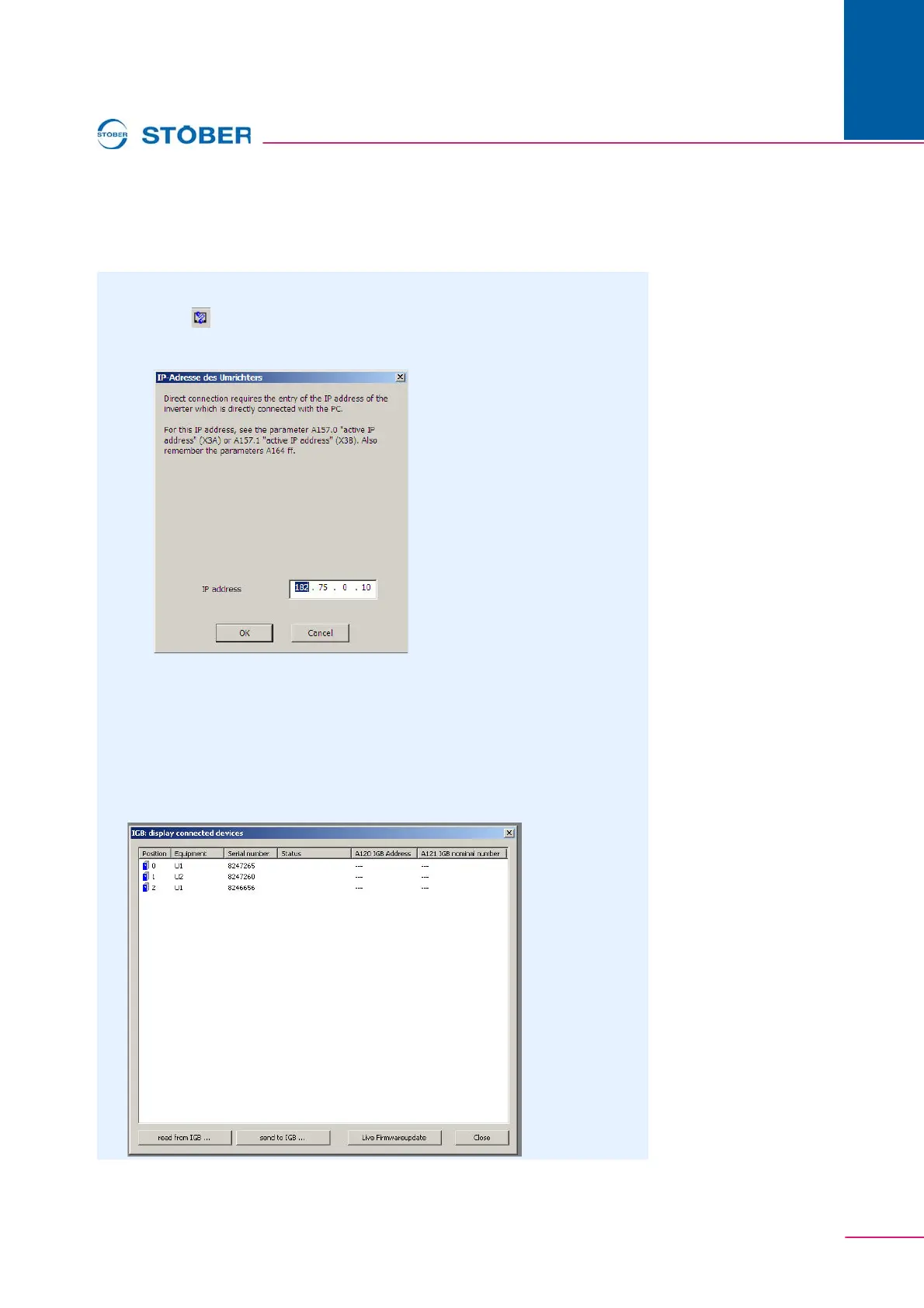
The following dialog screen is displayed:
2. Specify the IP address of the RJ45 connector that you have connected to the
PC.
3. Click the OK button.
You have established a direct connection and the IGB: Display connected
devices dialog screen is displayed. The dialog screen shows all devices that
are connected via the direct connection to the PC:


 To Next Page