8
Diagnosis
ID 442233.05
WE KEEP THINGS MOVING
Operation manual
46
When the dialog screen is confirmed with OK, the settings are accepted but
Scope is not started before the OK and start Scope button is pressed. Terminate
rejects the settings
8.4.4 Exporting and importing
If you use the same or similar Scope settings in different projects, you can export
the settings from the Settings - channel selection and trigger dialog screen and
save them as a *.sco file (Export button). You can choose this file in another
project by pressing the Import button and the same settings are displayed.
8.4.5 Channels
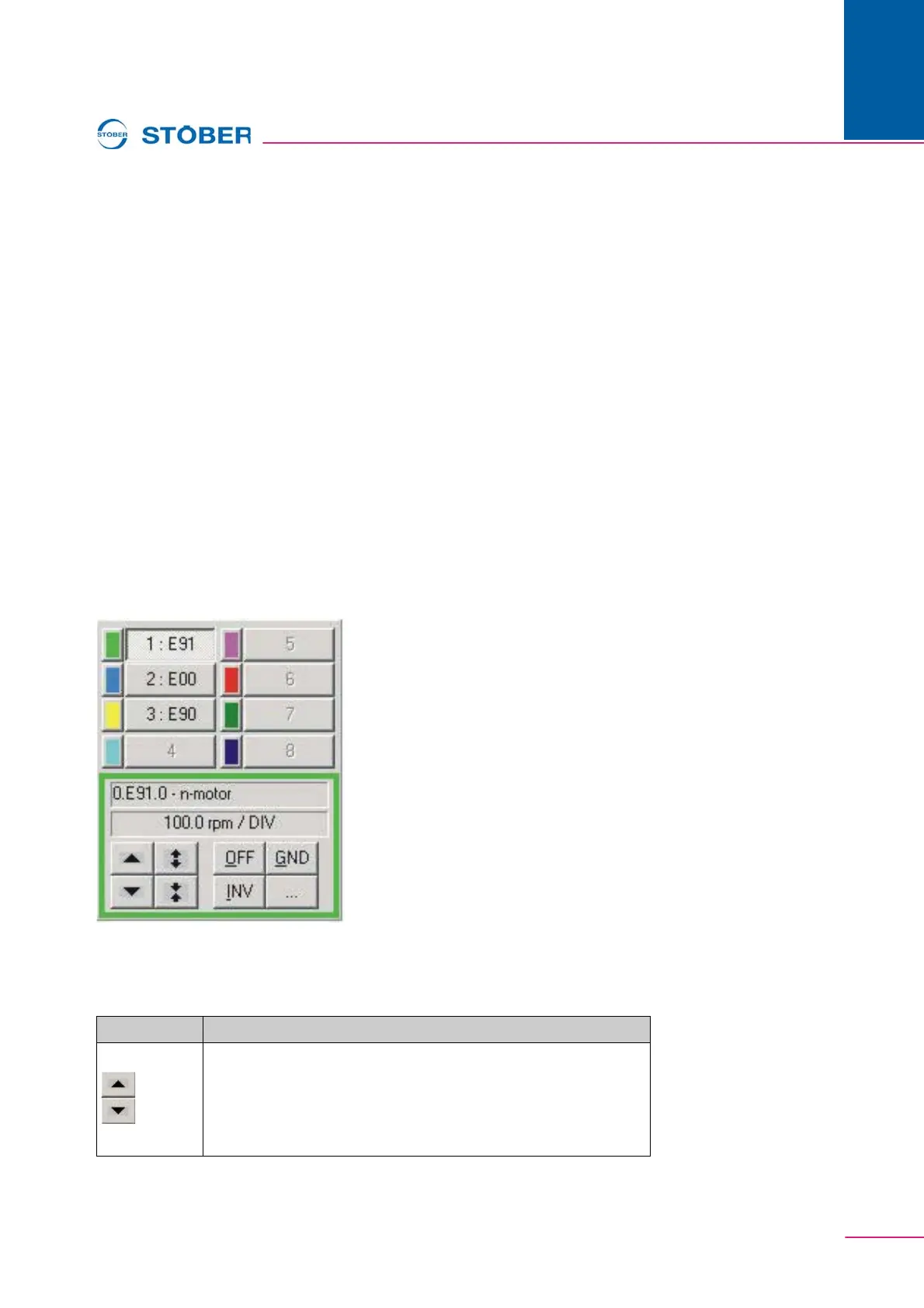
When a picture is finished and read, the channels can be selected via the buttons
on the right-hand side. The recorded parameters are specified (e.g., E91) with the
occupied channels. The display below the buttons contains the complete
parameter designation of the selected channel. The complete parameter
designation is located under the buttons. The second indication specifies the set
scaling.
Fig. 8-6 Channel selection and channel scaling
The buttons under the indications can be used to change the representation of the
characteristic curve.
Button Function
Shift the characteristic curve of the activated channel up or down
by one grid interval.
+ shift key: Shift by one pixel.
+ Ctrl key: Shift to the next grid line.
+ Ctrl + shift key: Shift to middle of the image.



 To Next Page