6
Access level
ID 442233.05
WE KEEP THINGS MOVING
Operation manual
24
6 Access level
Separate access levels for configuration and parameters exist for the 5
th
generation of STÖBER inverter. This means that parameters disappear and the
view of the configuration is locked at a certain level. The user can choose
between the levels 0, 1, 2 and 3.
6.1 Parameter level
A free choice among the four levels is available for indication of the parameters.
The higher the parameter level is set, the more parameters appear in the
parameter list. The level is set with parameter A10.0.
In parameter level 3, POSITool offers an additional functionality which can hide
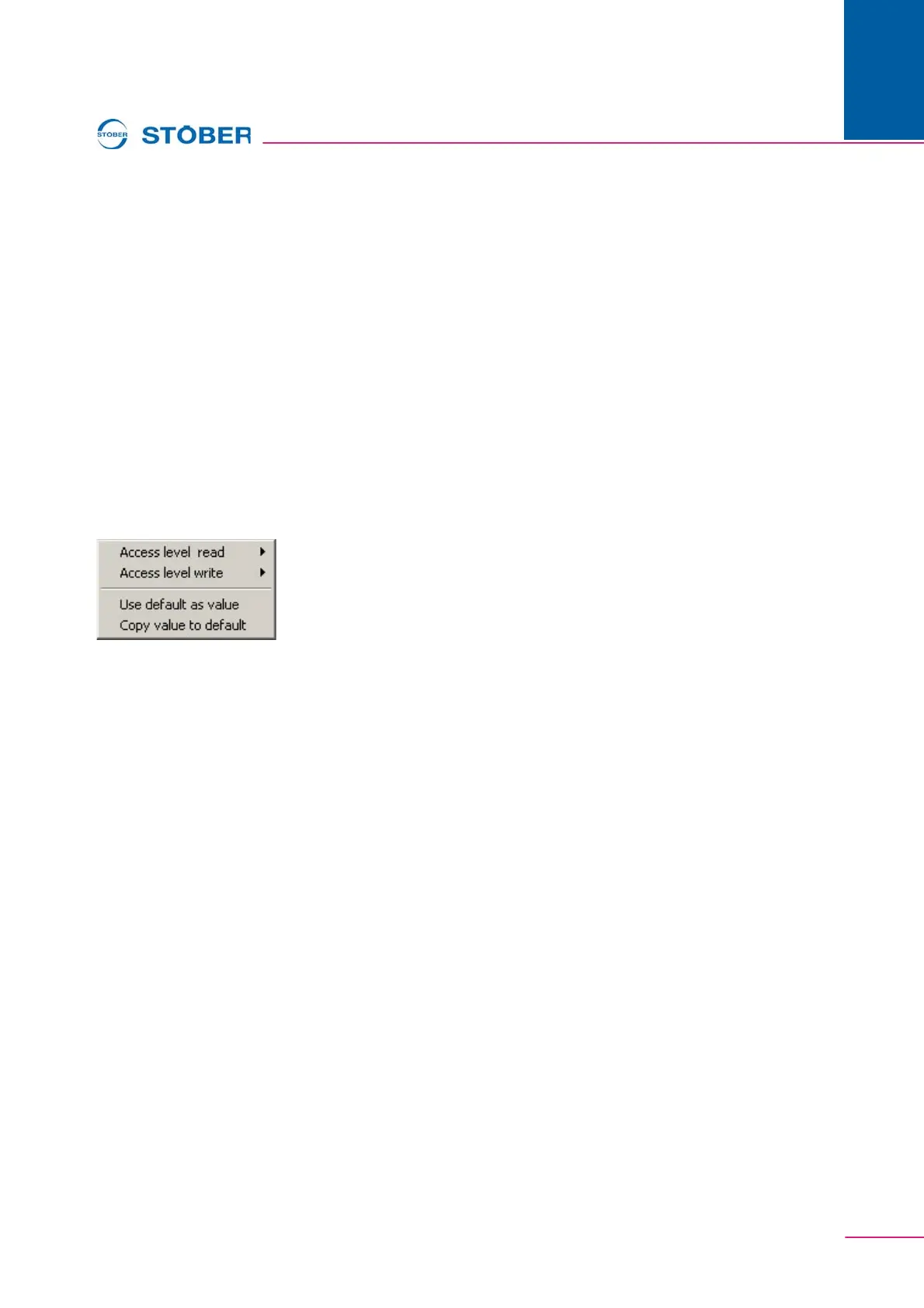
parameters. When the user clicks a line in the parameter list with the right mouse
button, the following context menu appears (Fig. 6-1).
Fig. 6-1 Changing parameter level
In this menu, the read or write level of a parameter can be changed separately.
Skillful setting of the parameter A10.0 can cause a lock at the same time. When,
for example, the value 1 is entered in A10.0, all parameters with the level 0 and 1
can be viewed. To prevent the user from entering level 2 or 3 in A10.0, the write
level can be set to 2 via POSITool. Although A10.0 is visible, it cannot be
changed. Another method is to set the read level to 2 at the same time. The
parameter is then no longer visible on the display. POSITool shows it in the
parameter list starting at level 2.


 To Next Page