POSITool – Options
Operation manual
ID 442233.05
WE KEEP THINGS MOVING
55
9
9.3 Integrating Documentation in POSITool
You have the option of indicating product descriptions of STÖBER
ANTRIEBSTECHNIK GmbH & Co. KG in PDF format in POSITool and opening
them there. Proceed as described below:
Under Documentation in the project entry, POSITool lists the PDF documents
which go with your configurations.
Integrating documentation in POSITool
1. Set up a directory on your PC.
2. Copy the PDF documents to the directory which you want to call in POSITool.
You will find the documents on the product-CD Electronics 5000 or at
www.stoeber.de.
3. Open POSITool.
4. Open the Open the Options dialog screen of POSITool in the menu
Extras\POSITool options.
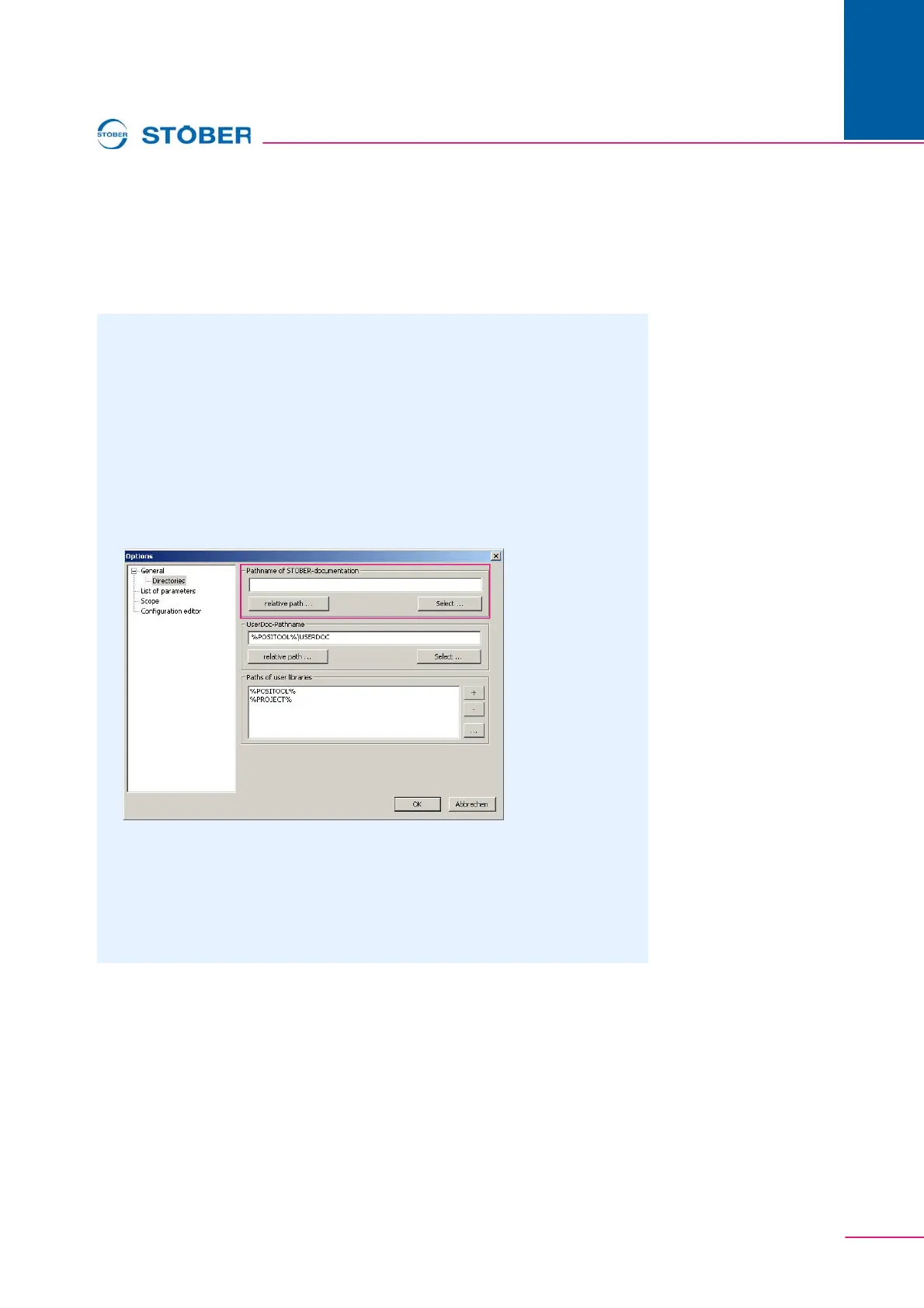
5. Select the page Directories:
Fig. 9-5 Integrating documentation
6. In the upper portion of the page, set the directory in which you stored the PDF
documents. You can specify the directory relative to POSITool (relative path
… button) of select a concrete directory (Select … button).
7. Close the Options dialog with the "OK" button.
The documentation appears in the Project view.



 To Next Page