5
Setup of POSITool
ID 442233.05
WE KEEP THINGS MOVING
Operation manual
20
5.5 Parameters
The parameters contained in the particular configuration are available in a
parameter list. The parameters to be indicated are determined by the selected
application and the set parameter level.
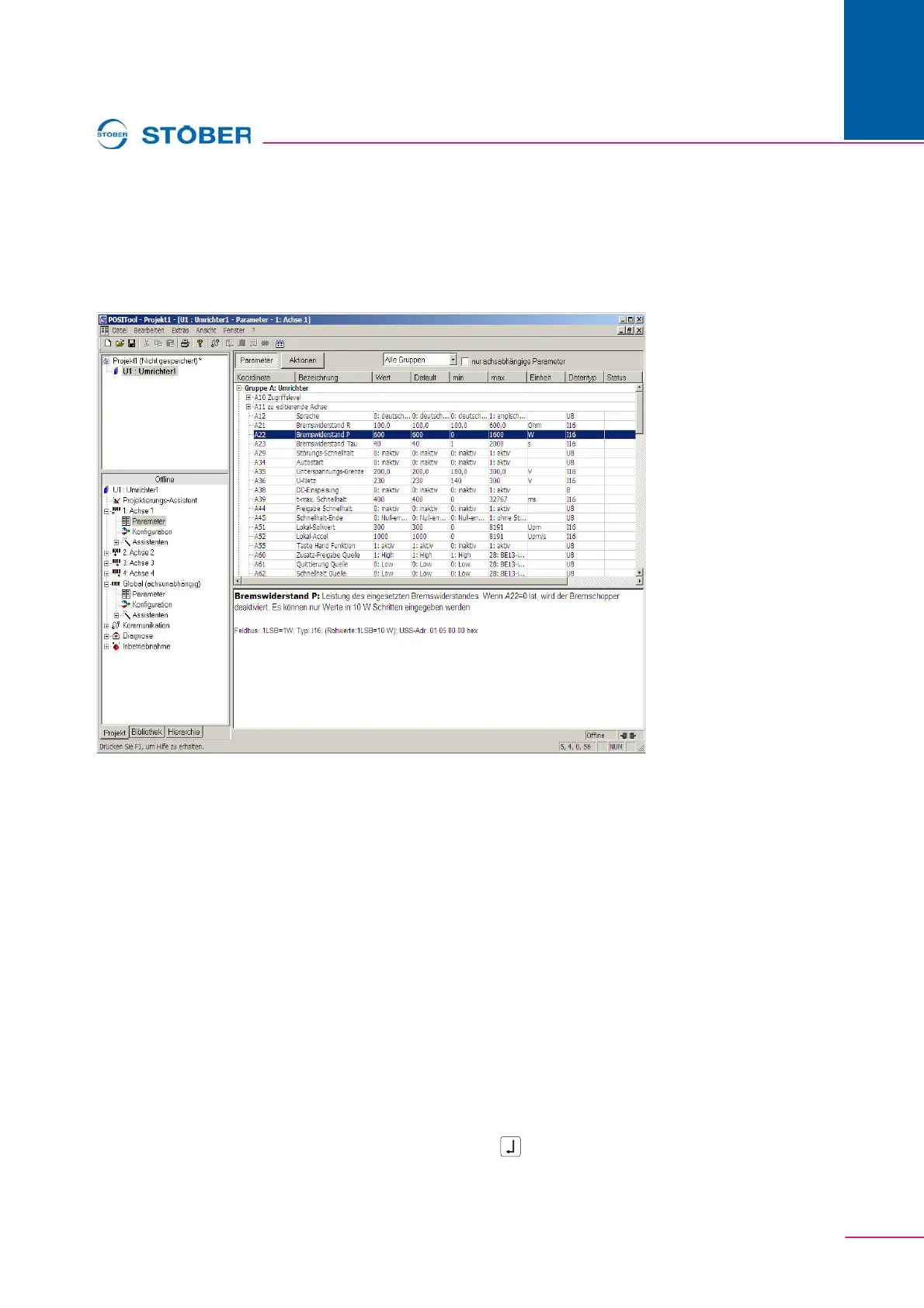
Fig. 5-3 Parameter list
The parameter table is shown in the upper half of the screen. A parameter with
the following information is inserted in each line:
•Coordinate
• Designation
• Current setting
• Default value
• Upper and lower limit value
•Unit
• Data type
• Read and write level
•Status
• PreRead or PostWrite function
• PDO mapping
When a parameter is selected, the parameter description appears in the lower
half of the screen. To change a parameter, double-click the left mouse button on
the line. When the line is highlighted, just press the Enter / or F2 key.


 To Next Page