POSITool – Options
Operation manual
ID 442233.05
WE KEEP THINGS MOVING
57
9
9.4 Additional options
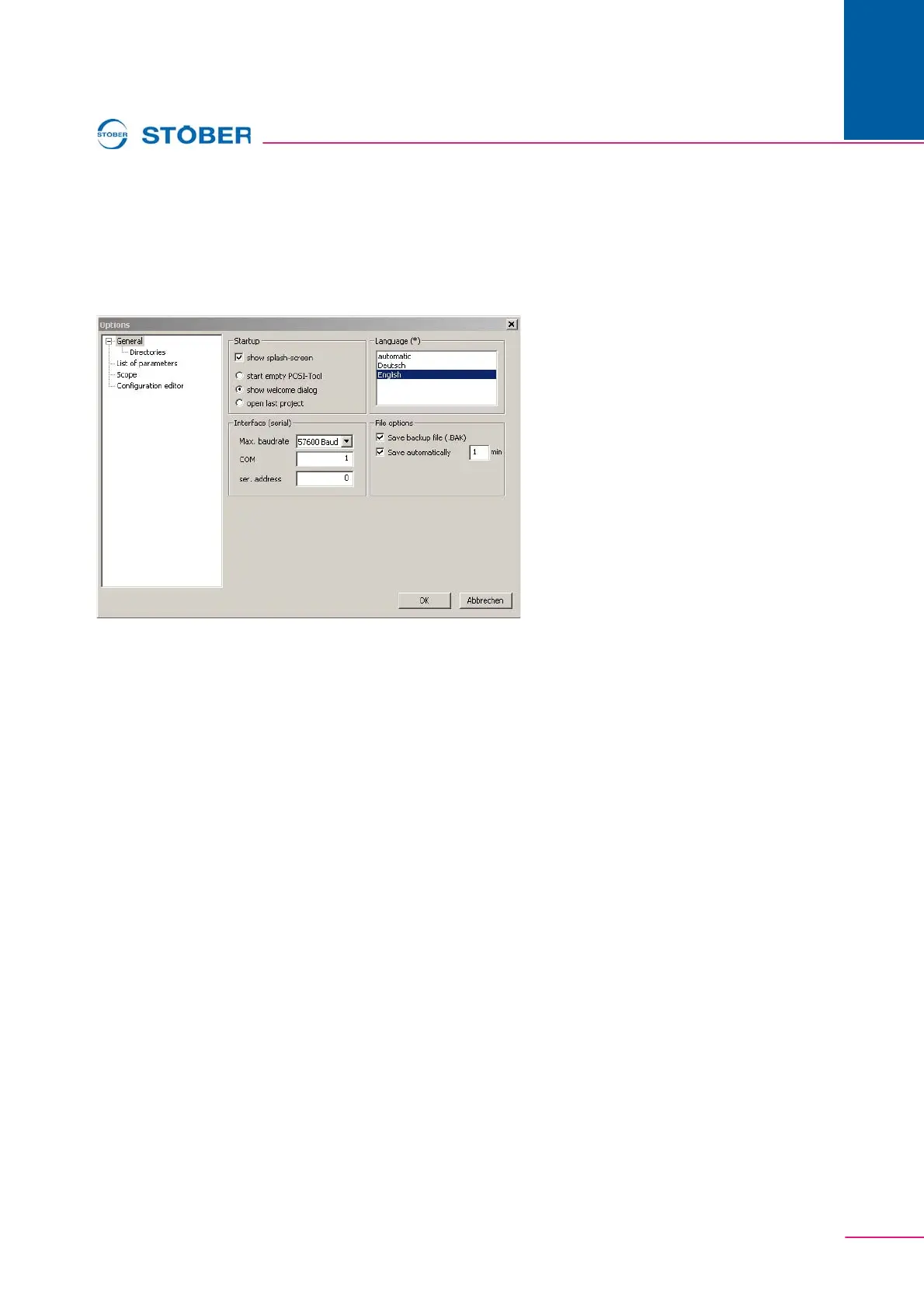
Configuration-independent options of POSITool are indicated under Options in
the Extras menu. For instance, the start behavior or memory options can be set
here.
Fig. 9-7 View of the setting dialog
9.4.1 Start behavior
The optional indication of the start screen is part of the start behavior of POSITool.
You can also choose between indication of the welcoming dialog (standard), a
start screen with the last project or a blank POSITool screen.
9.4.2 Memory options
The memory options include the activation of Autosave and the setting up of a
backup file. A backup file is set up when an old status is overwritten during saving.
The backup file is given the suffix .bak.
Autosave automatically triggers storage of the entire project at regular intervals
which can be set. This file is given the suffix .sav.


 To Next Page