Communication
Operation manual
ID 442233.05
WE KEEP THINGS MOVING
39
7
7.2.7 Reading data from the SDS 5000
You must have established a direct connection before you can read data from an
SDS 5000. After you have done this, proceed as shown below:
Reading data from the SDS 5000
1. In the IGB: display connected devices dialog screen, click the read from
IGB… button.
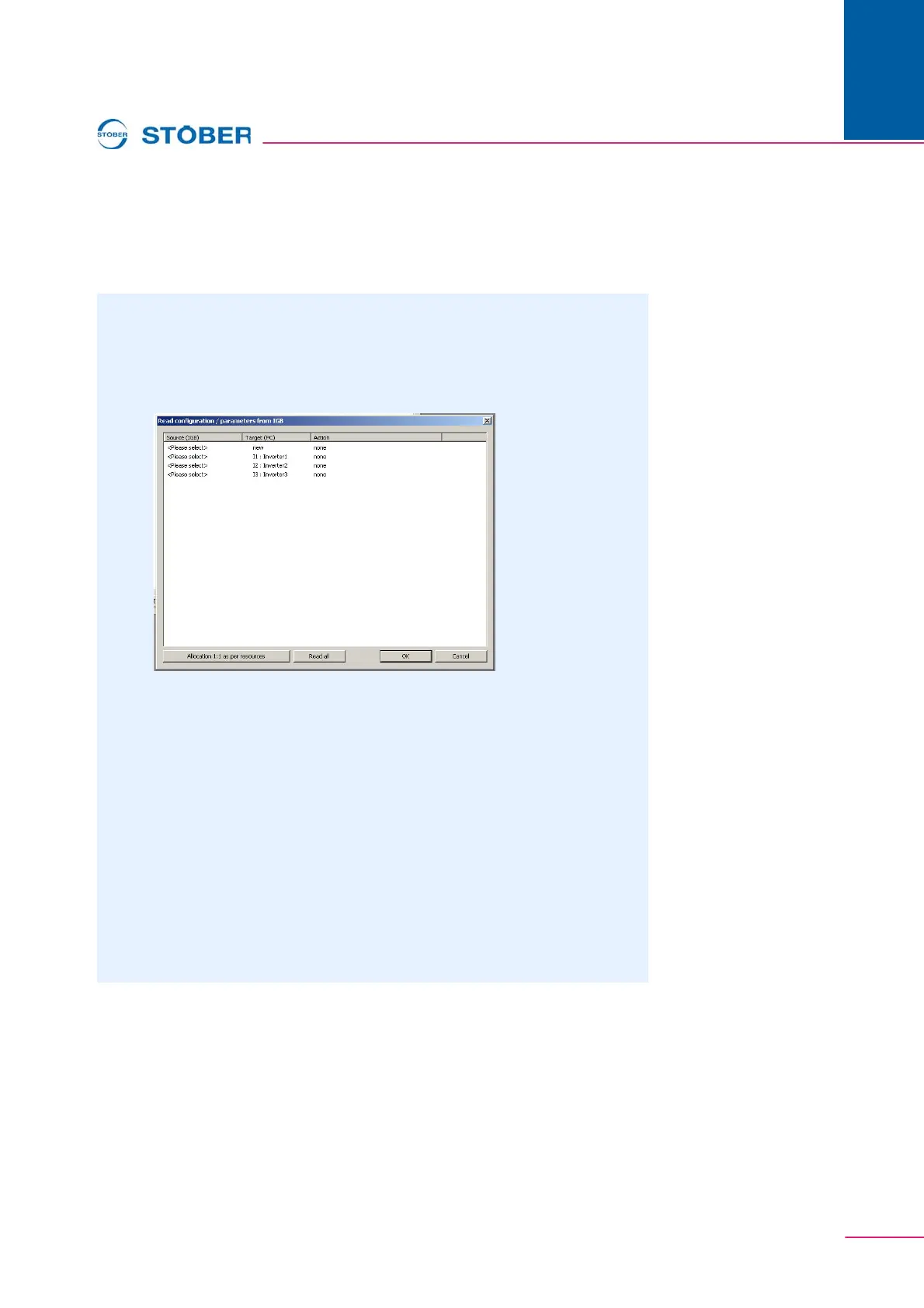
The following dialog screen appears:
In the first column of this dialog screen, you can select the inverters which
are connected to the PC. The possible targets in your project are shown
in the second column.
2. Highlight the line of the inverter entry in POSITool to which the data are to be
written. You can select an already existing inverter entry
(I1: Inverter1) or set up a new inverter entry (new).
3. In this line, double click the first column Source (IGB) (<Please select>).
A selection list appears showing all inverters which are connected to the
PC.
4. Select the inverter whose data you want to read.
5. Repeat steps 2 to 4 for each source to be read from.
6. Click the OK button.
The data are loaded as you specified and shown in POSITool.



 To Next Page