5
Setup of POSITool
ID 442233.05
WE KEEP THINGS MOVING
Operation manual
22
5.6 Configuration
The configuration screen contains the programming user interface. When the
option free graphic programming is used, blocks can be inserted here and linked.
Applications defined by STÖBER ANTRIEBSTECHNIK GmbH & Co. KG contain
the programming in a capsule block.
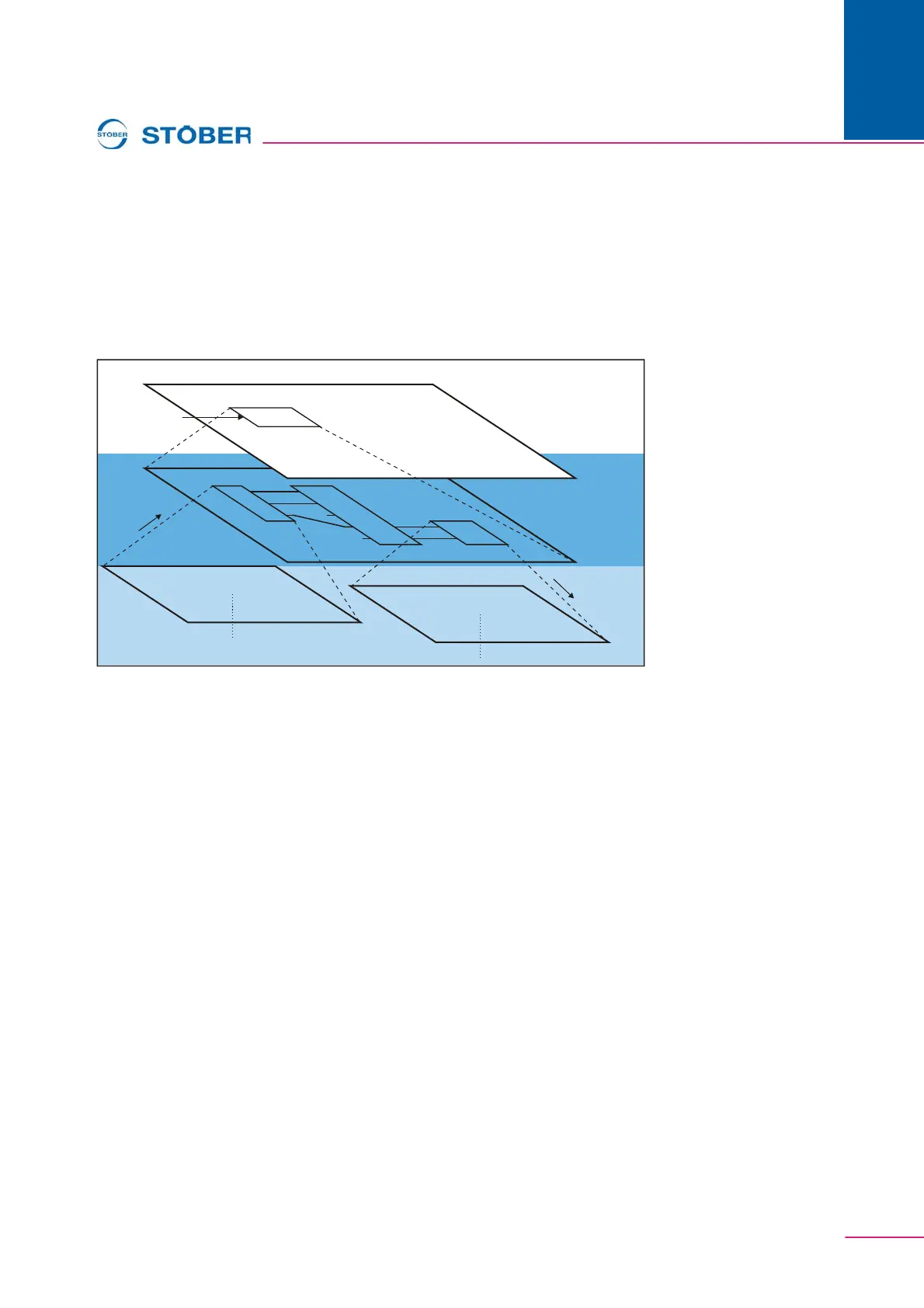
The structural setup of the POSITool configuration is illustrated in .
Fig. 5-5 Configuration structure
A block can contain other blocks. The block must be opened before the
configuration structure within a block can be viewed. The user clicks with the right
mouse button on the block and select Open in the context menu which appears.
The next level in the configuration environment is then shown.
To reach a higher level, the user clicks with the right mouse button on a free area
in the configuration environment. In the dialog screen which appears the user
selects One level higher. This results in a jump back one configuration level.
Configuration object
Capsule block
One level
higher
Open
F
i
r
s
t
c
o
n
f
i
g
u
r
a
t
i
o
n
l
e
v
e
l
S
e
c
o
n
d
c
o
n
f
i
g
u
r
a
t
i
o
n
l
e
v
e
l
Configuration interface



 To Next Page