Access level
Operation manual
ID 442233.05
WE KEEP THINGS MOVING
25
6
6.2 Configuration level
The configuration level determines the programming capability.
• Level 0: The configuration screen is not visible at this level.
The user can load and parameterize applications. The free, graphic
programming option cannot be used.
• Level 1: At this level the user can load and parameterize applications. The
application can be opened up to the first program level. The free, graphic
programming option cannot be used.
• Level 2: The user can load and parameterize applications. The application
can be opened up to the second program level. The free, graphic
programming option cannot be used.
• Level 3: At this level a user can load and parameterize an application and, at
the two highest program levels, program an application. The user can open
additional levels. The free, graphic programming option is available to the
user.
6.3 Setting the levels
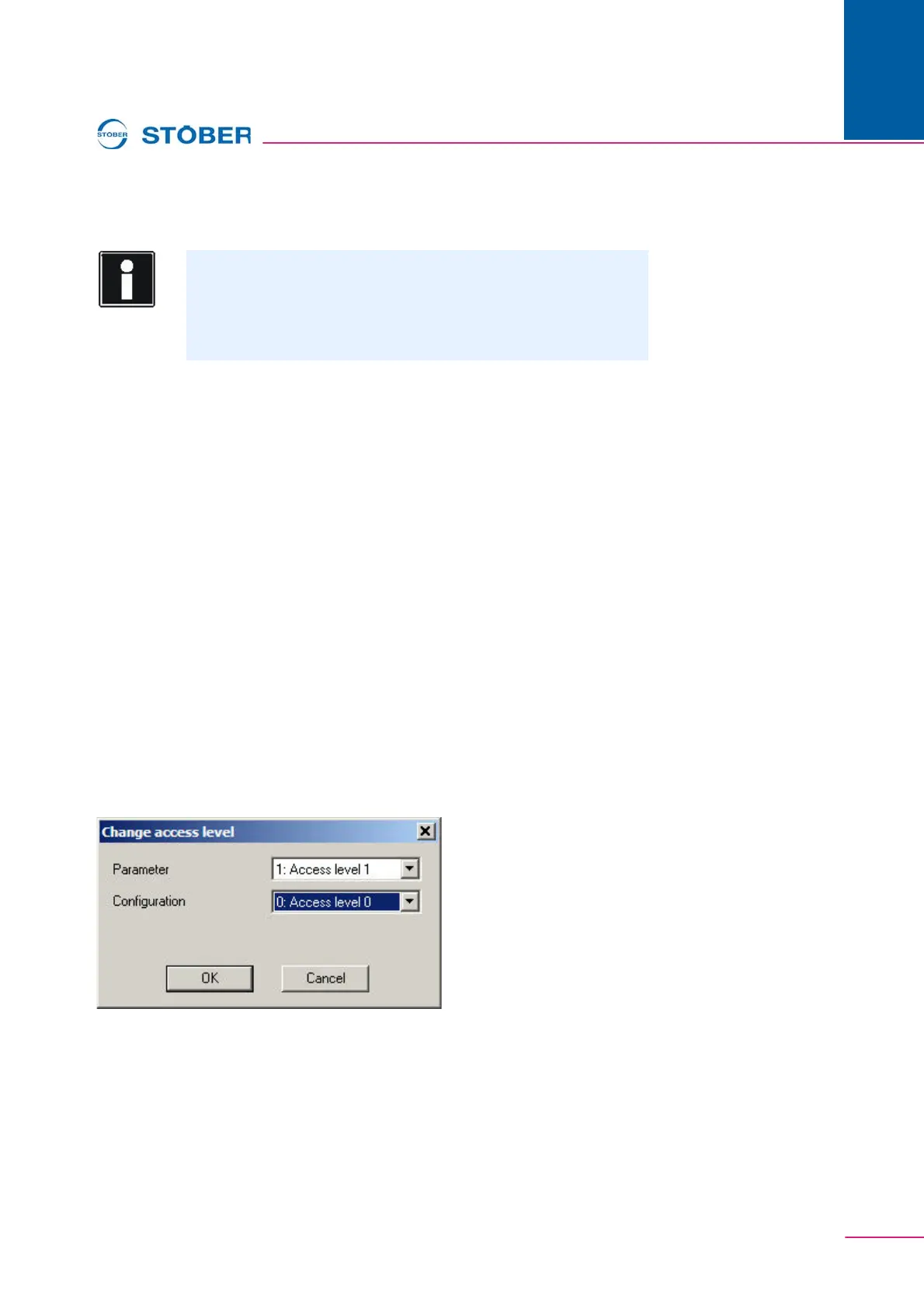
In the menu Extra the following screen is called under the menu item Change
access level …. The levels can be individually set here.
Fig. 6-2 Setting the access levels
Information
At the configuration level only levels 0 to 2 can be set as desired.
Level 3 can only be used with a key file!
The settings up to level 2 are sufficient for users of the applications
defined by STÖBER ANTRIEBSTECHNIK!


 To Next Page