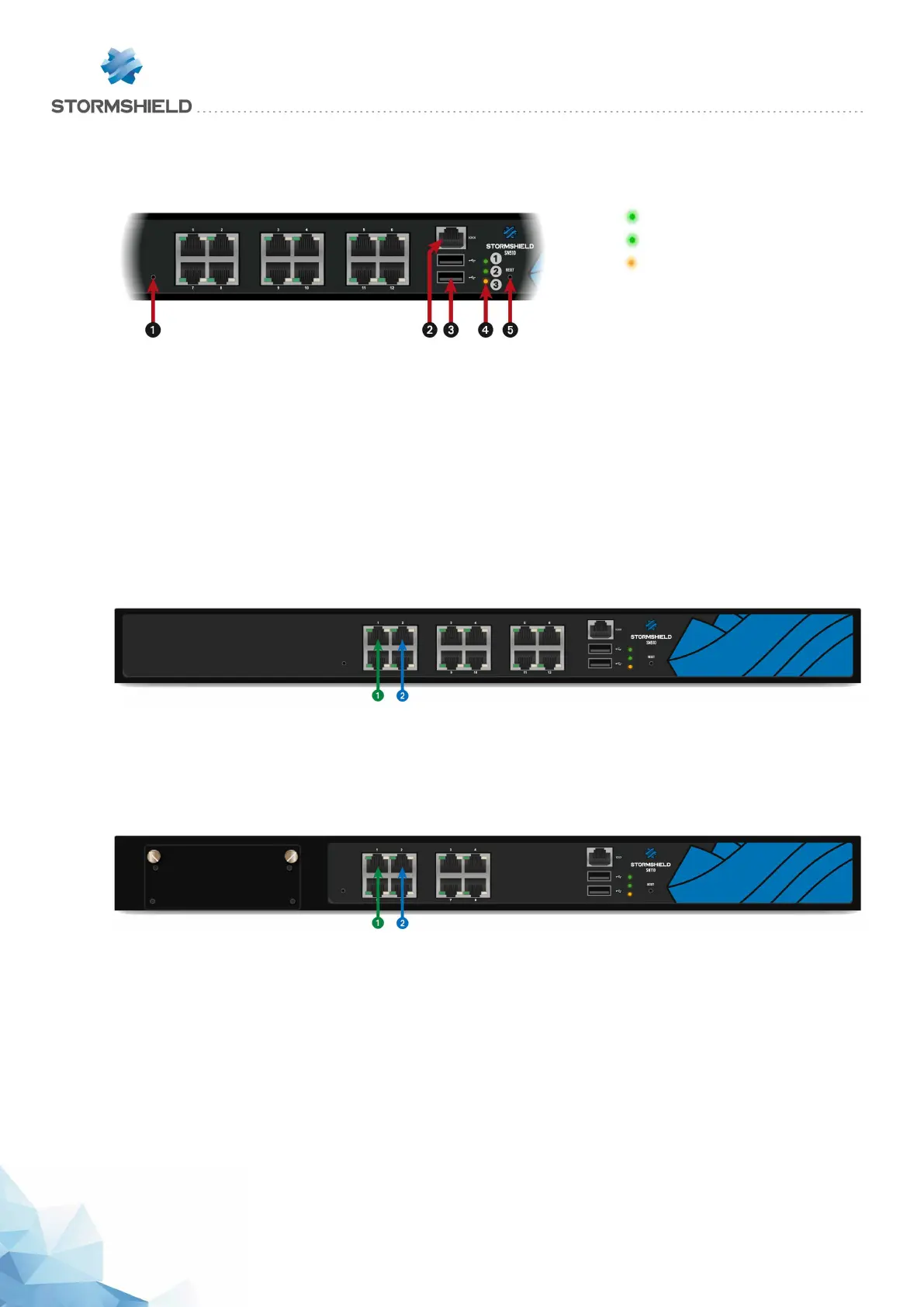
SN510 and SN710 models
Front panel: connectors and LEDs
1 Online LED (green)
2Status LED (green)
3 Power LED (yellow)
1 This is the button for resetting the appliance to its factory settings (defaultconfig).
2 The serial port allows accessing the product in console mode; it is possible to connect the
Firewall directly from a computer. The default baud rate on these models is 115 200 baud
(8N1).
3 Two USB 2.0 ports that can be used for secure configurations or upgrades. You can also plug a
USB key or an approved USB modem into it.
4 The Power, Status and Online (from bottom to top) LEDs.
5 The Reset button: electrically resets the Firewall.
SN510 model
This model is fitted with a multi-core CPU, making it possible to increase
processing power.
This product has an internal power supply.
The SN510 model holds twelve 1GbE ports.
1 OUT Interface
2 INInterface
SN710 model
This model is fitted with a multi-core CPU, making it possible to increase
processing power.
1 OUT Interface
2 INInterface
This product is equipped with an internal power supply.
The SN710 model holds 8 1GbE ports. It allows the addition of one extension module with RJ45
(1GbE) or fiber (1GbE or 10GbE) connectors.
Specifications on Stormshield Network-approved extension modules and transceivers are set
out in the sections Extension modules (SN710 and upwards) and Fiber Ethernet connectors.
Rear panel: connectors
The socket for the power cord is located on the rear panel of the product. A switch makes it
possible to turn the product on or off.
SNS - PRODUCT PRESENTATION AND INSTALLATION 2019
PRESENTATION OF SN MODELS
Page 28/66 sns-en-SNrange_installation_guide-2019 - 09/2019



 To Next Page