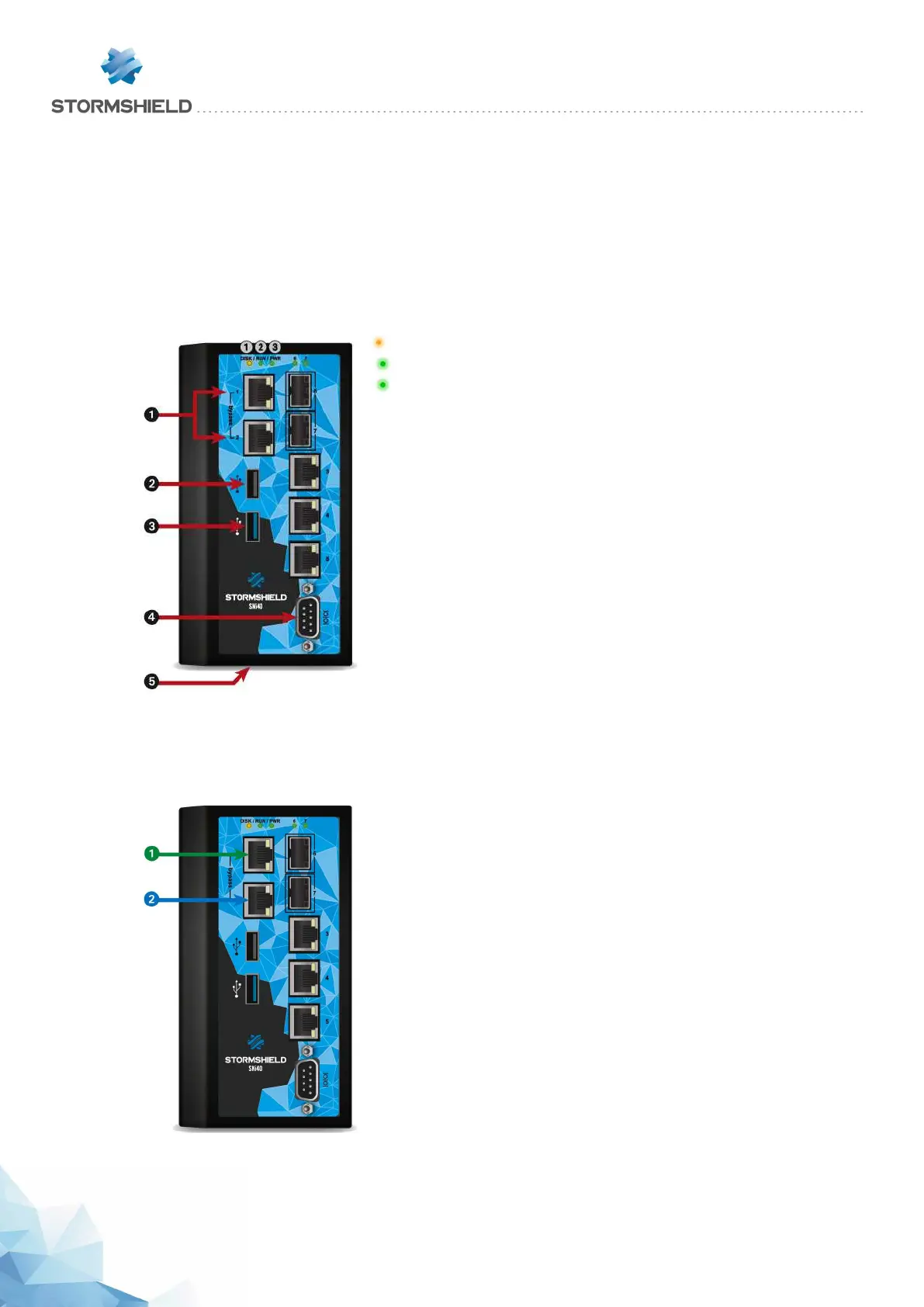
SNi40 model
In order to ensure service continuity in an industrial setting, the SNi40 firewall is equipped with a
hardware bypass function, which when enabled, allows network traffic to pass through in the
event of a power outage of appliance failure.
This feature, available from version 3 onwards, is disabled by default.
Connectors and LEDs
1SSD Activity LED (yellow)
2Run LED (green)
3Power LED (green)
1 Two network ports dedicated to Ethernet Bypass
2 The USB 2.0 port can be used for secure configurations or
upgrades. You can also plug a USB key or an approved USB
modem into it.
3 The USB 3.0 port can be used for secure configurations or
upgrades. You can also plug a USB key or an approved USB
modem into it.
4 The serial port allows accessing the product in console mode;
it is possible to connect the Firewall directly from a computer.
The default baud rate on this model is 115 200 baud (8N1).
5 The Reset button (underside): electrically resets the Firewall.
Description
1 OUT Interface
2 INInterface
The SNi40 multi-function Firewall is fanless.
This model is fitted with a multi-core CPU, making it
possible to increase processing power.
This appliance is equipped with a 24VDC redundant power
supply; the 6-pole screw terminal connector provided
allows connecting to 2 independent sources of power.
The SNi40 model holds 5 1GbE ports and 2 SFP sockets for
adding 1GbE transceivers.
Specifications of Stormshield Network-approved
transceivers are set out in the sections Optional Ethernet
Transceivers and Fiber Ethernet connectors.
SNS - PRODUCT PRESENTATION AND INSTALLATION 2019
PRESENTATION OF SN MODELS
Page 34/66 sns-en-SNrange_installation_guide-2019 - 09/2019



 To Next Page