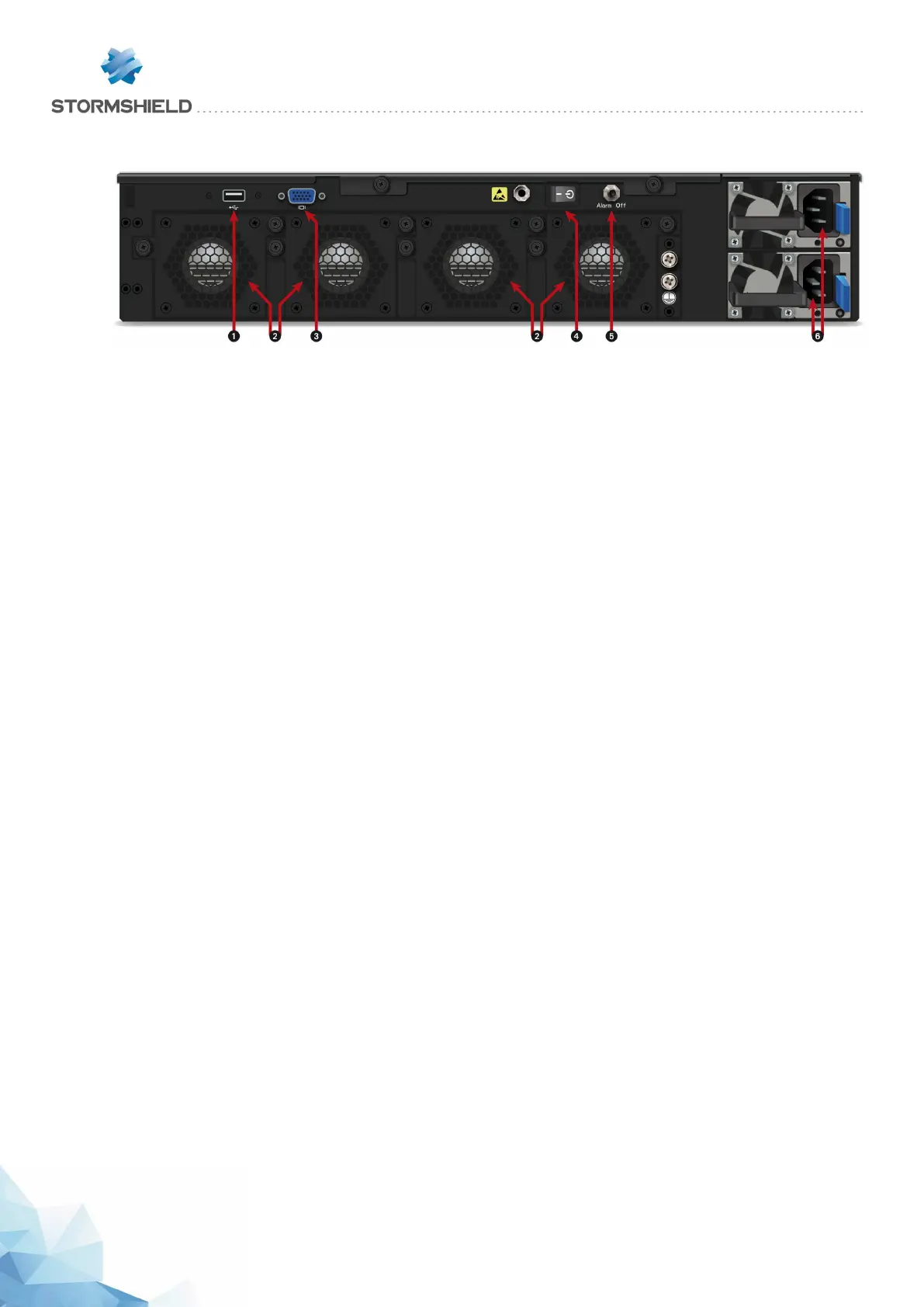
Rear panel: connectors
1 The USB 2.0 port can be used for secure configurations or upgrades. You may also plug in a
USB key, USB keyboard or approved USB modem.
2 Four independent hot-swappable fans in the event of a breakdown.
3 The VGA port allows connecting a monitor.
4 The Power button allows switching the Firewall on or off.
5 The Alarm off button. The alarm rings when a power supply module is missing or when there is
a power failure on either module. Press this button to deactivate the alarm.
6 Two mains sockets for redundant power supplies.
SNS - PRODUCT PRESENTATION AND INSTALLATION 2019
PRESENTATION OF SN MODELS
Page 33/66 sns-en-SNrange_installation_guide-2019 - 09/2019



 To Next Page