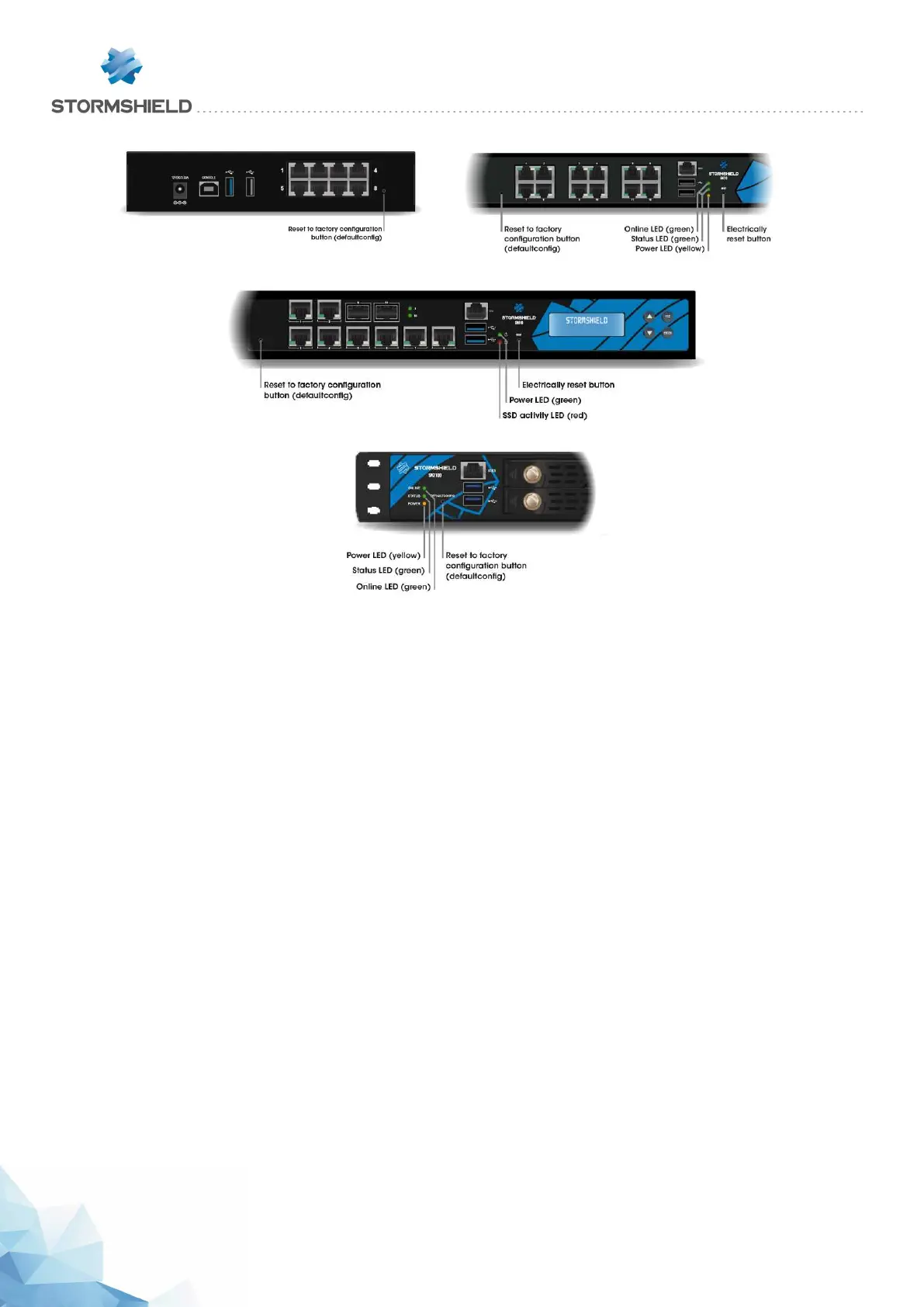
SN310 model
SN510 and SN710 models
SN910 model
SN2100 and SN3100 models
Hold down the button for about 5 seconds, until you see the Online and Status LEDs blink and/or
until you hear an audible signal. The reset procedure will automatically be launched. After a few
minutes, the initial settings will be recovered and the Firewall will reboot.
SN6100 and SNi40 models
The factory configuration of SN6100 and SNi40 appliances can only be restored by connecting
in console mode. Type the following command: defaultconfig -f -r –p
The reset procedure will automatically be launched. After a few minutes, the initial settings will be
recovered and the Firewall will reboot.
SNS - PRODUCT PRESENTATION AND INSTALLATION 2019
APPENDIX A: RESETTING THE FIREWALL
Page 56/66 sns-en-SNrange_installation_guide-2019 - 09/2019



 To Next Page