INSTALLATION IN A 19" CABINET AND RACK
All Stormshield Network appliances can be installed in 19-inch cabinets (except SNi40). A
fastening system for placing the appliance in a rack, in the form of a rack mount shelf, can be
included by special order for SN160, SN160W, SN210, SN210W and SN310 models. Two SN160,
SN160W, SN210, SN210W or SN310 Firewalls can be installed on the same shelf.
On SN510, SN710, SN910, SN2100, SN3100 and SN6100 models, the brackets are mounted by
default. SN2100, SN3100 and SN6100 appliances are sold with a set of rails.
REMINDER
Ensure that the cabinet complies with temperature and humidity conditions indicated in
the section Conditions of use.
NOTE
SN160 and SN160W models can also be installed vertically (screws and fasteners not
provided).
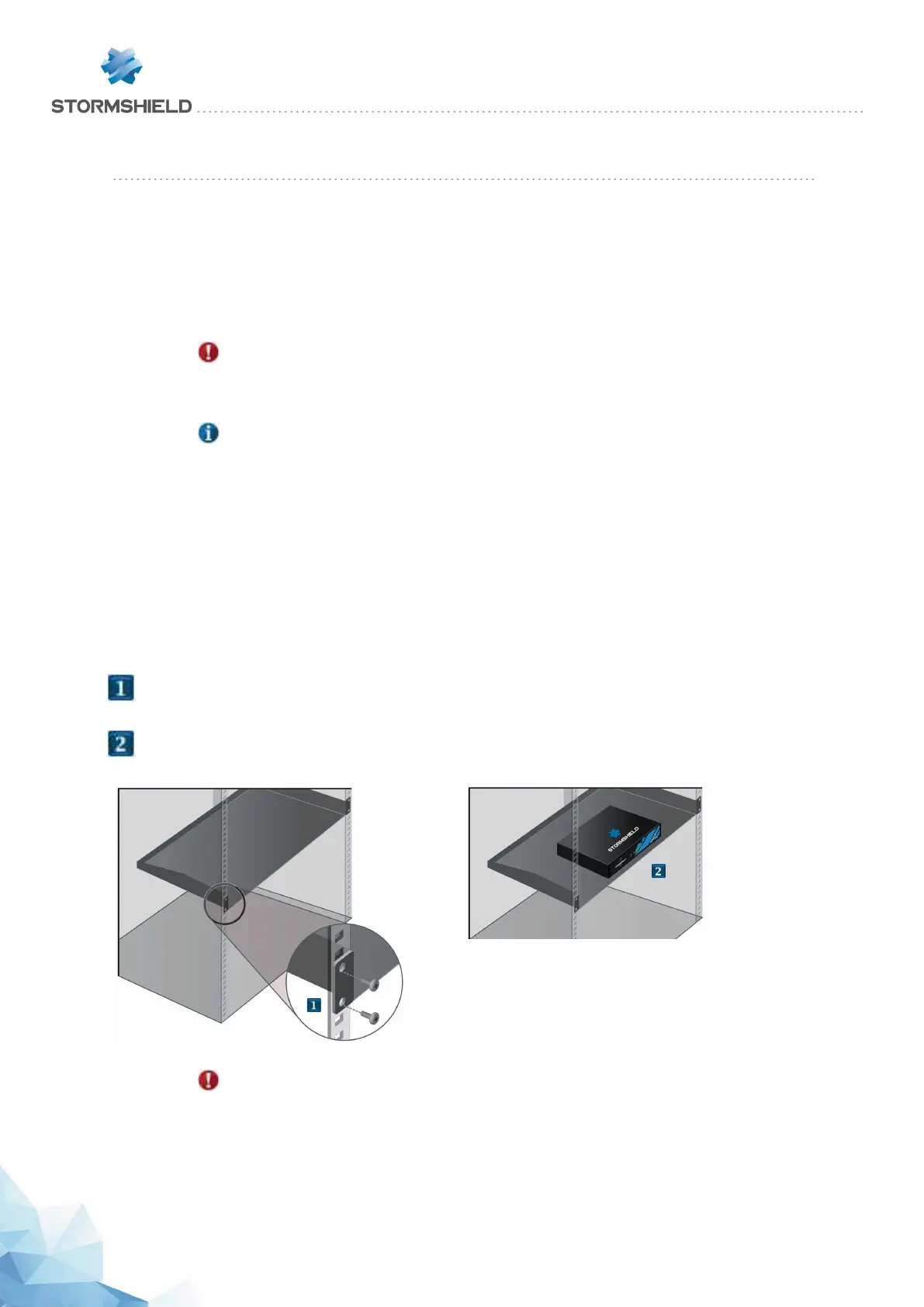
Installing SN160, SN160W, SN210, SN210W and SN310 models in a 19" rack mount
shelf
In this non-standard installation, allow a height of more than 1U due to the thickness of the shelf,
the presence of rubber feet below the appliance as well as antennae on Wi-Fi products. The
procedure is as follows:
l
Using screws and caged nuts (not provided with the appliance), fasten the shelf to the vertical rails
located at the front of the cabinet.
l
Once the shelf has been installed, you can place one or two appliances on it (no additional fastening is
needed).
WARNING
If you are installing two Firewalls on the same rack mount shelf, you will need to leave
enough space between the Firewalls to avoid obstructing the flow of air from the sides.
SNS - PRODUCT PRESENTATION AND INSTALLATION 2019
INSTALLATION IN A 19" CABINET AND RACK
Page 19/66 sns-en-SNrange_installation_guide-2019 - 09/2019



 To Next Page