APPENDIX A: RESETTING THE FIREWALL
It is possible to restore the default factory settings of a Stormshield Network Firewall. This
operation will bring the product back to its initial configuration. This reinitialization does not
modify the firmware version and only affects the active partition.
WARNING
Resetting a Firewall will completely remove the configuration made on the product. This
operation is irreversible, so do not apply this procedure unless absolutely needed. You are
therefore advised to make a prior backup.
WARNING
You must not unplug the product while is it reinitializing.
After a few minutes the initial settings will be recovered and the Firewall will reboot. This reset
operation may take up to 10 minutes, so do wait until the end of the reboot procedure before
reconnecting to the Firewall.
NOTE
The Online and Status (Run on SN6100 and SNi40) LEDs will blink throughout the entire
initialization phase. 2 consecutive beeps (except on SN160, SN160W, SN210, SN210W,
SN310 and SNi40 models) and the lighted up Online (Run on SN6100 and SNi40) LED
indicate the end of the product’s startup sequence.
WARNING
This operation will also reinitialize the administrator’s password. The login and password
are “admin” by default.
All models except SN6100 and SNi40
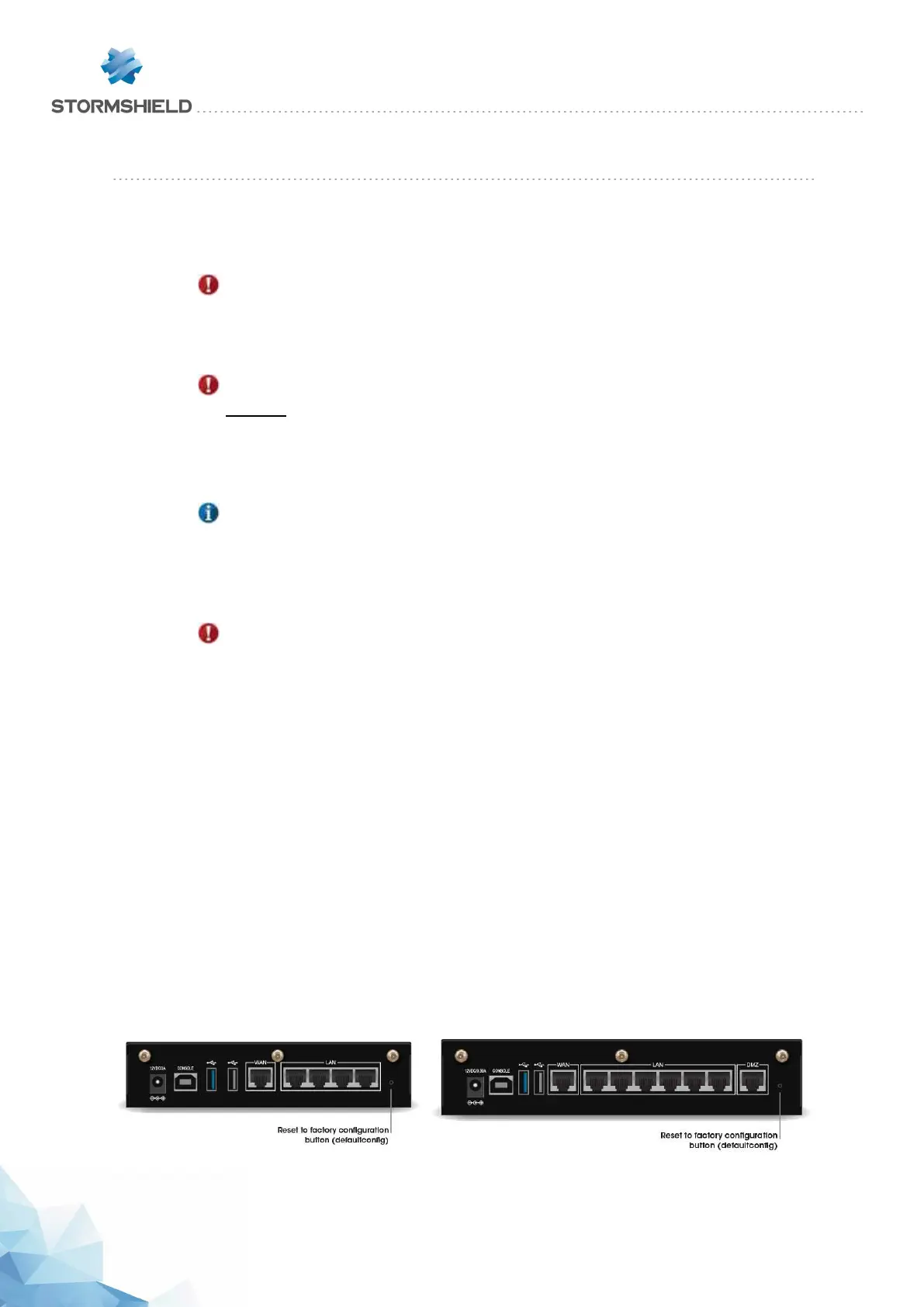
In order to reset your Firewall, take a pointed object. A small pushbutton is accessible through a
hole located in the following places:
l on SN160, SN160W, SN210, SN210W and SN310 models, on the rear panel of the product, to
the right of the Ethernet interfaces.
l on SN510 models, on the front panel of the product, to the left of the Ethernet interfaces.
l on SN710 and SN910 models, on the front panel of the product, between the extension
module slot and the Ethernet interfaces.
l on SN2100 and SN3100 models, on the front panel of the product, between the LEDs and
USB ports.
SN160 and SN160W models
SN210 and SN210W models
SNS - PRODUCT PRESENTATION AND INSTALLATION 2019
APPENDIX A: RESETTING THE FIREWALL
Page 55/66 sns-en-SNrange_installation_guide-2019 - 09/2019



 To Next Page