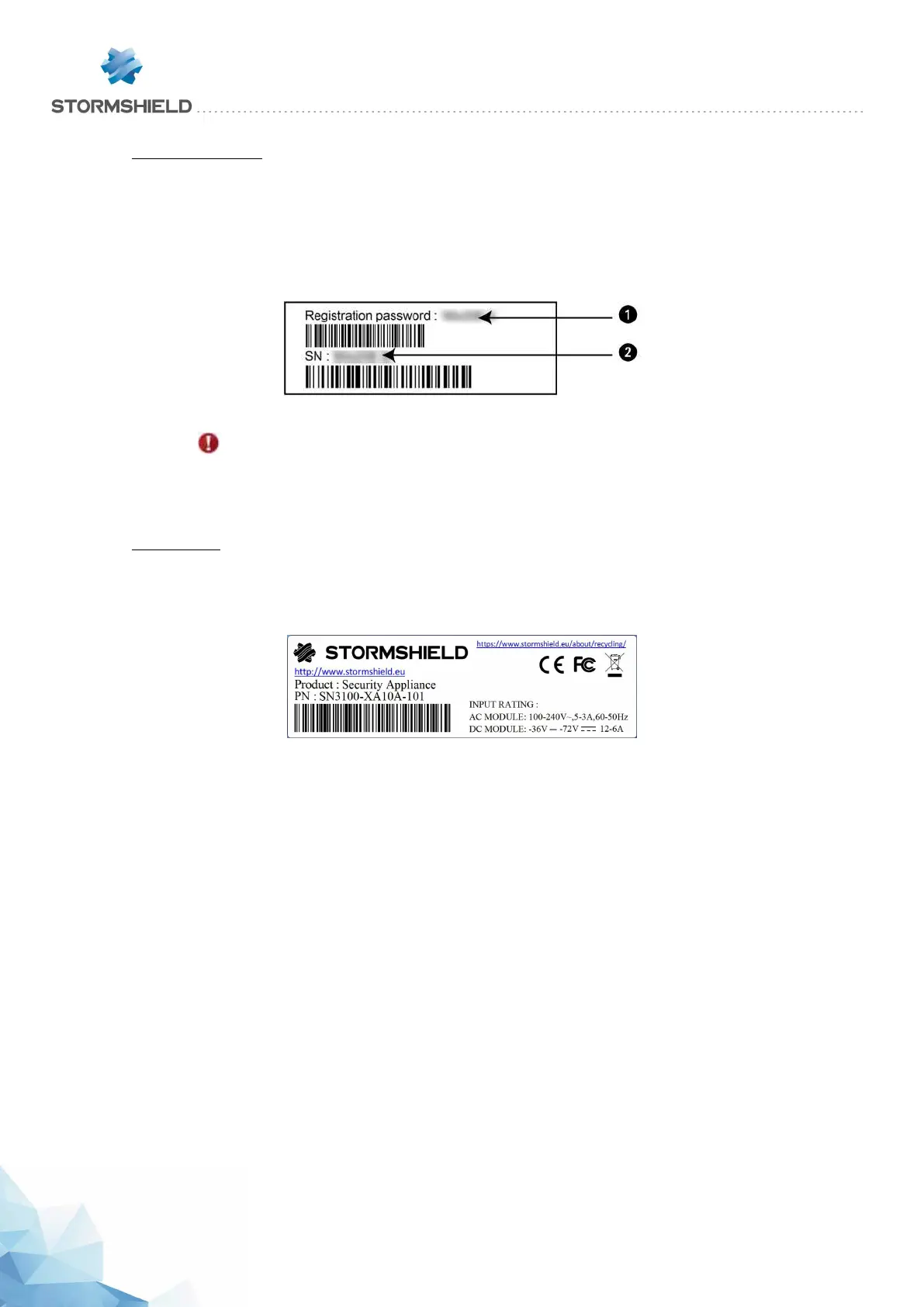
Serial number label
This label displays your product's serial number and registration password. It is affixed:
l to the underside of SN160, SN160W, SN210, SN210W, SN310, SN2100 and SN3100
models,
l to the back of the firewall on SN510, SN710, SN910 and SN6100 models,
l to the side for the SNi40 appliance.
Figure 4: Serial number label
IMPORTANT
Take note of your registration password 1 and your serial number 2. You will be asked
for these during the installation and registration of your product.
Product label
This label, found on the underside of your product, provides information relating to the Firewall,
such as the part number and the product's electrical power characteristics.
Figure 5: Product label
Contents of the packaging
Keep the cardboard packaging in a safe place in case you need it later for transporting the
Firewall. It has been designed to give your SN Firewall optimum protection (shock resistance,
etc.).
Upon delivery, check that the following have been included in the packaging:
l Your Stormshield Network Firewall,
l A power cord (two for SN2100, SN3100 and SN6100 appliances)
l A power adapter (SN160, SN160W, SN210, SN210W and SN310),
l A 6-pole screw connector (SNi40),
l A Category-5e RJ45 crossover cable,
l An “A to B” USB cable (SN160, SN160W, SN210, SN210W and SN310), or an RJ45 to DB9F
serial cable (SN510, SN710, SN910, SN2100, SN3100 and SN6100) or DB9F serial cable
(SNi40).
l Three Wi-Fi antennae to be screwed to the back of the appliance (SN160W and SN210W)
SNS - PRODUCT PRESENTATION AND INSTALLATION 2019
UPON RECEIVING YOUR FIREWALL
Page 9/66 sns-en-SNrange_installation_guide-2019 - 09/2019



 To Next Page