Removing an extension module on SN710, SN910, SN2100, SN3100 or SN6100 models
l Using the Power button on the front panel (rear panel for SN6100 appliances), or from the
administration interface, proceed to shut down the Firewall,
l Once it has fully shut down, ensure that you unplug it from any electrical power supply,
l Unscrew the 2 knurled screws and extract the extension module by pulling on both screws,
l Put back the filler panel by screwing in the 2 knurled screws,
l Reconnect the Firewall to the power supply,
l Using the Power button on the front panel, start the Firewall.
Recommended connectors for high availability (HA) links
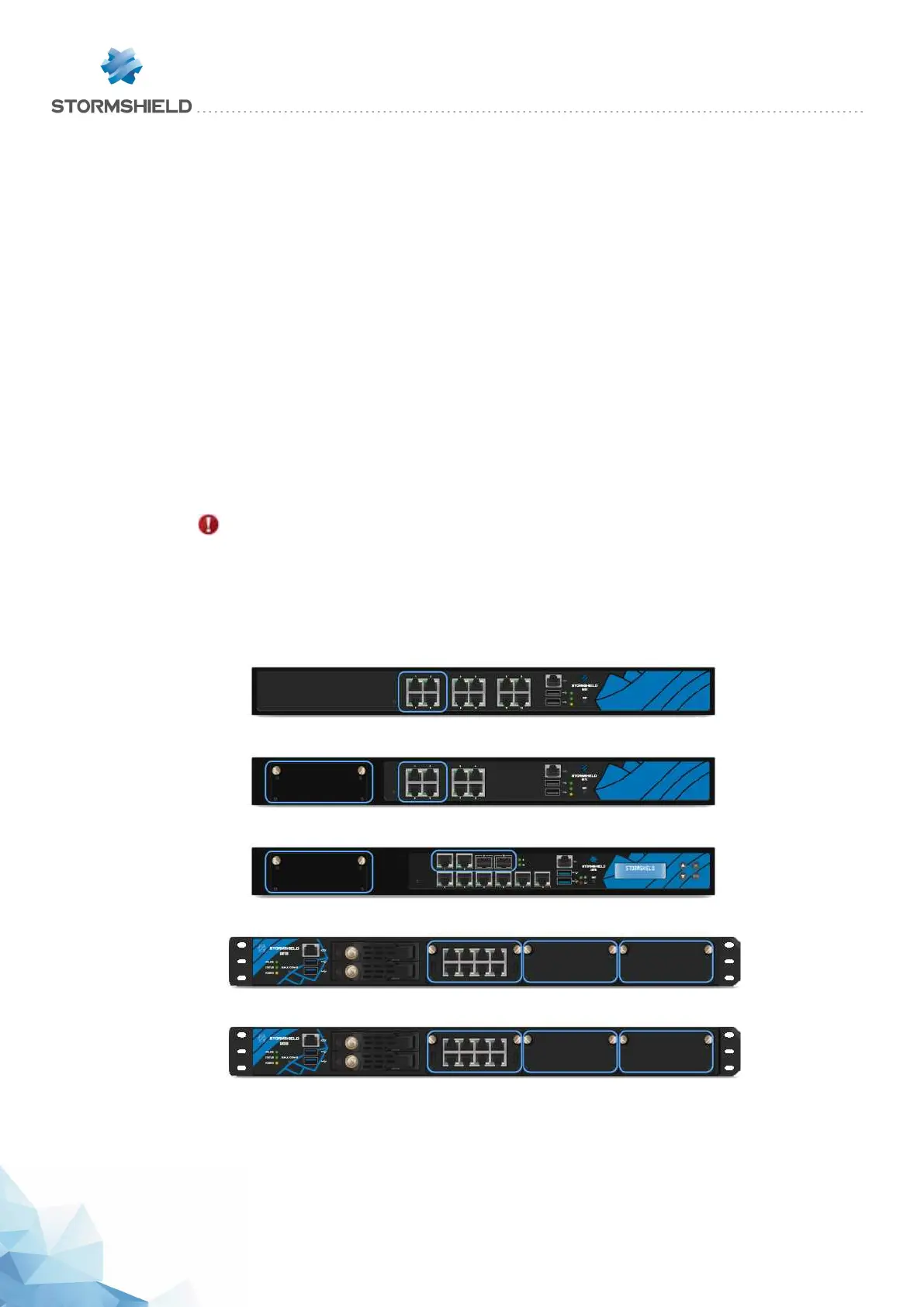
On SN510, SN710, SN910, SN2100 and SN3100 models, specific ports or extension module
slots are recommended for HA communication links in clusters and firewall groups. The
recommended slots for HA links are indicated in the diagrams below.
IMPORTANT
As a general rule, you are strongly advised against using the ports on the rear panel for HA
links.
On SN310 and SN6100 models, all ports have been optimized for HA communication links.
SN510
SN710
SN910
SN2100
SN3100
SNS - PRODUCT PRESENTATION AND INSTALLATION 2019
NETWORK CONNECTORS
Page 43/66 sns-en-SNrange_installation_guide-2019 - 09/2019



 To Next Page