Connections
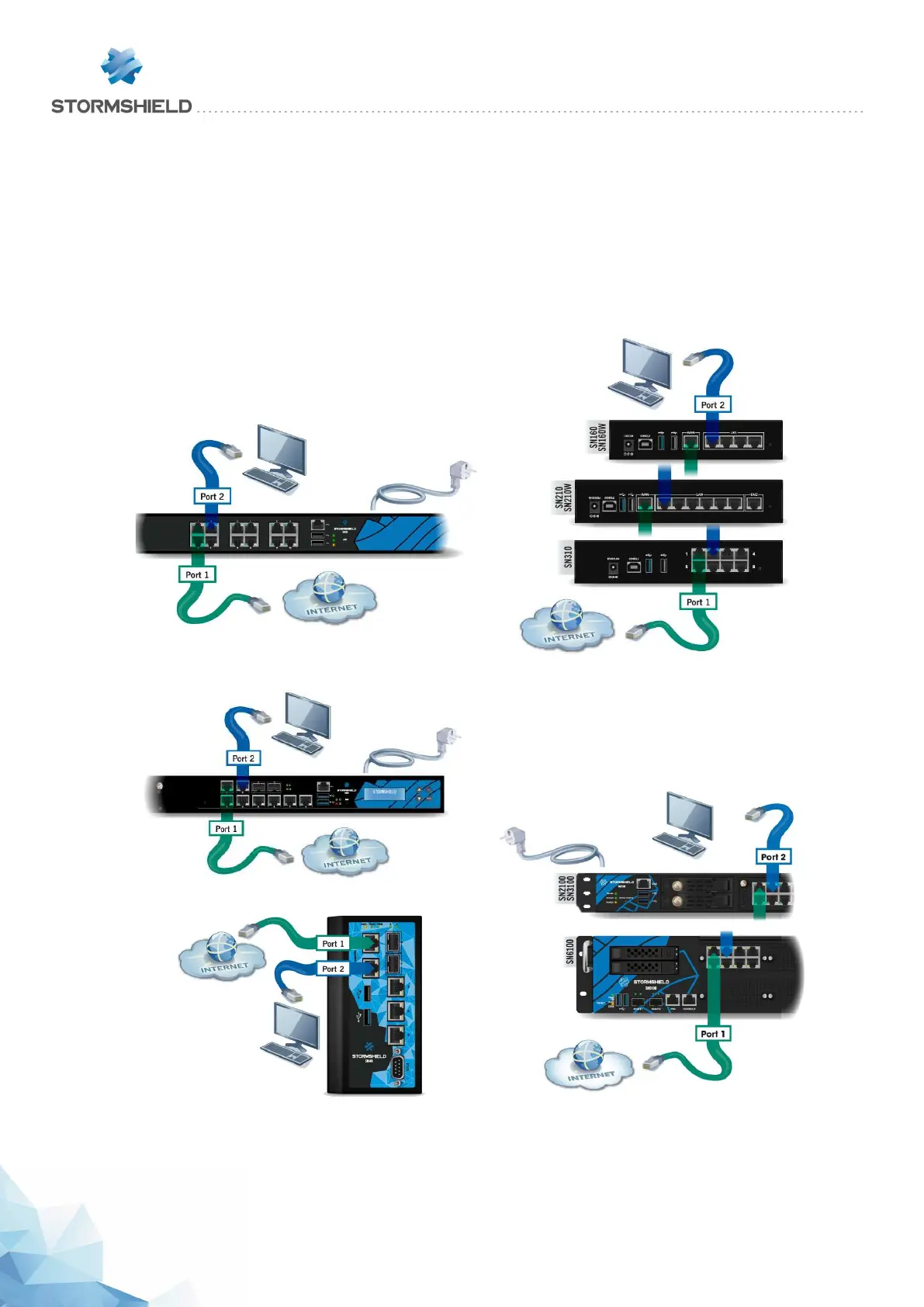
Connect the network ports as follows:
l INTERNAL interface 2 (IN): Workstation
l EXTERNAL interface 1 (OUT): Internet access device
The client workstation can either be linked directly to the
Firewall’s internal interface or connected to the local
network, which is itself connected to the Firewall’s internal
interface.
For a direct connection of the workstation to the Firewall,
use the crossover Ethernet cable provided with the
product.
SN510 and SN710 models SN160, SN160W, SN210, SN210W and SN310 models
SN910 model
SNi40 model SN2100, SN3100 and SN6100 models
SNS - PRODUCT PRESENTATION AND INSTALLATION 2019
INITIAL CONNECTION TO THE PRODUCT
Page 45/66 sns-en-SNrange_installation_guide-2019 - 09/2019



 To Next Page