APPENDIX E: CONFIGURATION AND ADMINISTRATION
VIA IPMI (SN6100)
IPMI (Intelligent Platform Management Interface) is a network protocol and allows obtaining
hardware information remotely, monitoring certain components and controlling appliances
(control, reboot, interruption, etc.).
SN6100
Configuration
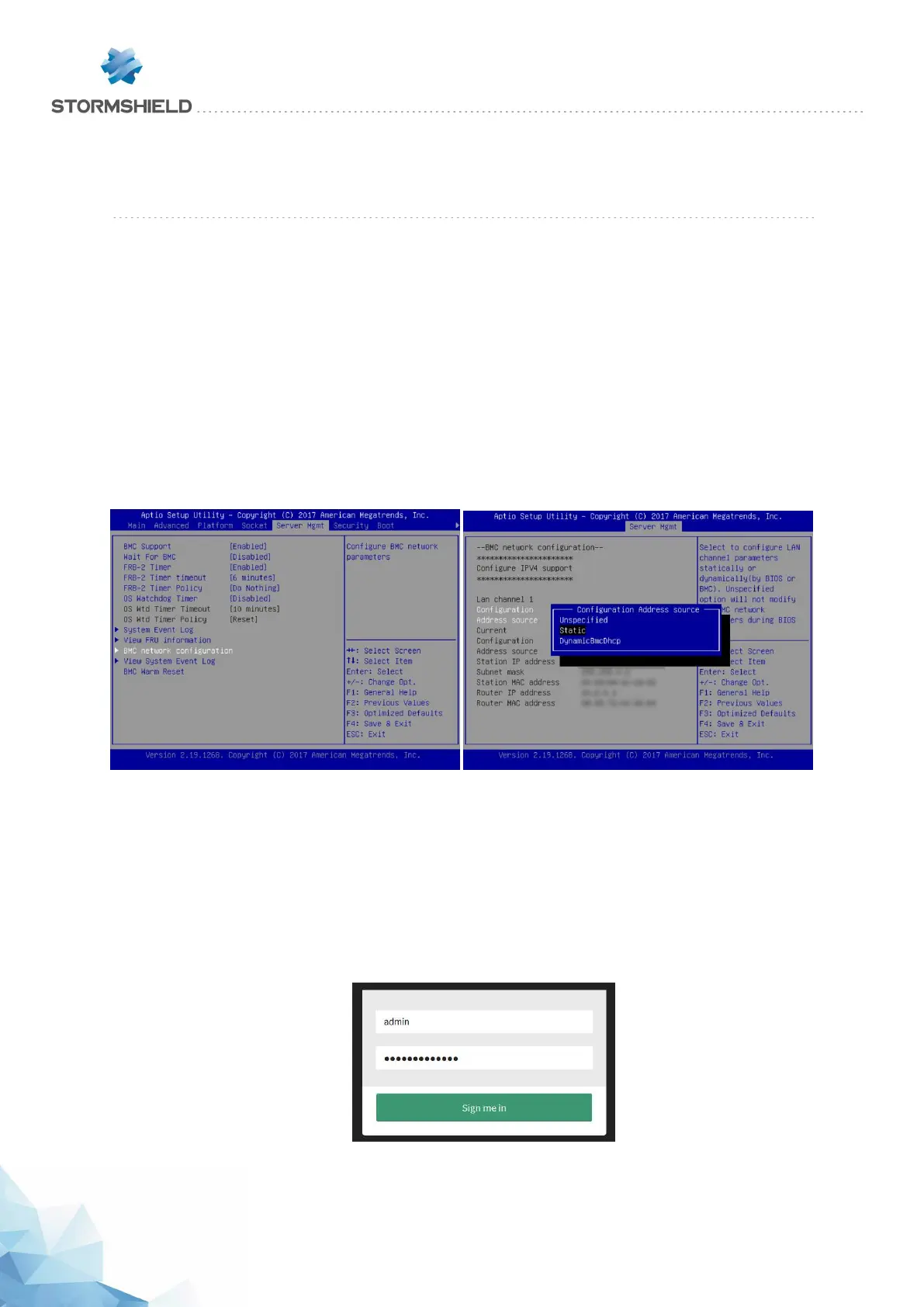
When starting the product, once the Stormshield logo appears, press <del> to access the BIOS.
Next, go to the section "BMC network configuration" in the Server Mgmt menu in order to configure
the network interface dedicated to IPMI, then save and quit.
Connection
Plug the network cable into the dedicated network interface on the front of the appliance.
Launch your browser and log on to the dedicated interface by entering the address:
https://<ip_if_ipmi>
If this has not been configured, the default IP address of the IPMI interface will be
192.168.0.100/24
The login and password are “admin” by default.
SNS - PRODUCT PRESENTATION AND INSTALLATION 2019
APPENDIX E: CONFIGURATION AND ADMINISTRATION VIA IPMI (SN6100)
Page 64/66 sns-en-SNrange_installation_guide-2019 - 09/2019



 To Next Page