NETWORK CONNECTORS
RJ45 Ethernet connectors
These interfaces have to be connected to other network appliances with an RJ45 Ethernet cable.
NOTE
A crossover cable is delivered with the Stormshield Network Firewall. This is a Category 5e
cable, for running in 10Mbps, 100Mbpsor 1Gbps. Check the compatibility of your devices.
Connectors
The Ethernet (Gigabit or 10 Gigabit) ports of
the Stormshield Network SN range are
configured in auto-sense mode, meaning
that they adapt to the configuration of the
Ethernet port on the appliance to which
they are connected. These ports are
therefore compatible with straight or
crossover RJ45 Ethernet cables.
On SN710, SN910, SN2100, SN3100 and
SN6100 models, Ethernet RJ45 ports can
be added by inserting extension modules.
WARNING
Keep data cables some distance away from
any source of electromagnetic interference
such as mains cables, radio transmitters,
fluorescent tubes, etc.
IN / OUT definition
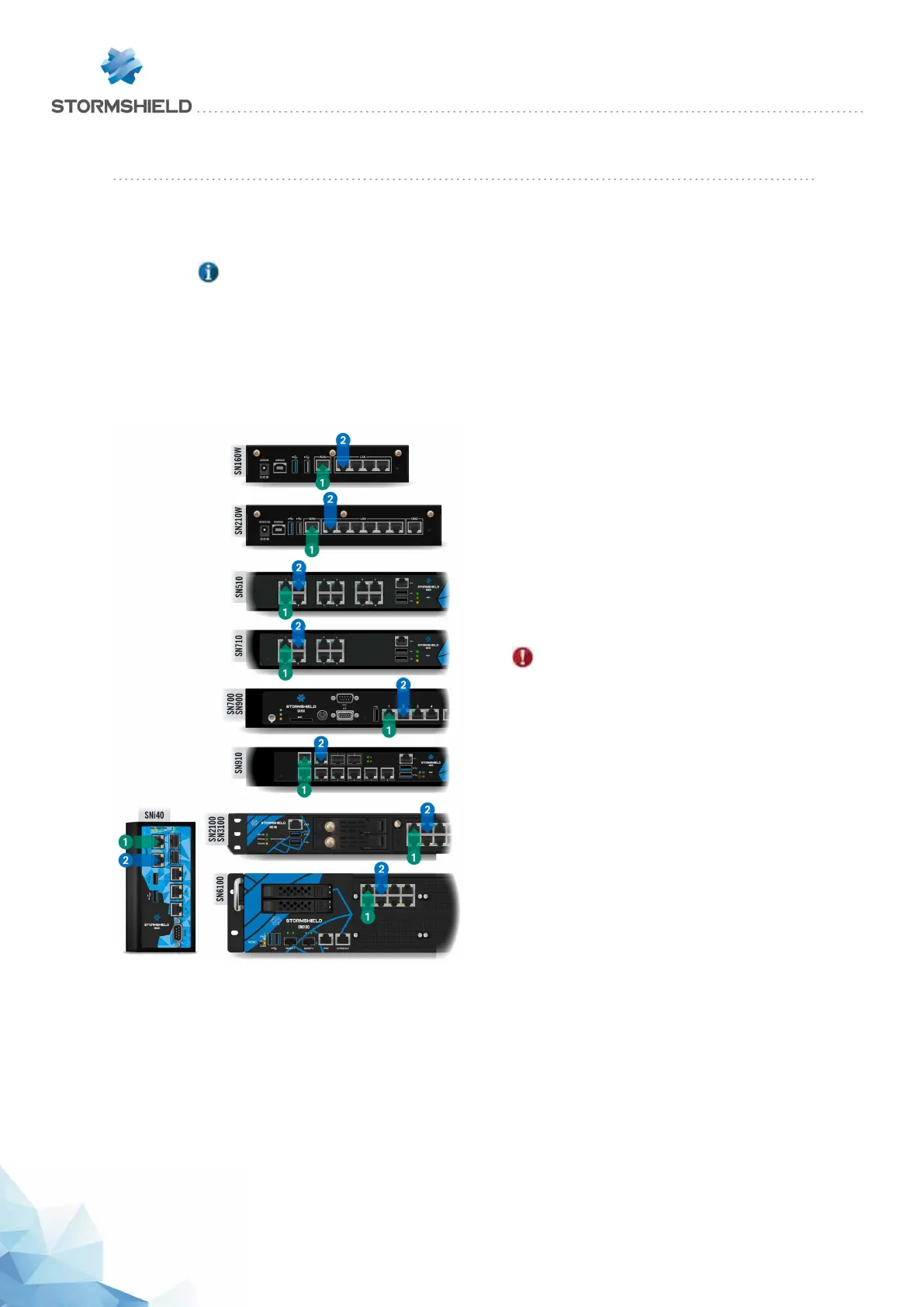
The OUT 1 or "External" network port is
reserved for the modem or Internet router.
Access to this interface is blocked by
default, you will therefore not be able to
access the configuration interface from this
port.
To access your Firewall from a client
workstation, you will need to connect on
the IN 2 or “Internal” port, or on another
port (except port 1).
For further information regarding the startup procedure of your firewall, refer to the section INITIAL
CONNECTION TO THE PRODUCT.
SNS - PRODUCT PRESENTATION AND INSTALLATION 2019
NETWORK CONNECTORS
Page 35/66 sns-en-SNrange_installation_guide-2019 - 09/2019



 To Next Page